

Drag and Drop Truck Loading Exercise
We are creating drag and drop scenarios for loading products on delivery trucks.
Advanced actions are used to determine the correct answers.
We have problems with getting the drop targets to consistently and accurately accept the drag sources.
Sometimes you have to move the drag source back and forth over the drop target to get it to register that it has been placed correctly.
I have been experimenting with changing the size of the drop targets but if I make the drop targets too big the sense of realism is lost because the products do not sit on top of each other like they would on the back of a truck.
There is no overlap of the drop targets but they are very close so that the learner feels that they are actually loading the truck.
QUESTIONS:
- Are we expecting too much of Captivate to work successfully with this type of precision drag and drop exercise?
- What else should we keep in mind while working on this based on your experience?
- Does anyone know of any other alternatives for doing this type of interactive exercise?
Captivate 2017 file is available on this drop box link.
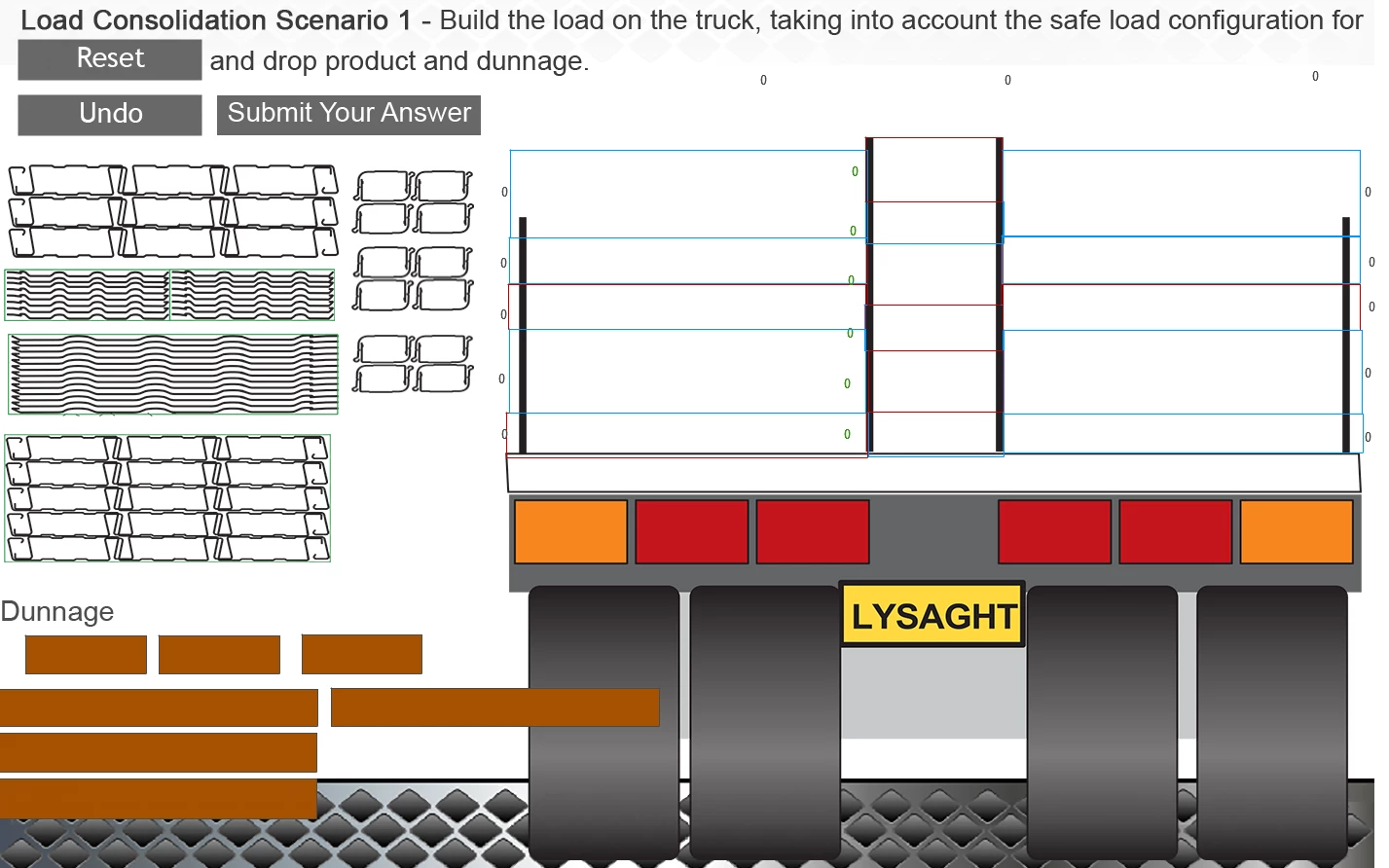
There are text boxes near each drop target that indicate when a correct drag has been placed in it (for testing).
There are three text boxes at the top which also indicate that the 3 sections have been loaded correctly.
The brown rectangular drag sources are pieces of hard wood we call “dunnage”. The other drag sources are building products.
After you select Submit and Reset, the variables are reset to 0 after a few seconds.
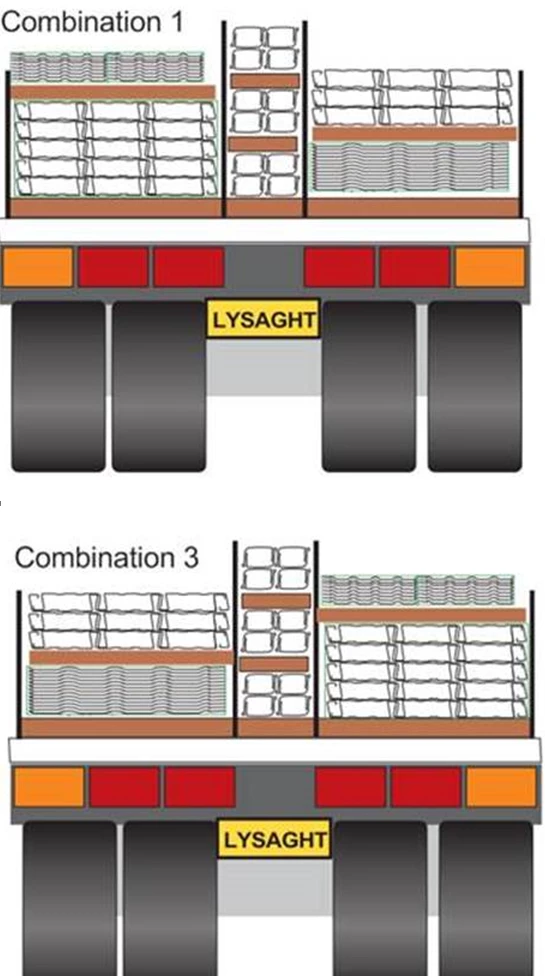
Combination 1 & 2 are the two correct answers.
 AdChoices