
Answered
Drop shadow colors
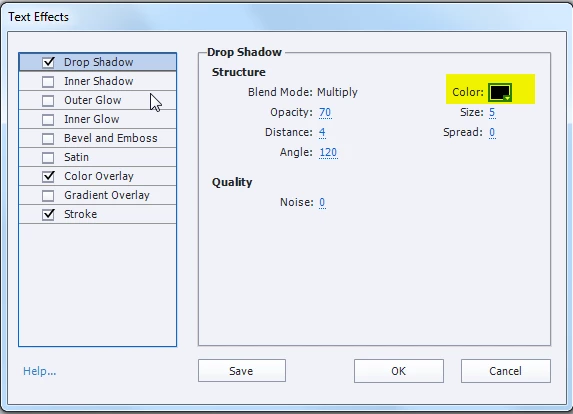
 How is the drop shadows color controlled in Captivate 8. I keep getting a green highlight, and I want a black.

How is the drop shadows color controlled in Captivate 8. I keep getting a green highlight, and I want a black.
This is a Text Effect, right? The dialog box that you can open with 'Edit' button gives you an overview of the Effects, similar to Photoshop Effects. You'll find the drop shadow here (highlighted). You don't have as much controls as in PS, you cannot change the Blend mode for Drop shadow:
Already have an account? Login
Enter your E-mail address. We'll send you an e-mail with instructions to reset your password.
 AdChoices