
mikedashg
Inspiring
April 26, 2018
Question

Grouping Text Captions that were FROM a Master Page?

  • April 26, 2018
  • 1 reply
  • 263 views

I created a master page that has several placeholder captions in Captivate 2017 (breakpoint responsive):
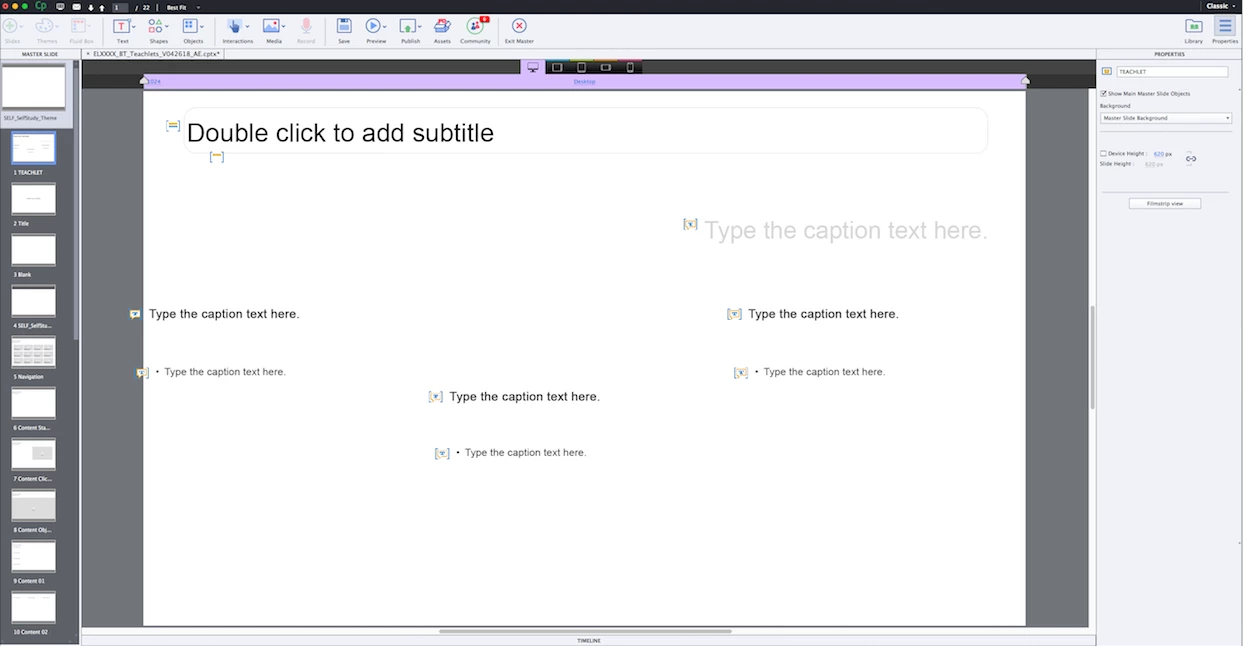
When I edit the text on the ACTUAL slide, they become text captions and not just placeholders. How come the group option is grayed out for these captions?

I understand you can't group objects ON the master page itself, that's not what I want to do anyway. I'm not on the master anymore. The objects are not locked.
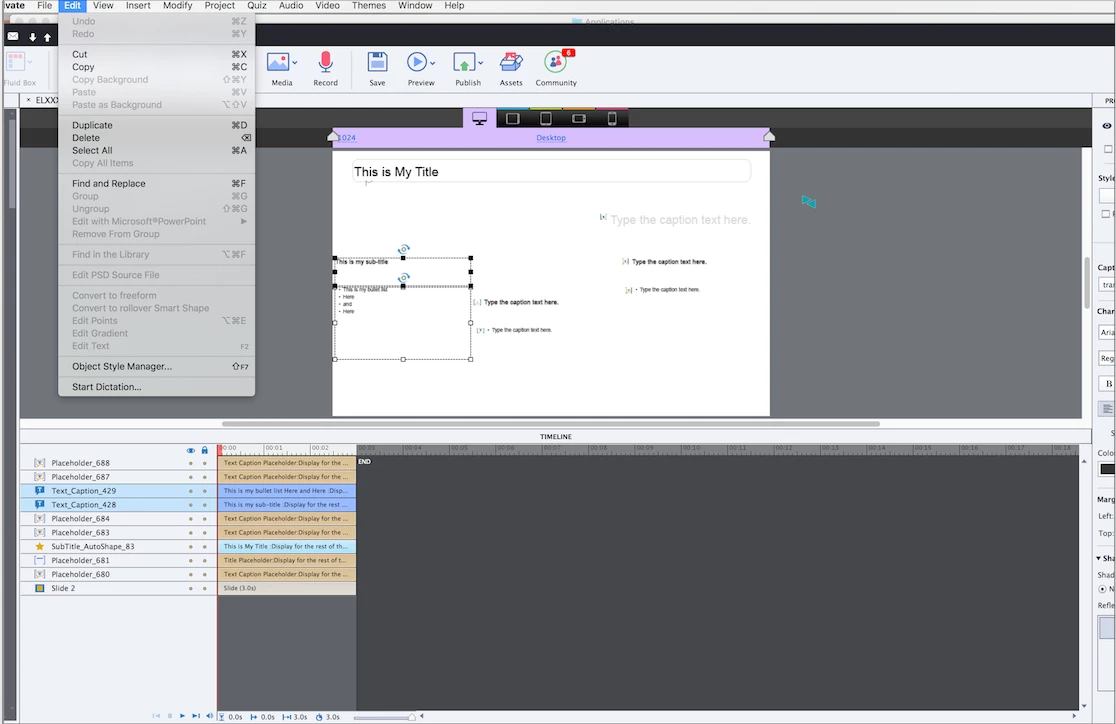
Same question unanswered here from 2014:

https://forums.adobe.com/message/10345500

    This topic has been closed for replies.

    1 reply

    sabre123
    Participating Frequently
    April 26, 2018

    If you select the caption and then hit the Delete key on your keyboard, you will see that it displays a new placeholder text box, thus retaining the properties of the original Placeholder object from the Master page (from which you cannot group).

    mikedashg
    mikedashgAuthor
    Inspiring
    April 26, 2018

    I have done that before when I want to revert to a placeholder. But why would I do that? I understand it's linked to the master, and you cannot group items ON the master. That doesn't answer my question. Thanks though.

    sabre123
    Participating Frequently
    April 26, 2018

    Probably has more to do with the functionality of a Placeholder object itself. It's not allowed to be grouped and because it is still a placeholder on a slide, you're kind of stuck with that functionality. Good luck.