

Grabzoo
Participating Frequently
July 21, 2014
Answered

Hiding Button Until All Conditions Are Met?

  • July 21, 2014
  • 3 replies
  • 4399 views

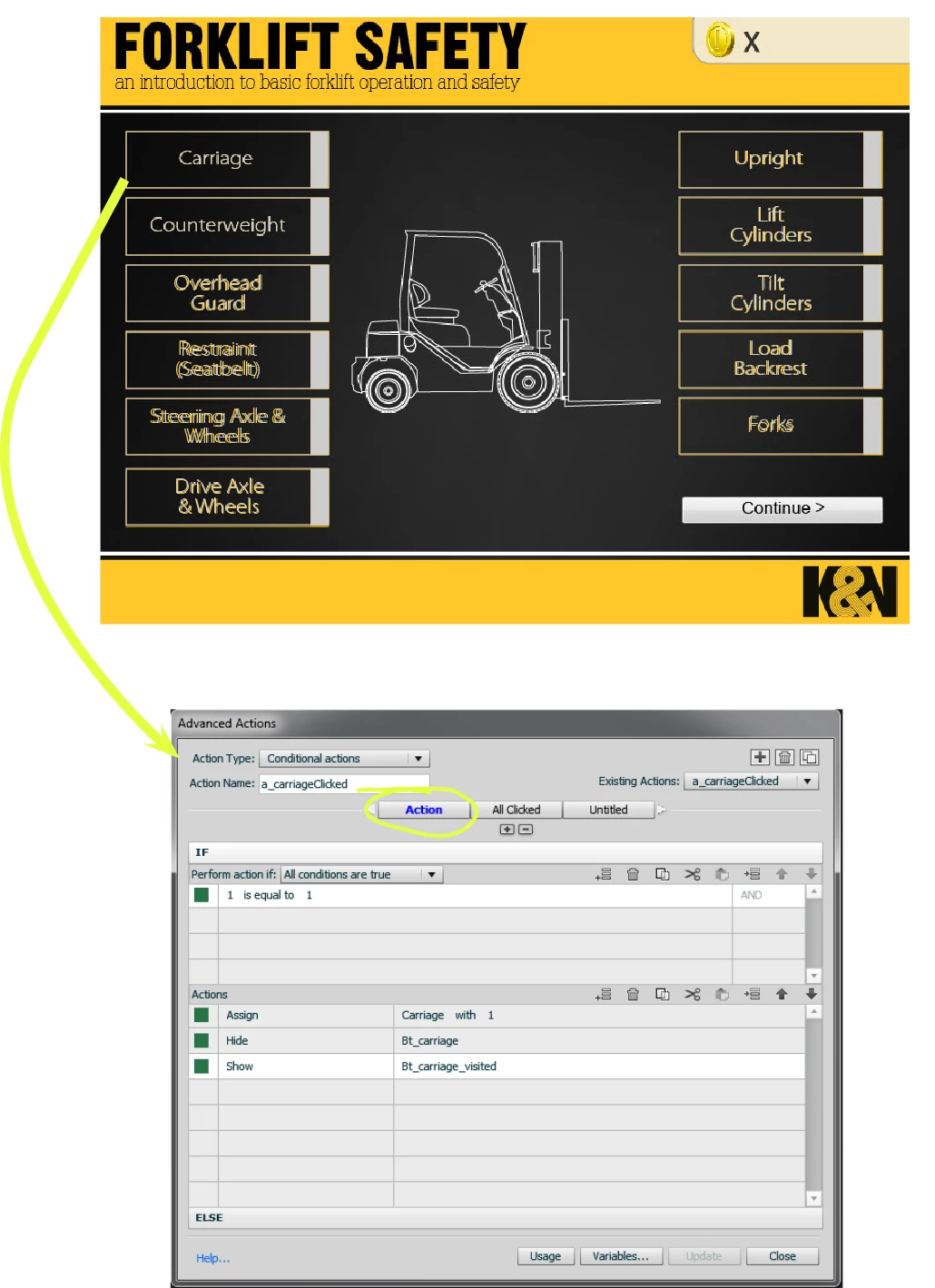
Please help!  I am creating a forklift safety training module. There are 12 buttons on the first slide (see screenshot 1); however, only 11 are visible at the start of the slide.  The 12th button is a ‘continue’ button that appears only after all the content slides (slides 2 through 12) have been viewed by the learner.  I used a conditional action to hide the button (something I learned from @Lilybiri) until all conditions have been met.


The Problem:

The ‘continue’ button does not always appear after the content slides have been viewed.  I found that I can make it appear by going back into each content slide and viewing the slides a few seconds more before returning to the main slide—this seems to complete some condition that tells Captivate to show the ‘continue ‘ button.  Of course, I do not want learners to be faced with the challenge of trying to figure out why they can’t continue. I simply want them to visit the pages related to each button to have all of the conditions met.


Screenshot 1: The initial screen (actions related to changing button color below)

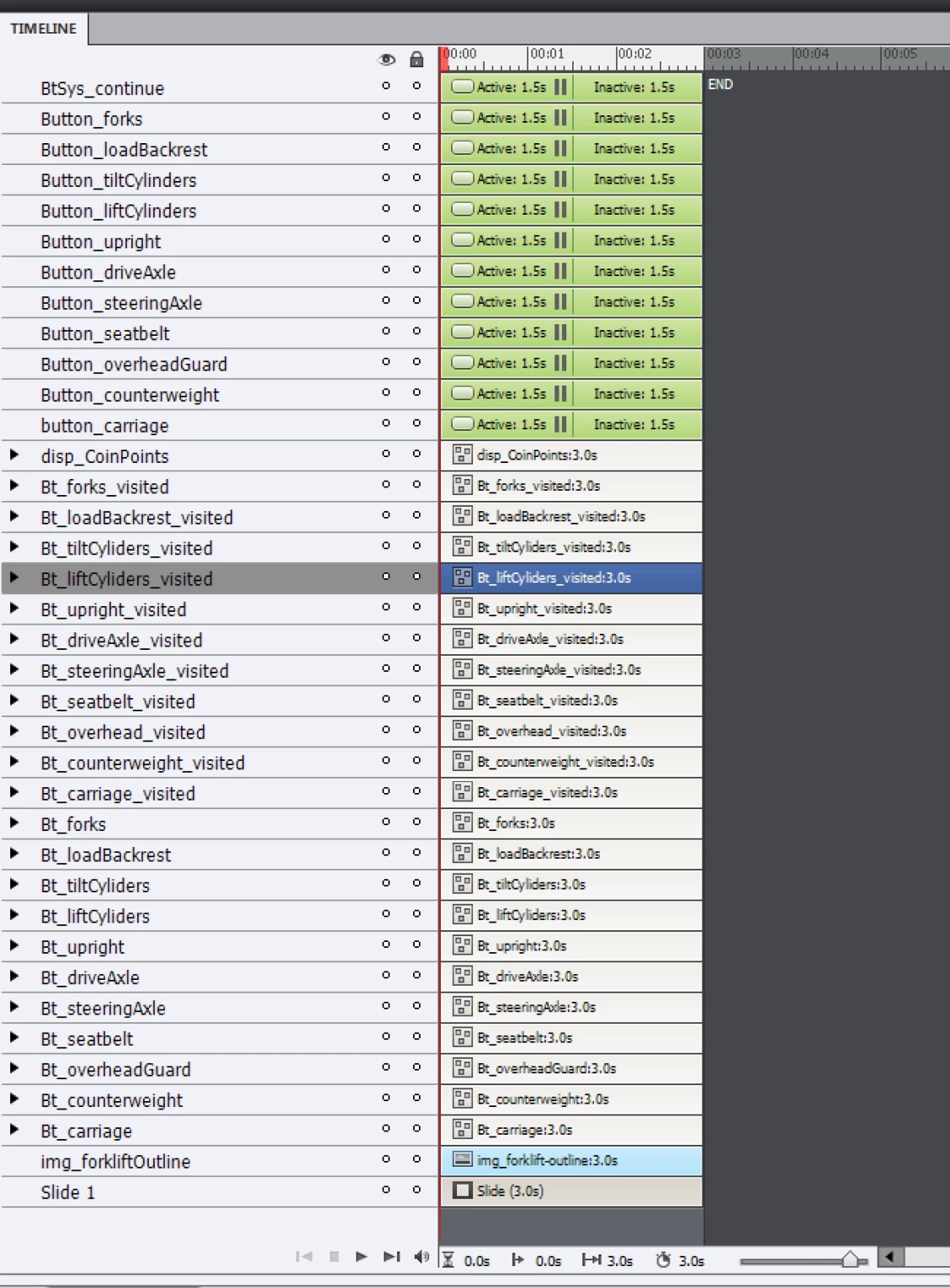
Screenshot 2: Timeline of the main interaction page

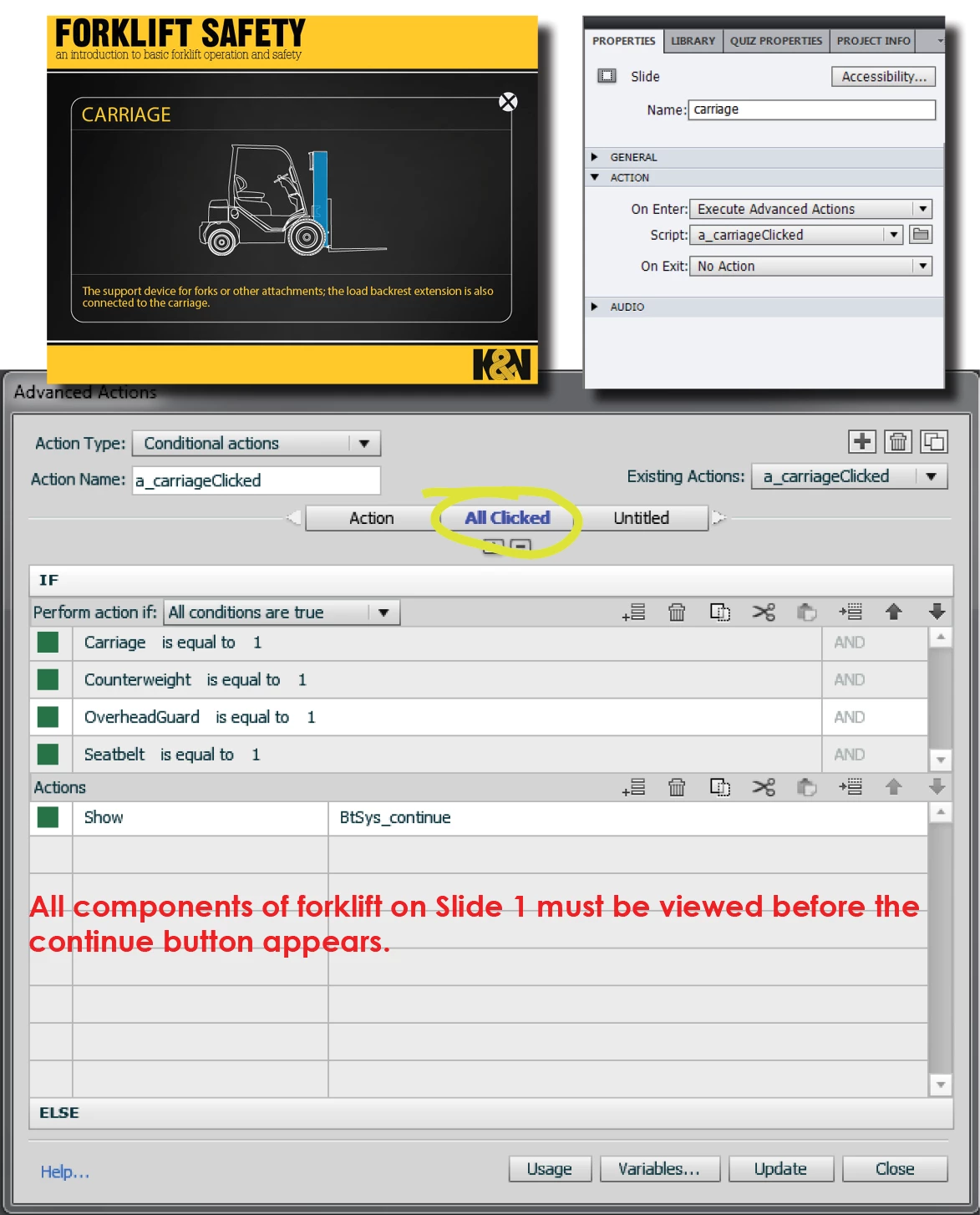
Screenshot 3: Conditional Action to display the CONTINUE button (created as a 2nd decision off of the 'Carriage' action). 

My expectation was that OnEnter, the slide view would be recognized as viewed and count toward the condition that all 11 content pages would be viewed before the 'continue' button appeared.  I set the time to 3.0s (see screenshot above) on all content slides.  No transitions, no effects.

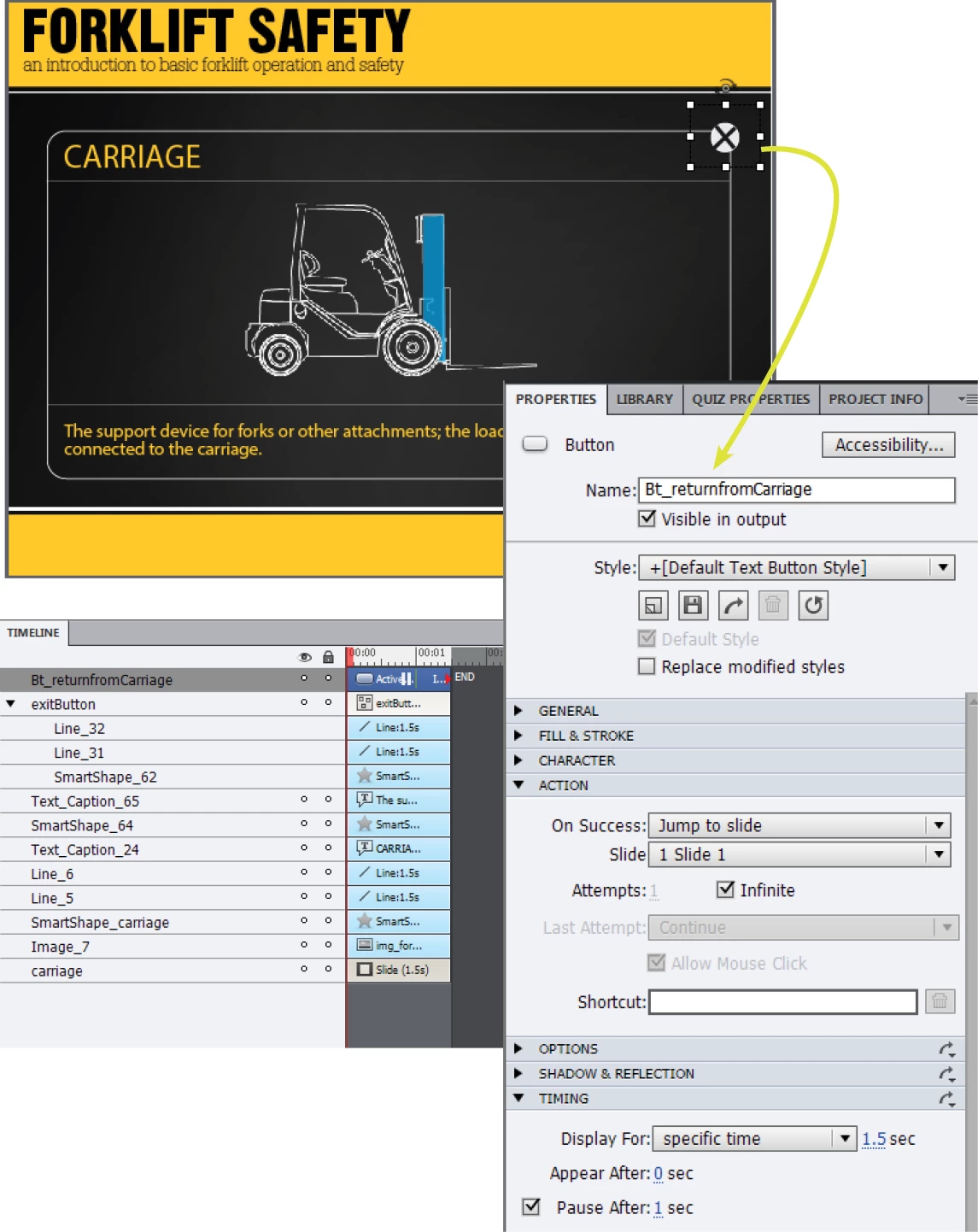
Screenshot 4: Each content slide is returned to the main interactivity slide by an OnSuccess: Jump to Slide command.  Nothing special here.  I tried reducing all content slides to 1.5s to no avail.

Screenshot 5:An example of the interaction page BEFORE all content slides have been viewed and before the 'CONTINUE' button appears (ignore the footer buttons; that was just me experimenting with button styles).


That's a lot, I know.  I wanted to cover all of the basis.  I would really appreciate your thoughts and expertise.  Thank you in advance!


Michael

This topic has been closed for replies.
Correct answer dennerj

How about this which is probably really close to what you already did.... (After double checking all your advanced actions for bugs)

Each button on the main menu sets the "viewed" variable as 1, hides the active button, shows the visited button, then jumps to the content. Alternatively you could put the action on the close button for each slide like you did.

Then on your main menu you'll have the conditional action On Enter that checks that each "viewed" variable is 1. If it's true then it'll show your continue button.

I use this method with almost all modules that are non-linear. I use it to show a start quiz button, summary tab etc...

To double check your programming I would drop in a text caption that has all the variables you need to watch and make sure they are changing to 1 as they should. As soon as something doesn't change you probably will have found your problem. Also check to make sure none of your actions changed to Continue if you accidentally deleted an object or something similar.

Also BTW: If you want to increment a variable you'll need to use the action "expression" rather than "assign". If you just keep assigning 1 to a variable all you'll ever get is 1. example: if variable = 7 and you assign 1 then now variable = 1.  If you use the expression variable = variable + 1 then you'll be able to increment. Also be careful if a user visits a section more than once since it will increment the variable again and again unless you have a check to see if the content has been viewed before and then skips incrementing. Otherwise they could visit the same section 11 times and then have the continue button become visible.

3 replies

Phoenix_Leo
Known Participant
June 12, 2022

Hello, 

For 12-click buttons, any 6 buttons need to be clicked to show the next button. Not necessary to click all 12 buttons any 6 buttons need to be clicked to show the next buttons. How to write an advanced action for this type of example?

Lilybiri
Legend
June 12, 2022

Please start a new thread, this is a 8 year old thread.

So much has changed in Captivate since that time. I use a shared action which could be easily adapted to your use case. With the old method shown here that was a lot more complicated.


dennerjCorrect answer
Inspiring
July 21, 2014

How about this which is probably really close to what you already did.... (After double checking all your advanced actions for bugs)

Each button on the main menu sets the "viewed" variable as 1, hides the active button, shows the visited button, then jumps to the content. Alternatively you could put the action on the close button for each slide like you did.

Then on your main menu you'll have the conditional action On Enter that checks that each "viewed" variable is 1. If it's true then it'll show your continue button.

I use this method with almost all modules that are non-linear. I use it to show a start quiz button, summary tab etc...

To double check your programming I would drop in a text caption that has all the variables you need to watch and make sure they are changing to 1 as they should. As soon as something doesn't change you probably will have found your problem. Also check to make sure none of your actions changed to Continue if you accidentally deleted an object or something similar.

Also BTW: If you want to increment a variable you'll need to use the action "expression" rather than "assign". If you just keep assigning 1 to a variable all you'll ever get is 1. example: if variable = 7 and you assign 1 then now variable = 1.  If you use the expression variable = variable + 1 then you'll be able to increment. Also be careful if a user visits a section more than once since it will increment the variable again and again unless you have a check to see if the content has been viewed before and then skips incrementing. Otherwise they could visit the same section 11 times and then have the continue button become visible.

Grabzoo
GrabzooAuthor
Participating Frequently
July 21, 2014

John,

Thank you for the reply.  I appreciate the tip on the expression over the assign.  I now recall seeing that used in a webinar--I just didn't grasp the purpose at the time.  I am going to try to recreate the slide using the method you've outlined and see if I can get it to work.  I will let you know the outcome.  Thanks again.

Lilybiri
Legend
July 21, 2014

If you learned this from me, can you explain more in detail which action is triggered by which event?

I would have expected the action with the two decisions (Always and...) to be triggered by the On Success event of the button that is clicked, but I miss the navigation statement in that case (Jump to slide...). That is mostly my approach. If you really want to use the On Enter action of the dashboard slide, you should at least toggle the appropriate variable by the button click before jumping, and then the On Enter slide will be reduced to one decision. Something like that.

You are not yet on CP8 or I would have recommended shared actions instead of normal advanced actions.

Lilybiri

Grabzoo
GrabzooAuthor
Participating Frequently
July 21, 2014

Thank you for your reply, Lilybiri.  My statement was directed at Advanced Actions in general.  Until I recently watched a recorded Adobe webinar with you as the trainer, I didn't even know the difference between User Actions and System Actions.  The webinar was from a few years back; you showed the difference between the action types and used music, drum icons, and a picture of your niece (I think that's what you said).  I truly appreciated the insight provided through the webinar and your blog.

Concerning the actions for this project, I do not have a preference--I am just interested in creating the correct outcome on the interface.  Here is what I did with your feedback:

1. I removed all instances of Execute Advanced Actions from OnEnter

2. I created a variable for each of the content page buttons that will return the learner to the main page (you said "I would have expected the action with the two decisions (Always and...) to be triggered by the On Success event of the button that is clicked")

    example:  v_returnfromCarriage; value=0

3. I created the following advanced action to be triggered by the OnSuccess event of the button for each content page:

This is the preexisting action to change the appearance of the visited button (next screenshot shows Action 2 and Action 3)

I added Action2 (see image below) to assign the 'continue' button on the main page with 1, theorizing if I do this with each return button, I could create a total value of 11 to display the button (see image 3/Action3).  I then added the Jump to Slide action (which now does not return the learner to the first slide when I push it.  I do not know if it is actually assigning the button with a value)

I also added a third decision to the action (Action3) thinking that this would make the button appear only after a total of 11 points (1 from each button click from the content pages) was assigned.  I am not sure if this is what you meant?

That was my attempt based on what I understood from your reply.  You did mention that "On Success event of the button that is clicked, but I miss the navigation statement in that case (Jump to slide...). That is mostly my approach."  Am I missing something with your approach?  How do you resolve the problem of Jumping back to the first slide without adding an additional button on the interface?  I am pretty new to this and know I am probably missing something simple.  All the tutorials make this look so easy.  Thoughts?

Concerning Cp8, my company approved the upgrade for August, but we are trying to implement this training for our employees before that.  I can't wait to try the new features like Shared Actions--I have been reading a lot about them.

Lilybiri
Legend
July 21, 2014

Sorry, I'm on the road, cannot enter a more detailed answer. It seems you

are confusing actions and variables. The var is meant to indicate that a

subject has been visited, the action is assigning a value to the variables

and doing other things like show, hide and jump to a slide. In one of my

latest blog posts I show such a dashboard although with shared actions.

Maybe the logic is better explained there.