Inspiring
March 3, 2018
Answered

How do I link Captivate 2017 to my TypeKit account?

  • March 3, 2018
  • 1 reply
  • 1814 views

What steps do I take to link Adobe Captivate 2017 to my TypeKit Account?

Thanks
This topic has been closed for replies.
Correct answer Paul Wilson CTDP

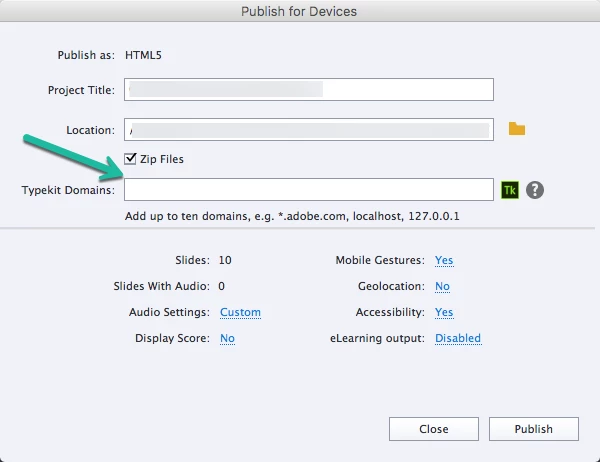
Using *.markwaterfield.com would handle the main domain plus all subdomains. Also, make sure you are using the same Adobe ID for Typekit as you use for Captivate. 

1 reply

Lilybiri
Legend
March 3, 2018

You just have to enter the locations where you want to use the Typekit fonts. Example: I add always localhost and my domain www.lilybiri.com. But you can add more locations.

MarkWFD
Inspiring
April 12, 2018

Hi when you list the domain in the typekit domain field do you need to put the asterisk and the dot in front of it like they do? i.e. *.adobe.com,localhost,127.0.0.1

I have tried to make typekit work and the fonts I use show fine coming off the web on my computer but when I go onto my phone or iPad they are just showing as Arial or Times.

Also would typekit work on a sub domain? I use a subdomain content.markwaterfield.com to host my modules.

Many thanks for any help with this

Mark

Lilybiri
Legend
April 15, 2018

Thanks again Paul. I think I have covered the steps in the tutorial but still no luck. Do the fonts have to be published in a kit to work on Captivate output? I have published them as a kit this but I may be getting this bit wrong... I only have the minimum CC package which I think only allow one 2 font kit...

Best regards


In the Free account you can link only one website and have two families (family can have more than one font).  Did you try to link to multiple websites?
