
Inspiring
June 8, 2015
Answered

How do I resolve 0xc000007b error?

  • June 8, 2015
  • 2 replies
  • 2588 views

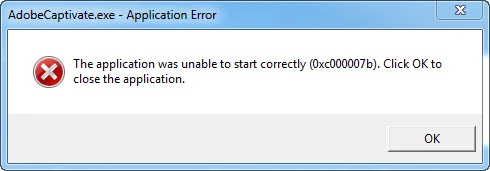
I am using Captivate 8 64 bit and this morning it started giving me the error "The application was unable to start correctly (0xc000007b). Click OK to close the application.". I have updated C++, uninstalled Captivate, re-installed Captivate and the problem still persisits.

Please help I have a project being delayed because of my software failing! I am also getting the same error with Adobe After Effects.
This topic has been closed for replies.
Correct answer kkey1978

I have tried that, but it did not work.

Update:

After spending a day and  half trying to resolve this issue I re-imaged my computer. 

2 replies

HardXOR
Participant
September 1, 2015

hi all,

this is not necessary a redistributable packages error, best name for this error may be "cannot load dll correctly"

for any reason - function not found or version is too old or something like that

this is my procedure how to find wrong dll

1.) download Process Monitor by Sysinternals (now hosted on Microsoft)

https://technet.microsoft.com/en-us/library/bb896645.aspx

2.) start Process Monitor (start capture if not started) and try start any Adobe product (if one fail on this error everyone fails)

Adobe product throw error 0xc000007b, click ok and go back to Process Monitor

3.) stop capture with 3rd icon (magnifying glass)

4.) find Adobe product (in my example Photoshop) and choose filter like you see on picture

this delete any other process lines from list

5.) now you can see how Adobe product load Image Files (dll)

normaly it looks like u can see on picture

you can see Opperation = Load Image and in details return of Image Base and address

6.) if you go to end where process exit himself, you can see this

on this picture you can see Photoshop is trying load "msvcr100.dll" but no successfull Load Image operation or Image Base address

Process try find correct dll on many different places, but no luck, after that Process Exit call and close himself

and so this dll is wrong or cannot be loaded correctly

7.) download another version from http://www.dll-files.com/ and find which work and which dont

this is example when i try rewrite glu32.dll with older one and get same error, but in Process Monitor is clearly see what happened

again no successful Image Load operation and no Image Base address = same 0xc000007b error

I hope I helped

kkey1978Author
Inspiring
June 8, 2015

Here are the C++ files that are loaded.

RodWard
Community Expert
Community Expert
June 8, 2015

Reset your Preferences folder.

See tip number 8 on this page:

Basic Captivate Troubleshooting Techniques | Infosemantics Pty Ltd

kkey1978AuthorCorrect answer
Inspiring
June 9, 2015

I have tried that, but it did not work.

Update:

After spending a day and  half trying to resolve this issue I re-imaged my computer.