Copy link to clipboard
Copied
Good day
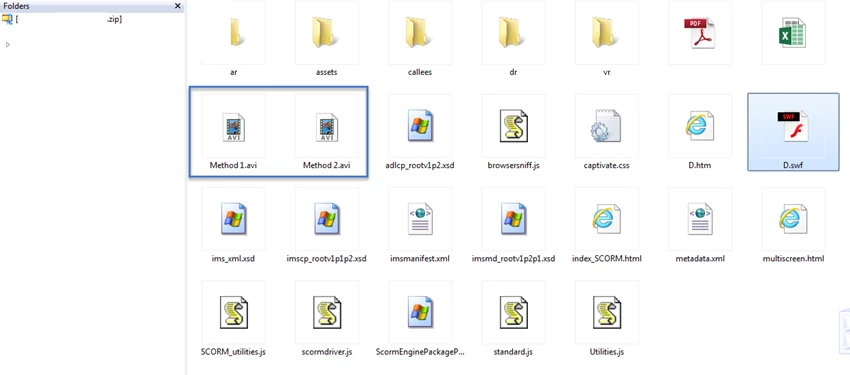
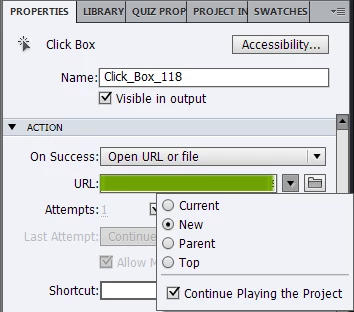
I have created a couple of videos and would like my users to click on certain links within a slide to view them. When testing it locally on my system, Windows Media Player launches but in published mode (SWF/HTML5), when clicking on the link, it takes me to a browser page vs, windows media player.
Some additional notes


Did I miss a step?
Regards
AJ
Copy link to clipboard
Copied
You need to convert these AVI videos to MP4 format if you want to use them in Captivate content.
The Adobe Media Encoder tool that comes free with Captivate can be used to do this.
Copy link to clipboard
Copied
Thanks Rod.
Copy link to clipboard
Copied
I used the Adobe Media Encoder on the AVI videos and it was converted to 3GPP. Is that the correct file extension or should I just convert it directly to MP4 using Adobe Premier?
Copy link to clipboard
Copied
MP4 is better (3GPP is an older, mobile spec).
You can convert to MP4 with the Encoder if you launch it separately and select an MP4 profile.
Or if you're more comfortable with Premiere, sure, use that. Just be sure it's an MP4 using the h.264 codec.
Copy link to clipboard
Copied
Is it possible to use H.263 codec?
Under Adobe Premier below is the settings to convert the file to MPEG 4:-

Under Adobe Encoder CC and CS6, below is the settings to convert the file to MPEG4

Get ready! An upgraded Adobe Community experience is coming in January.
Learn more