
Participant
August 31, 2015
Answered

Importing mp4s into Captivate 6

  • August 31, 2015
  • 1 reply
  • 313 views

Either I've lost my mind (which is a real possibility) or I'm missing import functionality...  Is this not where I should be able to import mp4s into my cptx in Captivate 6?
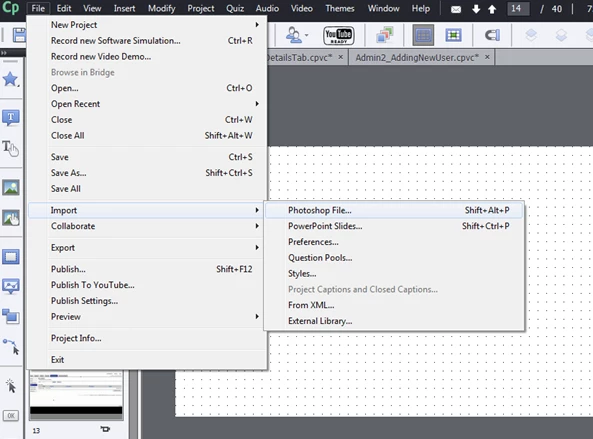
I have tried inserting a video, but they will not play when published.  First it buffers and then says connection error.

Please help!!

Kristy

This topic has been closed for replies.
Correct answer Lilybiri

Not there (know it is not consistent). You can import files to the Library (using the Library menu or the import button), that is the case for most assets. You can also import directly on a slide, using the Video menu, Insert Video.

1 reply

Lilybiri
LilybiriCorrect answer
Legend
September 2, 2015

Not there (know it is not consistent). You can import files to the Library (using the Library menu or the import button), that is the case for most assets. You can also import directly on a slide, using the Video menu, Insert Video.

KristyH22Author
Participant
September 2, 2015

I tried the insert video, but it buffers and then finally says connection lost or something like that...  Any suggestions?

Thanks,

Kristy

RodWard
Community Expert
Community Expert
September 3, 2015

That usually indicates poor bandwidth, which could be either at your end or the server where the video resides.

Best way to test is to try placing the video on a different server that has good bandwidth and see what happens.