Exit
  • Global community
    • Language:
      • Deutsch
      • English
      • Español
      • Français
      • Português
  • 日本語コミュニティ
  • 한국 커뮤니티
0

Issues with Executing Javascript command in Captivate

New Here ,
Jun 24, 2011 Jun 24, 2011

Hi,

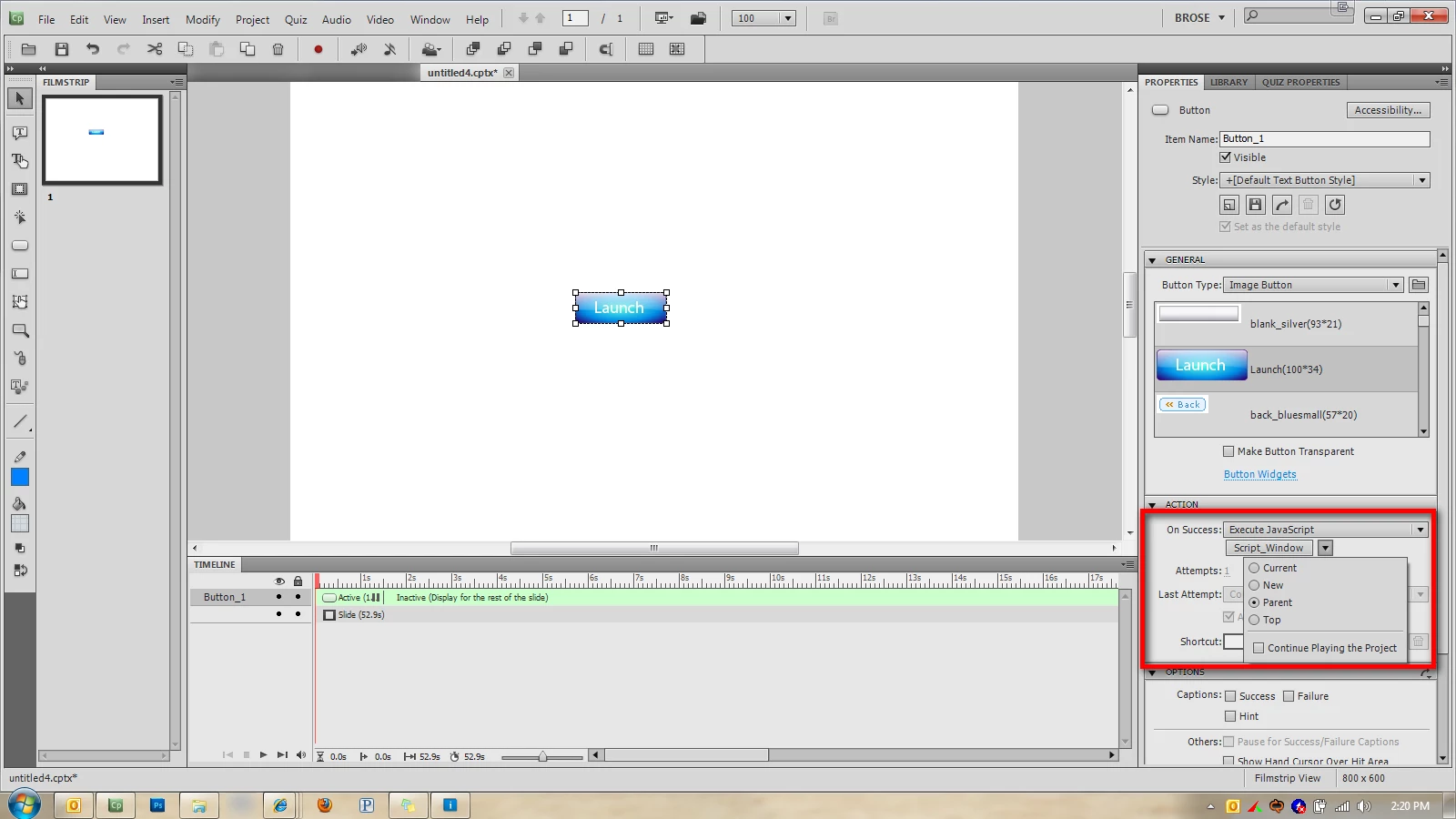
I am having issues with executing javascript for a button in adobe captivate 5.  Let me explain what I am trying to do.  I am working on a WBT that has three skill checks throught the course. These skill checks are not graded or tracked for completion.  I currently have an image button that has the command "Open another project" The first image button is pointed to SkillCheck1 and I have the html file and swf file in the published root folder.  This currently works fine.

However I want to use javascript to open a new window 800X600 with not toolbars at the top.  I got this part working with the code below:

window.open('http://www.adobe.com','mywin',
'left=40,top=40,width=800,height=600,toolbar=1,resizable=0');

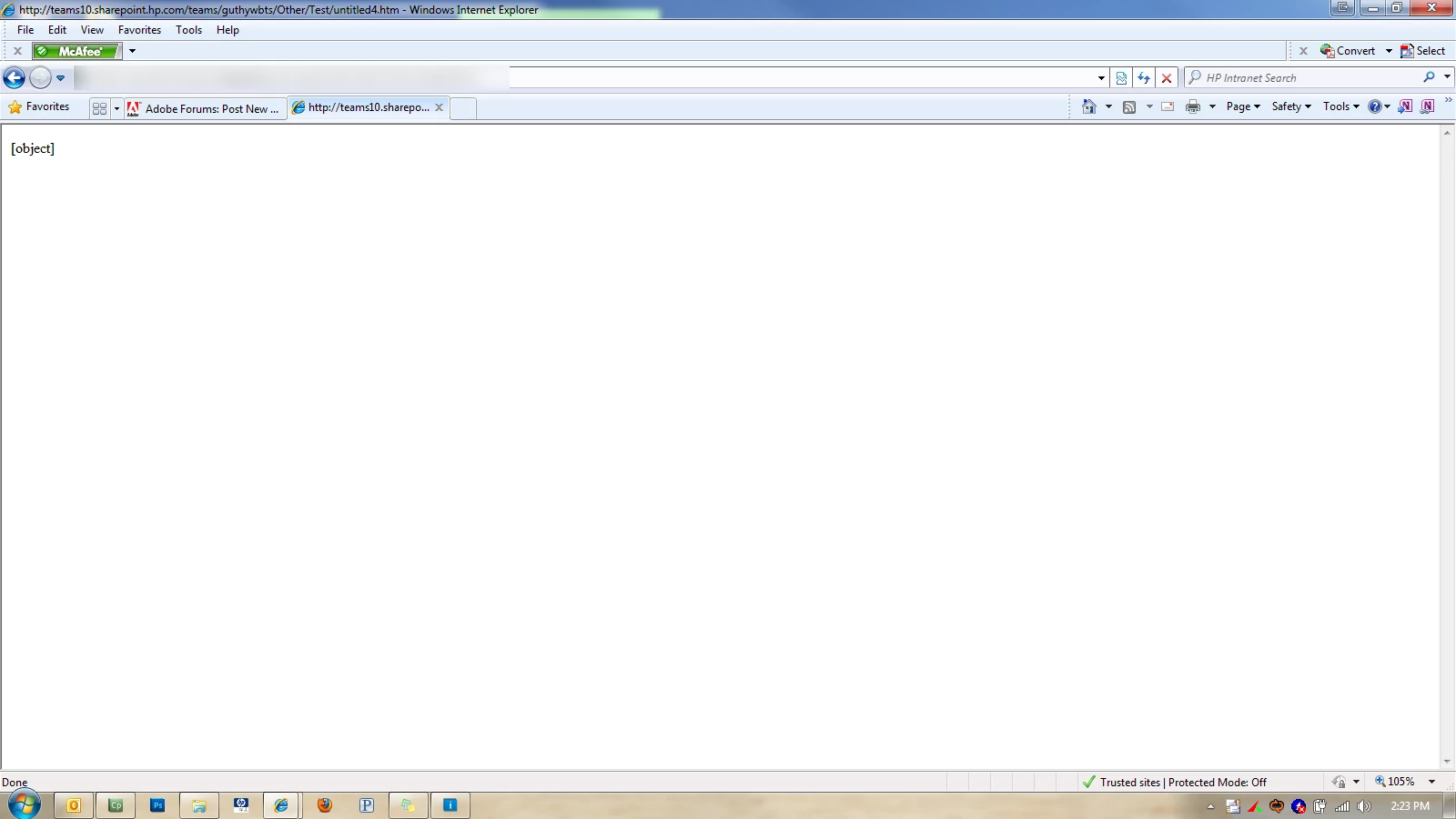
My only problem is, once the popup opens, my WBT goes to a page that says [object] and thats it.  I am uploading two images to show what I have.  Can someone help resolve my issue of the WBT going to
CP.png

After.png

1.1K
Translate
Report
Community guidelines
Be kind and respectful, give credit to the original source of content, and search for duplicates before posting. Learn more
community guidelines
LEGEND ,
Jun 24, 2011 Jun 24, 2011

Hi there

A brief Google search reveals the following link...

Click here to view

Cheers... Rick

Helpful and Handy Links

Captivate Wish Form/Bug Reporting Form

Adobe Certified Captivate Training

SorcerStone Blog

Captivate eBooks

Translate
Report
Community guidelines
Be kind and respectful, give credit to the original source of content, and search for duplicates before posting. Learn more
community guidelines
New Here ,
Jun 24, 2011 Jun 24, 2011

Ok so I took this link and viewed over it.  I am new to Javascript and know very little about it.  Therefore this script kind of makes no sense to me.

<script language="JavaScript"><!--
var windowHandle = '';

function myOpen(url,name,attributes) {
    windowHandle = window.open(url,name,attributes);
}
//--></script>

<a href="javascript:myOpen('page.htm','windowName','height=100,width=100')">text link</a>


I chose the option to exectute javascript.  Does captivate need all of this including <script language=JavaScript">  Here is how I edited the script.  Should I make any changes to what is in bold?

var windowHandle = '';

function myOpen(url,name,attributes) {
    windowHandle = window.open(url,name,attributes);
}


<a href="javascript:myOpen('http://www.adobe.com','Adobe Website','height=600,width=800')">text link</a>

Translate
Report
Community guidelines
Be kind and respectful, give credit to the original source of content, and search for duplicates before posting. Learn more
community guidelines
Community Expert ,
Jun 24, 2011 Jun 24, 2011

Does this work?

window.open('http://www.adobe.com','mywin','left=40,top=40,width=800,height=600,toolbar=1,resizable=0') return false;

Translate
Report
Community guidelines
Be kind and respectful, give credit to the original source of content, and search for duplicates before posting. Learn more
community guidelines
New Here ,
Jun 24, 2011 Jun 24, 2011

This does not resolve it.  My launch button is set to an image and the command is execute javascript.  I have it set to open in parent.  The script that I am using give me error on page.

I used the code:

window.open('http://www.adobe.com','mywin/','left=40,top=40,width=800,height=600,toolbar=1,resizable=0') return false;

After.png

Translate
Report
Community guidelines
Be kind and respectful, give credit to the original source of content, and search for duplicates before posting. Learn more
community guidelines
Community Expert ,
Jun 24, 2011 Jun 24, 2011
LATEST

Have you made sure that the publish folder location has been added as a trusted location in your Flash Player Global Security settings?

You can get more information about why the JavaScript is throwing an error by clicking the Error message in the IE status bar.

Translate
Report
Community guidelines
Be kind and respectful, give credit to the original source of content, and search for duplicates before posting. Learn more
community guidelines
Resources
Help resources