
Inspiring
June 1, 2015
Answered

Not Pausing Like I Think It Should

  • June 1, 2015
  • 2 replies
  • 546 views

Hello,

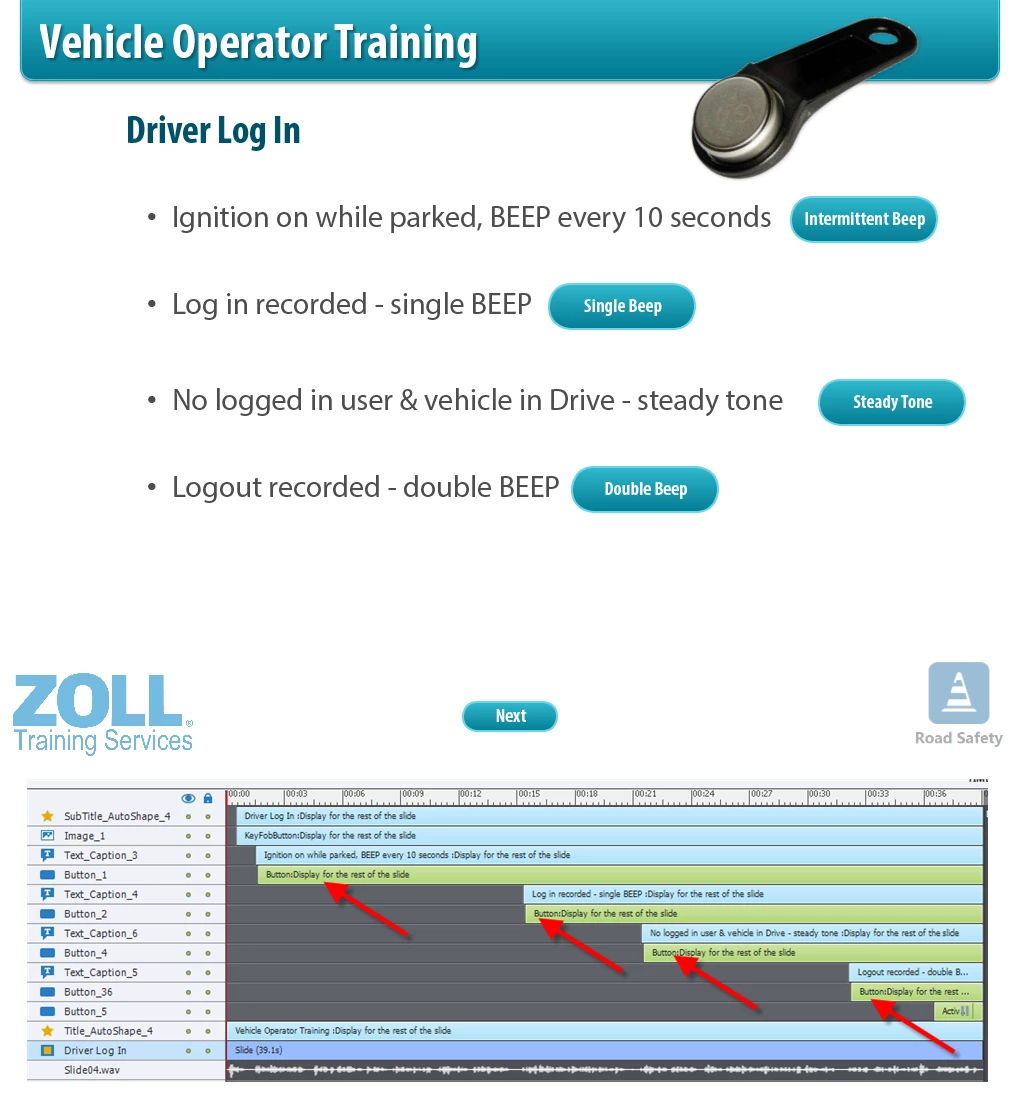
I have several (five to be exact) slides that just don't seem to work correctly.  Well, as I think they should anyway.

Each of the slides (sample and time line below) have 2 - 5 buttons on them that do nothing but play a little sample audio clip.  They work exactly as I wanted them to and can be pressed/played several times by the viewer.  Until the end that is.  Once the slide reaches the end (Button_5 on the timeline below and pauses) the next time a button is pressed on the slide, the audio will play and without pressing the Next button the project will advance to the next slide.

Thanks in advance for any suggestions . . . .
This topic has been closed for replies.
Correct answer Captiv8r

Hi there

See if the video linked below will help.

Cheers... Rick

2 replies

BDuckWorks
Inspiring
June 2, 2015

Another issue I see is the pause appears to overlap with the audio.

This will cause your users to perceive that the slide content was cut off before it finished.

Based the comments above you may have removed this from this slide, but it may be an issue elsewhere in the project.

Lilybiri
Legend
June 2, 2015

@BDuckWorks  What do you mean? Slide audio will not be stopped by the pause of an interactive object provided the audio starts before the pausing point. Or do you mean something else?

Captiv8r
Captiv8rCorrect answer
Legend
June 1, 2015

Hi there

See if the video linked below will help.

Cheers... Rick

Inspiring
June 2, 2015

FANTASTIC!  Worked like a champ!  Thank you so much!

ed