I never use PPT import, but if you want to see the slide numbers on each slide in Captivate, you can do that this way:
- Insert a text container on the first slide, it can be a caption or a shape with the style you want.
- Insert the text Slide
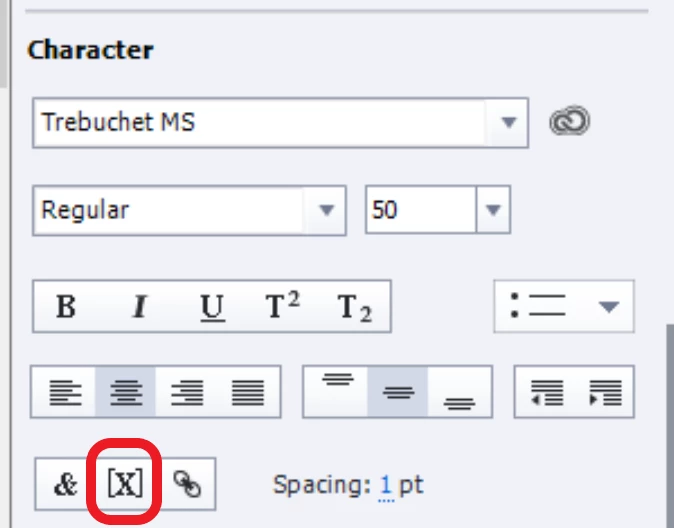
- Continue by clicking the insert variable button, which is the X button in the Character part of the Properties panel.
- In the Variables dialog box, switch to System, in the category to Movie information and find the system variable cpInfoCurrentSlide
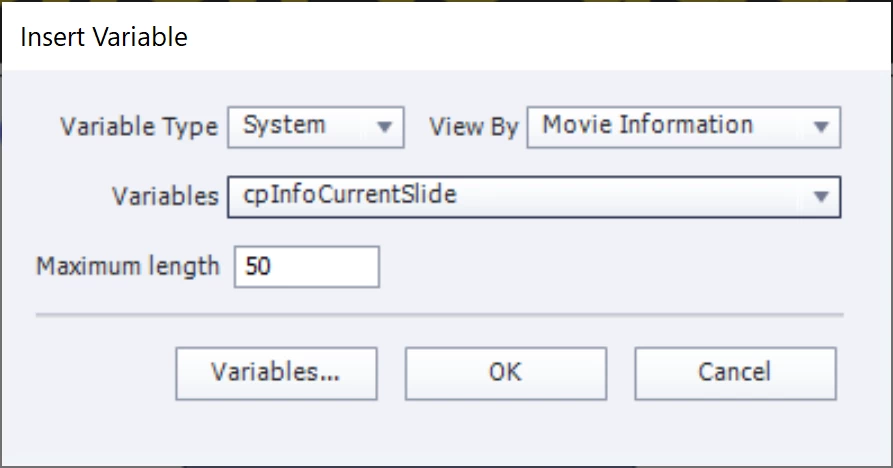
- Confirm with the OK button. You don't have to bother about the Maximum length.
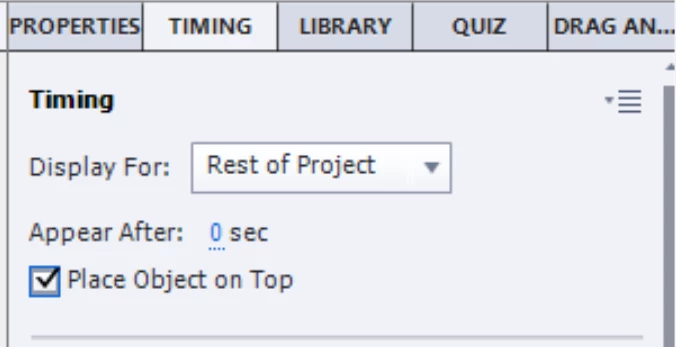
- In the Timing properties panel for the text container, set it to display 'For rest of Project', always on top. You'll now have the slide number on each slide when published.
If you want to learn more about system variables (you can also insert cpInfoSlideCount to show the total number of slides) have a look at:
http://blog.lilybiri.com/discover-slash-use-captivates-system-variables-part-1
BTW: for HTML output and a non-responsive project only Preview HTML in Browser (F11) is a preview method to be trusted.

 AdChoices