
perview-academy
Inspiring
September 6, 2022
Answered

Picture in rollover state is much smaller than the original - no resize possible

  • September 6, 2022
  • 1 reply
  • 307 views

Hi there,

I´am quite new to captivate and started to love and to hate it 😄 

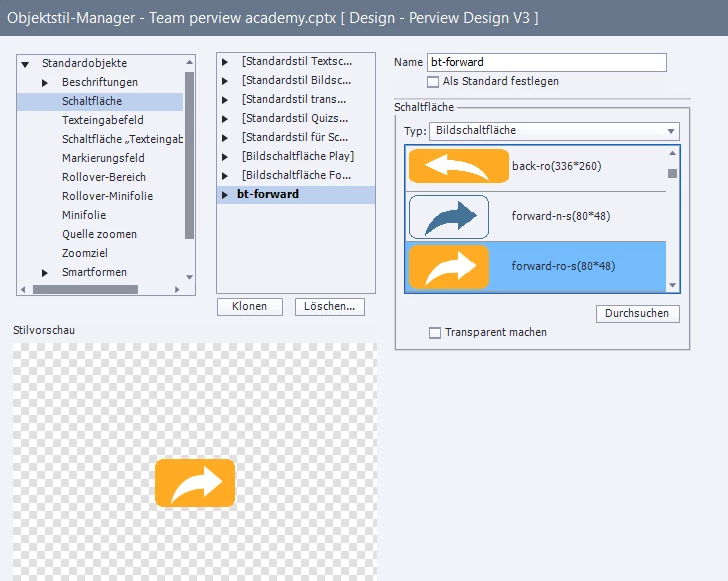
currently I´am struggeling with the rollover state of my button. I have designed an own button which is setup as a button-style in the Object-Style-Manager.

The button is working, but the rollover does have the wrong size - but I cannot adjust the size of the rollover:
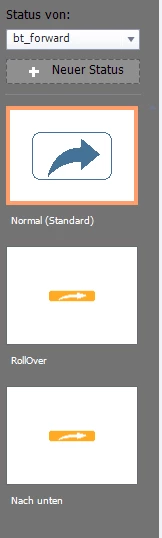
It should be the same size as the blue icon in the normal state.
The original orange does have the same dimension as the blue:
When I am back in the state menu - the rollover size is locked:
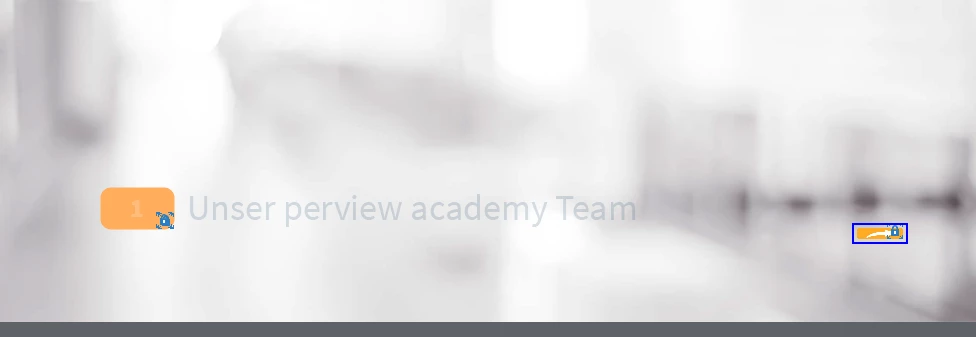
How can I set the rollover picture size to the correct dimensions?

Thanks in advance

    This topic has been closed for replies.
    Correct answer Lilybiri

    Please do not use those old Image buttons anymore....  Since version 6, when shape buttons appeared I never used them. Did you create three different bitmap images with same name followed by _up, _over, _down? 

    If you are on version 11.5 or later, use the up image directly as button, the rollover an down state will automatically have the same size and location. You can edit the color for each of them using the Object State panel. Problem is indeed that you cannot save as object style. It doesn't matter whether you use a SVG (would be recommended here) or a bitmap image.

    Alternative is to fill a shape with an image and define it as button. You can define an object style in that case.

    More to be read in:

    Which Button Type? - Part 1 - eLearning (adobe.com)

    Which Button Type? - Part 2 - eLearning (adobe.com)

    https://blog.lilybiri.com/button-states-basics-and-tips


    1 reply

    Lilybiri
    LilybiriCorrect answer
    Legend
    September 6, 2022

    Please do not use those old Image buttons anymore....  Since version 6, when shape buttons appeared I never used them. Did you create three different bitmap images with same name followed by _up, _over, _down? 

    If you are on version 11.5 or later, use the up image directly as button, the rollover an down state will automatically have the same size and location. You can edit the color for each of them using the Object State panel. Problem is indeed that you cannot save as object style. It doesn't matter whether you use a SVG (would be recommended here) or a bitmap image.

    Alternative is to fill a shape with an image and define it as button. You can define an object style in that case.

    More to be read in:

    Which Button Type? - Part 1 - eLearning (adobe.com)

    Which Button Type? - Part 2 - eLearning (adobe.com)

    https://blog.lilybiri.com/button-states-basics-and-tips


    perview-academy
    Inspiring
    September 6, 2022

    your answer are really great - many thanks for your solution. Really appreciated.

    Lilybiri
    Legend
    September 6, 2022

    If it helps you out, why not mark that answer as being correct? It could help other users wrestling with a similar problem.