
Participant
December 12, 2017
Answered

Problems with advanced action

  • December 12, 2017
  • 2 replies
  • 1299 views

Hello

I have created some advanced actions in captivate but I get some weird error messages. It is just some very basic advanced actions where I assign a variable with true and hide/show some objects. I inserted some pictures below so you can see what I mean.

This is the advanced action I am trying to create.
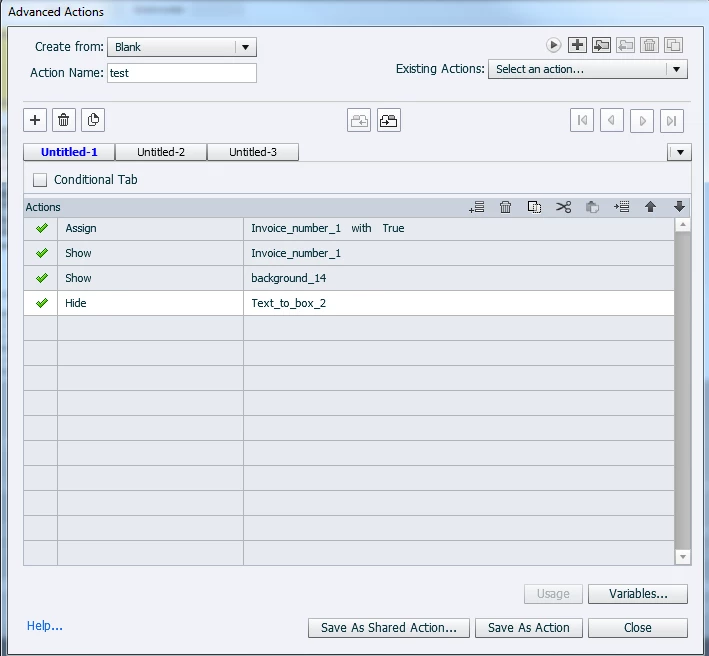
When I try to save the action I first get the usual message that the script is saved successfully. When I then try to close the advanced action window I get this error message.
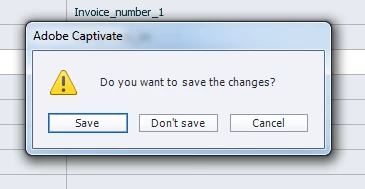
This seems weird since it already told me it was saved, but I tried clicking on the "save" button. I then get this error message.
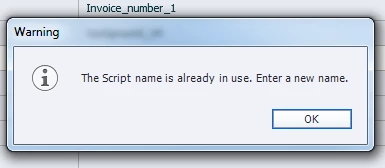
Which makes sense since I saved it before. So when I just close the window without saving the changes and go into the action I just created again it gives me a blank sheet. like the picture below.
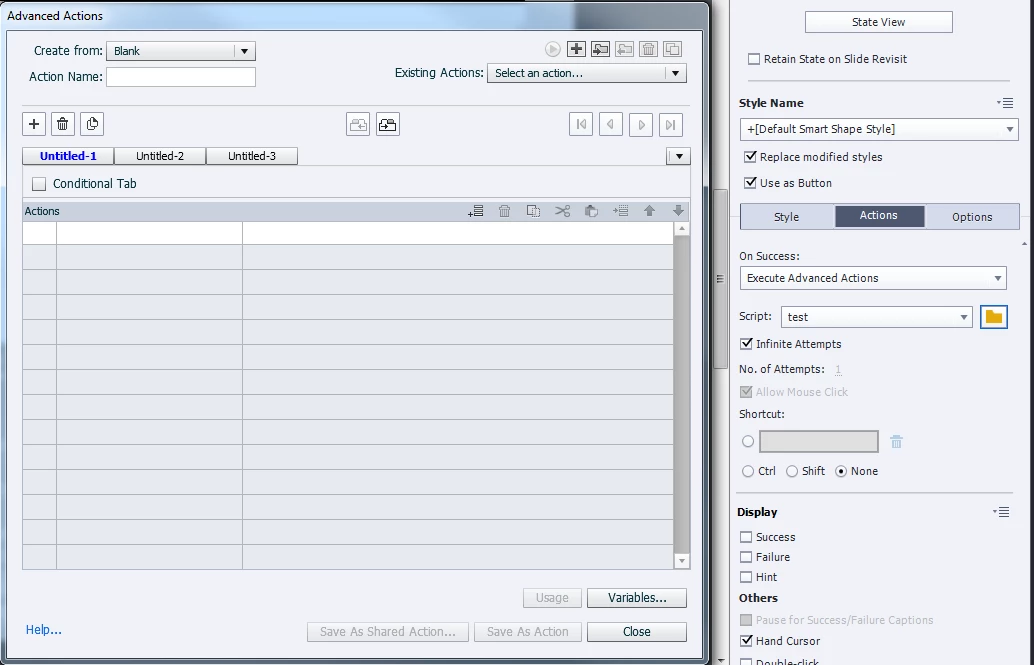
The advanced action works when I preview the project but I can not duplicate it or see the advanced action.  I have worked a lot with advanced actions but never had this problem before. I tried to create a new blank project to see if the same happened and it did. I also had some other weird things happening to the project I am working on today. There were some objects from other slides that suddenly appeared on another slide. The workaround I found for that was to preview the project with HTML5 in browser.

Do anyone know how to fix this?

This topic has been closed for replies.
Correct answer Lilybiri

It's a CPTL file.


NEVER use a cptl-file, please! Especially not with advanced actions. Both Rod and me have tried to tell that everuwhere, because since a couple of versions there are serious problems with advanced actions in cptl-files.

If you want a template for design reasons: use a theme, it has everything on board for consistent design. Look at this article:

What's in a Theme - a Template? - Captivate blog

If you need actions, create shared actions, or even copy advanced actions to other projects. There can be a problem with actions triggered by slide events, but those triggered by other events will copy fine.

Or use a cptx file as a standard, which you open and sae under another name.

2 replies

Inspiring
March 2, 2018

Greetings! This is for the Captivate specialists

I am having the EXACT same problems as rebeccad21222124. My files are CPTX files and they started as CPTX files. The problem exists in both Captivate 9 and 2017.

I have not been able to determine when the problem starts. When starting with a clean file, adding the variables, and then programming the Advanced Actions, things work fine for awhile. Then all of a sudden things go bad. I have the same SAVE issue (save the action, then try go close the window and get the error and the code disappears, even if saved with a different name).

This is an extremely serious problem and we need a work round or patch. I am willing to work one-on-one with Adobe Tech Support to share files and discussion. I am in California, in Silicon Valley (San Jose area). I have a project in progress with a client and need resolution yesterday.

I am considered an advanced Captivate user, having been using the product since it was originally created by eHelp as RoboDemo.(before Macromedia purchased the eHelp company and well before Adobe purchased Macromedia).

Lilybiri
Legend
March 2, 2018

Do not use a cptl-fiel was the answer.  Did you try that?

Inspiring
March 2, 2018

Please read my first sentence. The files started as CPTX and were never CPTL files.

Lilybiri
Legend
December 12, 2017

It looks like corruption, either of the project, or in Captivate Preferences. Can you clear the Preferences? Which version do you use?

BTW: for a Boolean variable I never use True/False but 1/0, works perfectly.

Never reuse a name, not even for a decision.

Participant
December 12, 2017

I already tried to clear the preferences. I don't think it can be the project that is corrupted as I tried to open a new blank project and got the same error there. I am currently using Captivate 2017 (64-bit).

I don't know why I use true/false. I just learnt it that way I guess. I tried to create a new project again and tested using 1/0 insted but still get the same error.

Lilybiri
LilybiriCorrect answer
Legend
December 13, 2017

It's a CPTL file.


NEVER use a cptl-file, please! Especially not with advanced actions. Both Rod and me have tried to tell that everuwhere, because since a couple of versions there are serious problems with advanced actions in cptl-files.

If you want a template for design reasons: use a theme, it has everything on board for consistent design. Look at this article:

What's in a Theme - a Template? - Captivate blog

If you need actions, create shared actions, or even copy advanced actions to other projects. There can be a problem with actions triggered by slide events, but those triggered by other events will copy fine.

Or use a cptx file as a standard, which you open and sae under another name.