
Inspiring
January 8, 2014
Answered

Question About Multiple Choice/True/False Answer Alignment

  • January 8, 2014
  • 2 replies
  • 6471 views

When I insert a multiple choice or true/false question, The second response (answer B for either question type, is mis-aligned with it's radio button:
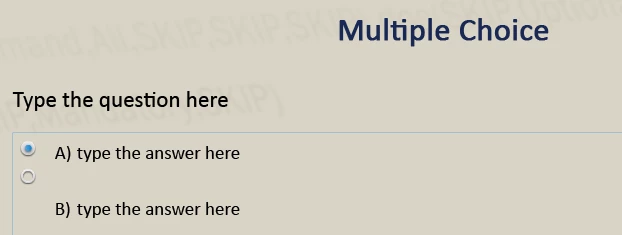
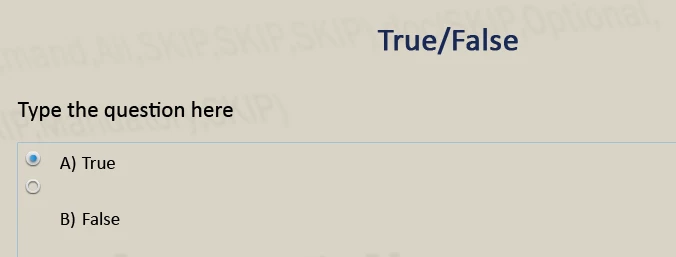
The Master Slide for these questions looks like this:
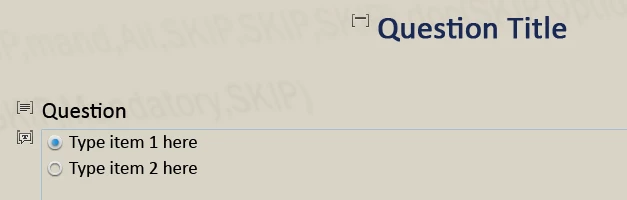
I can't figure out how to align the answer with its radio button.  Any ideas?

I'm using CP 7.0.1.237 on Windows 7.

This topic has been closed for replies.
Correct answer rgcunningham

I will concur with rgcunningham. I changed mine to autosize captions and got the same effect.


Thanks.  I'll go ahead and mark this thread as answered.   I like the Autosize Captions feature, but it messes up the answer alignment. 

2 replies

Participant
May 4, 2014

Oh my goodness, once again you guys came to my rescue.

I have been battling this issue for hours. Like the other fellow I could get around the Multi choice but the true/false issue was not solved.

The fix worked, just changed the preferences in my iMac 27 Authosize Captions to OFF.

- Brian

Net time I am going to Google the problem before I spend hours looking for a bug in this program.

Lilybiri
Legend
January 8, 2014

Bob,

I have been seeing this issue multiple times on the forum, but never had it myself. Very strange... And didn't see a proper solution neither. Are you on Mac?

Lilybiri

Inspiring
January 8, 2014

No, Windows 7 PC.  Maybe it's a font issue?

Legend
January 8, 2014

I refreshed the preferences thing and cleared the cache.  Still have the problem.  Now I'm thinking it may have something to do with themes.  I used the blank theme originally while creating a template file (.cptl).  The template and any project I create from that template show the problem.  If I just open a blank project using the blank theme, it looks OK.

I'll troubleshoot some more.  Thanks for your help.


This is indeed a very random issue. I have seen this in earlier versions of Captivate as well. I always create my template files from the blank theme, so I don't think it is specific to the theme.

As for solutions, sometimes changing the quality of slide to high worked, other times just reopening Captivate worked. Here are some of the solutions I have found on these forums:

1.  Create one more answer than I need (ie for a 4 answer question, create 5 answers) and then delete answer B.

2.  Uninstalled/reinstalled my Captivate 6 software

Sreekanth