

Answered
Scoring in Cornerstone LMS
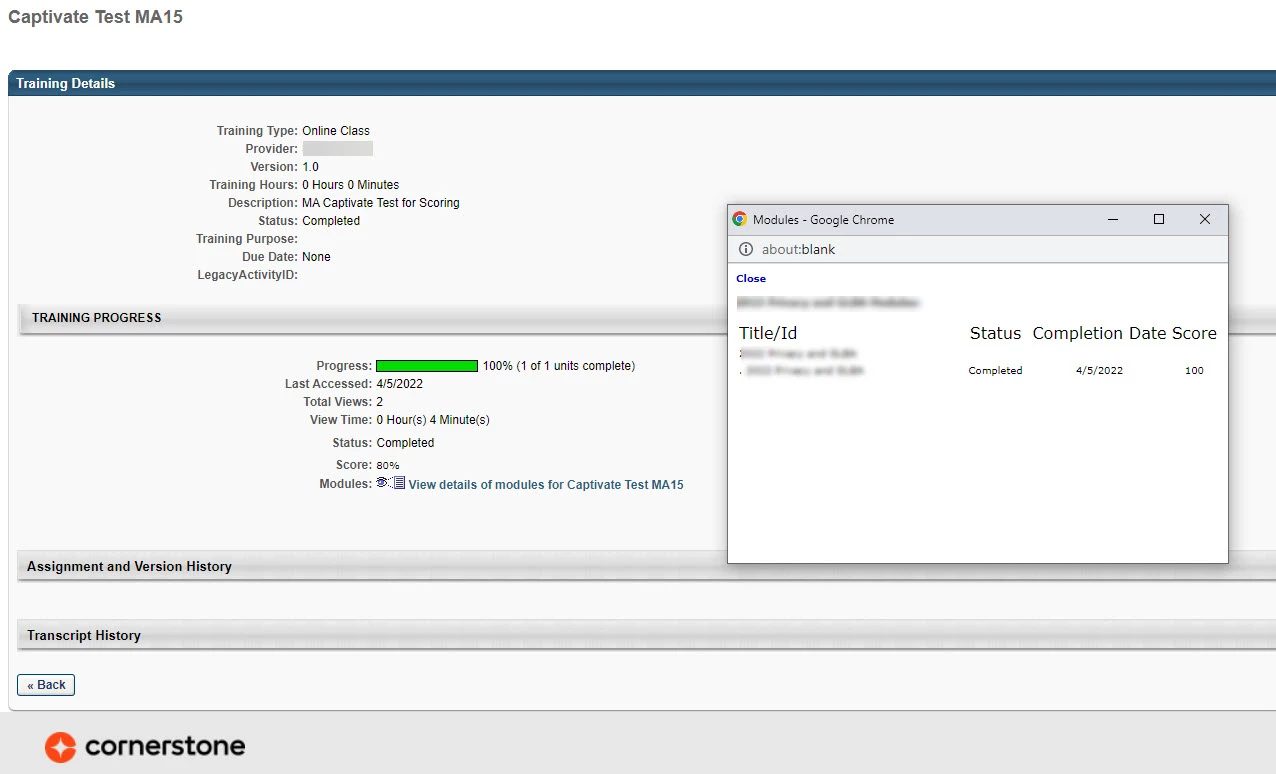
Hi everyone. We are working on implementing the Cornerstone LMS in our orgnaization, and we are running into issues with the score displayed on the 'Training Details' page of the user transcript.
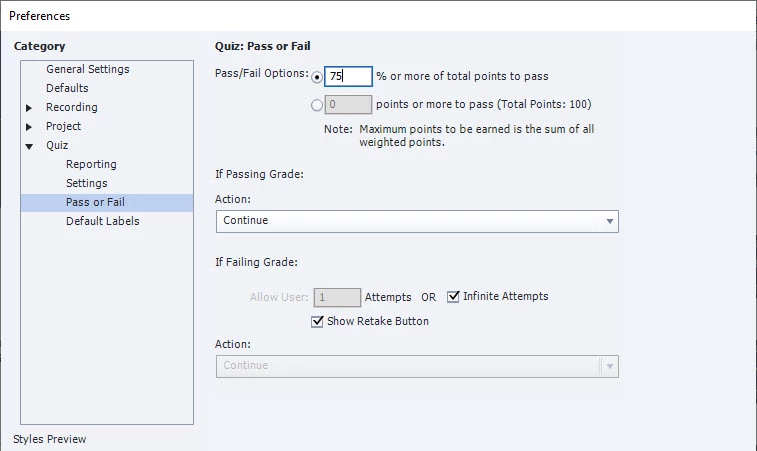
When a user completes a Captivate-built test and fails, and then retakes the test, the score shown is the rounded up pass/fail % requirement. So if a test requires 75%, or 75 points to pass, and the user gets a 100%/100pts, the score displays as 80%.
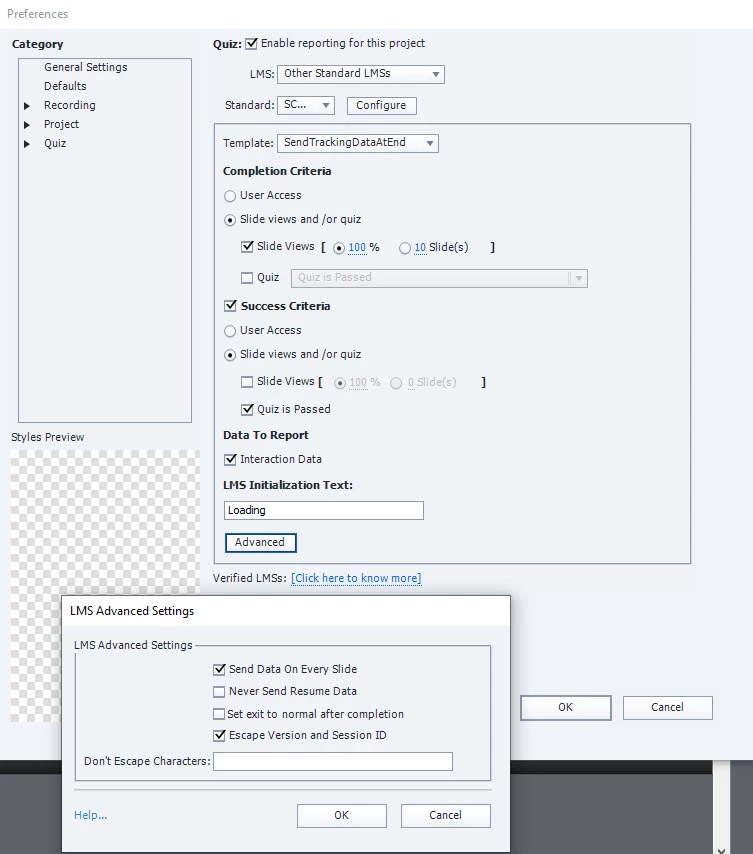
I am using Captivate 2019; 11.5.5.553. We have contacted our implementation partner, but they keep stating it is a SCORM setting on our end. I have tested in the SCORM Cloud and it is working correctly there.
Any help is greatly appreciated!
 AdChoices