
SCORM settings to bookmark advance action checkmarks
I'm using Captivate 2017 and creating SCORMS for an LMS. After loading the SCORM to the LMS (and also SCORM cloud), some of my advanced actions are not bookmarked when re-entering the course.
This blue boxes on this menu are buttons that take the learner through a series of slides. They can select the buttons in any order. Once they reach the last slide in the series, an advanced action sets a variable, returns the learner to the menu and places a checkmark on the box.
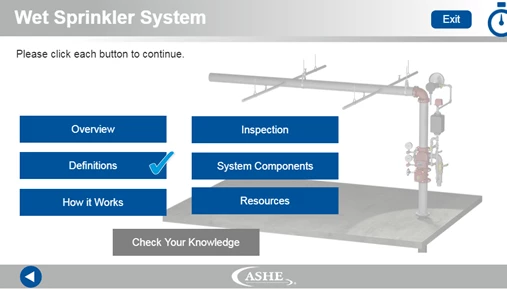
All the boxes must have checkmarks before the “Check Your Knowledge” is available for the quiz.
If the learner exits the course at any time, upon re-entry, the learner will be taken to the last side from which they exited the course, but the checkmarks will no longer appear, causing the learner to “re-do” any previously completed menu buttons.
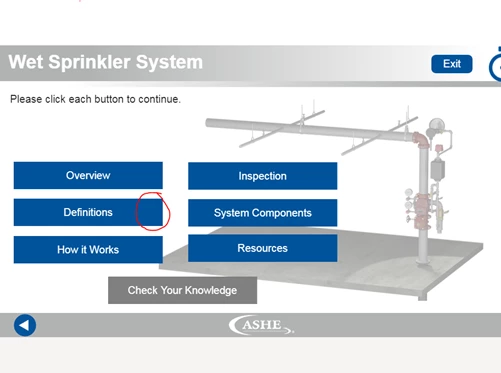
What are the SCORM settings that need to be used to “bookmark” the checkmarks.?
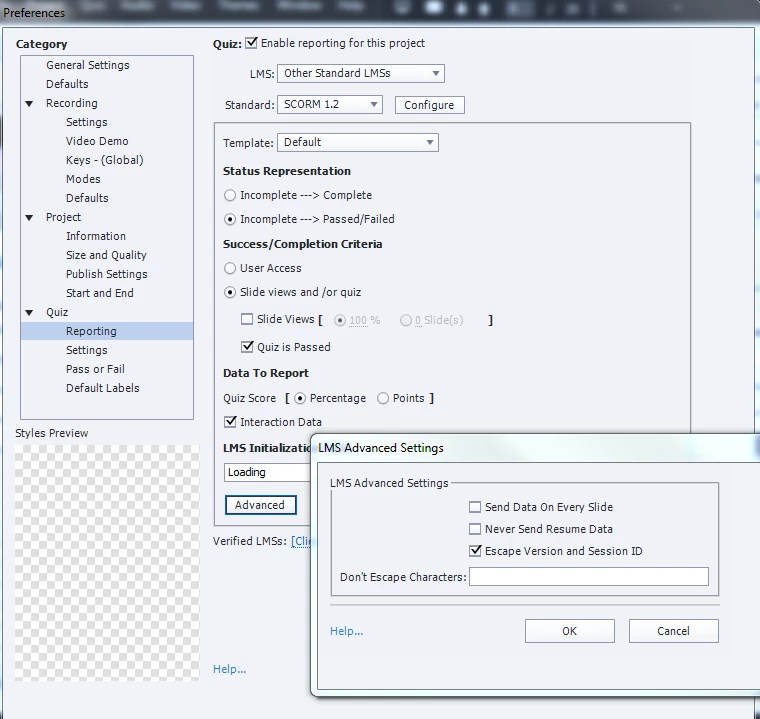
Here are the quiz settings:
 AdChoices