
Known Participant
December 4, 2019
Question

Show % of finished course

  • December 4, 2019
  • 1 reply
  • 1167 views

Me spamming again: )
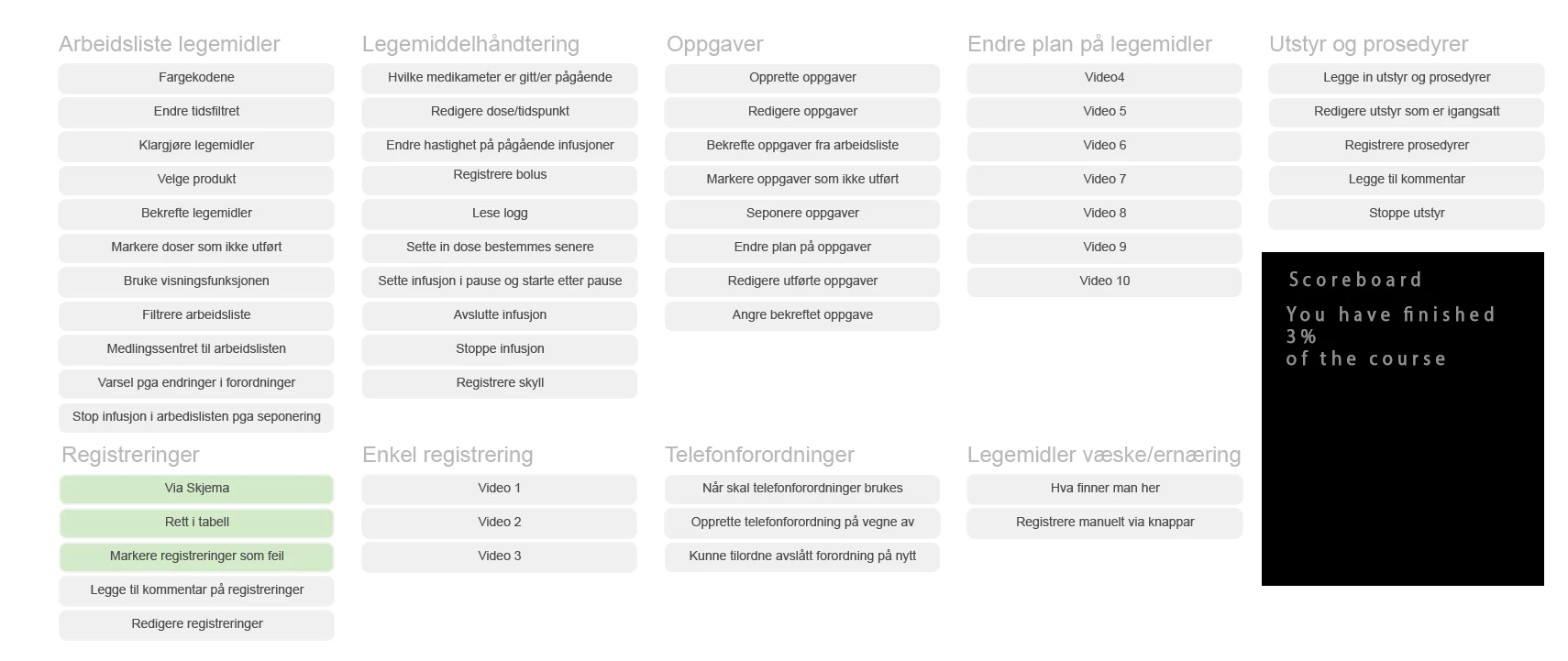
Now I am wondering if there is a way to show the finished percentage of the course down there where the black box are now.
As it is set up the grey boxes changes color to green whenever a user clickes on a certain button. I would like to calculate that when all boxes are green that is 100% the course are finished. when halv are green it will show 50% and so on.
Hopefully you get the idea.

Thanx: )
This topic has been closed for replies.

1 reply

Lilybiri
Legend
December 4, 2019

I don't see any advantage in showing such a percentage, because it has no relation with the time the learner will need to finish the course. But that is off topic.

You will need to do some calculations. Can the learner click the same button twice or more? That makes it more complicated. If not, you can just use a variable set up as counter and compare its value with the total amount of buttons. If you allow mulitple clicks, I would toggle a Boolean, and calculate the number of button clicks by summarizing all the variables which will lead to the same amount as the counter in the other scenario.

Known Participant
December 4, 2019

There is no time limit or so in this course. IT will just be another feuture in the course to add som gamification.
The user can click the same button several times couse the button will reveale a video. But it will just count it at one time when it comes to the percantage.

So I wont need any fancy Javascript to solve this you are saying?

Known Participant
December 4, 2019

You are using an old version of Captivate, which one? It is not CP2017 or later.  I am Flemish, can only guess at the meaning, but do you trigger this action On Enter for the slide?  


Can you show the full script? Use the Preview button, which is the first button on the top right control bar, it looks like a triangle.


Poor learner: 54 choices? Have  you never thought about splitting this up over multiple slides? 


The course are ment to be used as a Wiki.
They can jump around in the course and click around.
We are creating a system learning course for the it systems used on the hospitals.
The xAPI are rapporting what videos(tutorials) the users have watched so we can track what user needs to take a look at depending of the errors that are made at the hospitals. Its a huge course.
The percentage are just for the user. As a fun gadget 🙂 Also to compare between hospitals and users.

It is 15 slides and growing. This is just the end slide where the user can get an overview where they are in the learning path.