
mwatkins2017
Known Participant
May 11, 2017
Answered

So weird: bullet points changing to "w"s issue

  • May 11, 2017
  • 2 replies
  • 888 views

Captivate 2017

Non responsive
Font: Myriad Pro Light

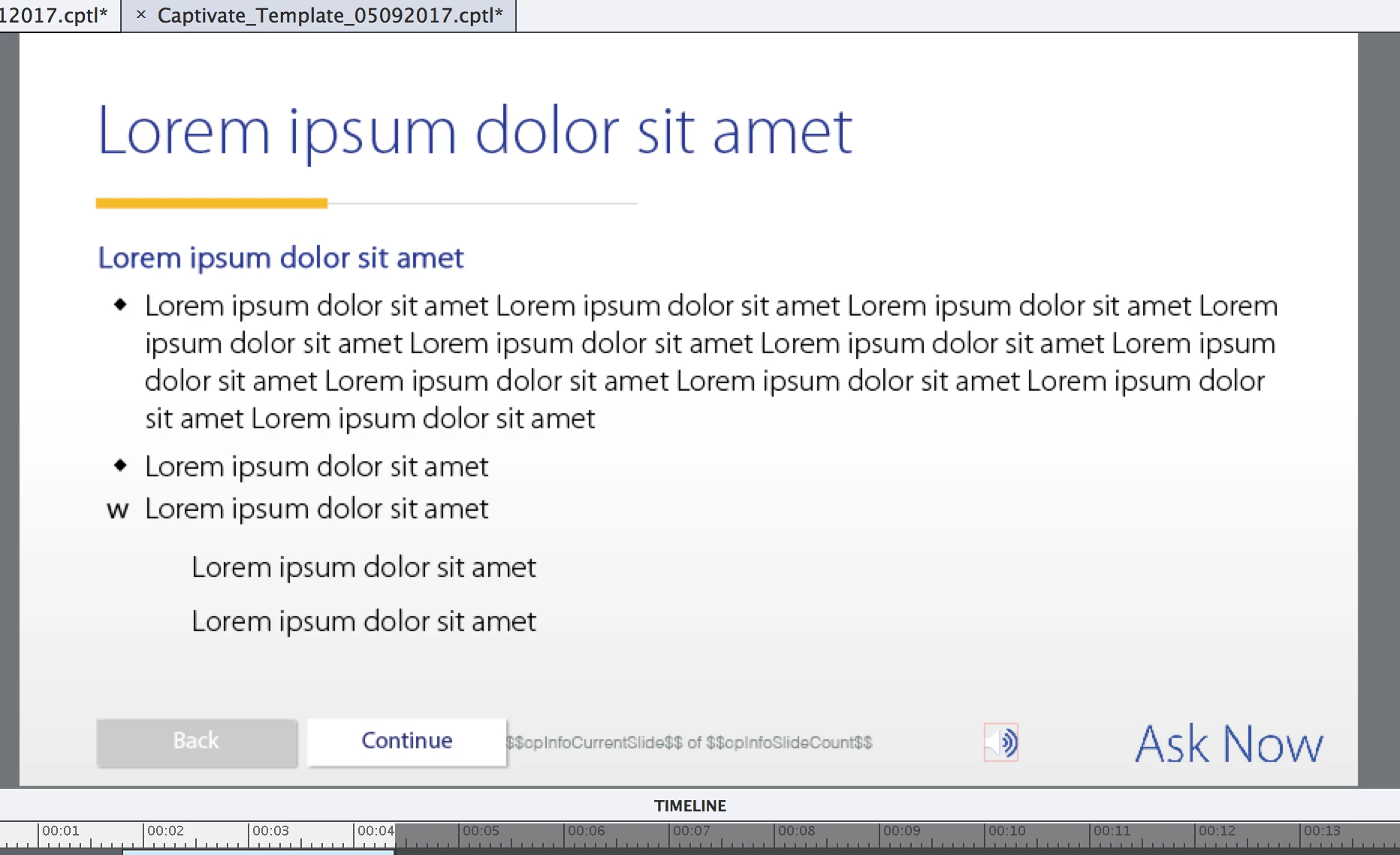
Issue: The below image shows 6 separate text captions. When I duplicate a text caption with a bulleted item in it, the bullet becomes a "w" if it's not indented, or invisible if it's indented one level up. Anyone know why this is happening? Corrupted font?
This topic has been closed for replies.
Correct answer Lilybiri

Gotcha. Well, after doing that I opened a Blank Project and wasn't able to recreate the problem (bullet points were retained when duplicating text captions), but then I opened one of my current project files and I was able to recreate the issue. So the files I'm working on are slightly corrupt?


OK, looks like corruption indeed. You can try this: create a new blank project with same resolution, same theme. Copy/paste slides in bunches to that project and see if it keeps the problem?

2 replies

MichaelStephens
Legend
May 11, 2017

Not sure why the bullet is the wrong character nor why they disappear when you're indenting, as it obviously shouldn't be doing that, but could you try changing the text boxes to different fonts to see if the same problem occurs?

Lilybiri
Legend
May 11, 2017

Can you check the exact version number? You should be on 9.0.2.437. I just did a quick test, cannot see that problem: I created a text caption with a bulleted list, font Myriad Pro. I duplicated the text caption, and everything looked exactly the same.

mwatkins2017
Known Participant
May 11, 2017

Hi Lilybiri. Actually I'm on the 2017 Release 10.0.0.192 (which confusingly looks like an IP address).

Michael, I changed one of the text captions to Helvetica Regular, then duplicated it and the bullet point still changed to a "w".

mwatkins2017
Known Participant
May 11, 2017

OK, I edited your original question were you wrote that this was CP9.

It works perfectly in CP2017 as well when I test. Do you use a bullet from the dropdown list (indent occurs automatically) or did you insert a bullet manually?


From the Property window...