
Question
Table of Contents Folders- Captivate 2017
I am setting up the table of contents with a folder for each learning topic. Each time I either add a slide or change the name of a slide I have to click the "Reset TOC" button to update the table of content. However, each time I do so my folders disappear and all entries left align again. This is quiet frustrating and time consuming. I'd prefer to set up my table of content as I go with folders since my project requires multiple sections.
Can you either have the table of content update automatically or create a button that allows us to update the content but retain the format? Thanks!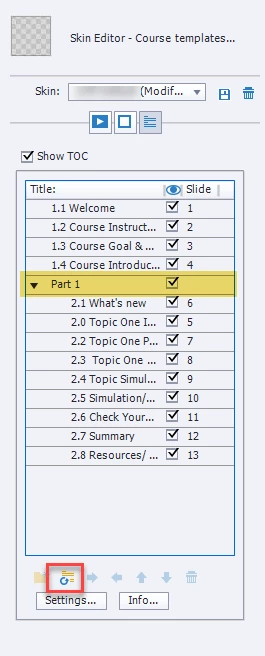
 AdChoices