
Inspiring
November 17, 2015
Question

Text from imported .pptx too small in Captivate rev. 9.0.0.223

  • November 17, 2015
  • 1 reply
  • 301 views

I swear, I did nothing different than usual and yet the shape captions I created in PowerPoint are previewing, and playing from the published file, much smaller than displayed in editing mode in Captivate.

Here is how it plays:
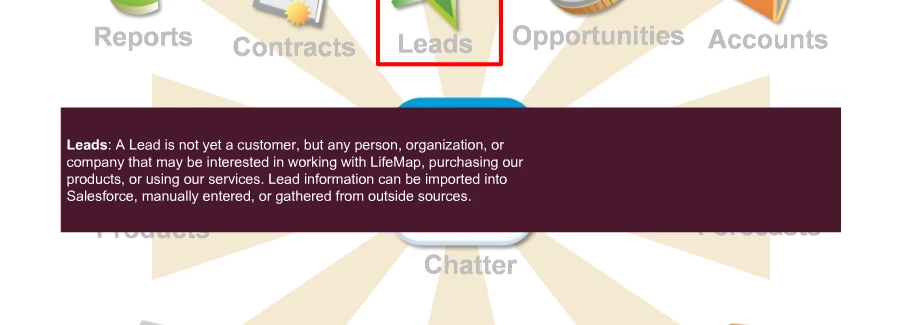
And here is how it was designed.  This view is the editing view for Cp, and how it also looks in editing mode in PowerPoint:
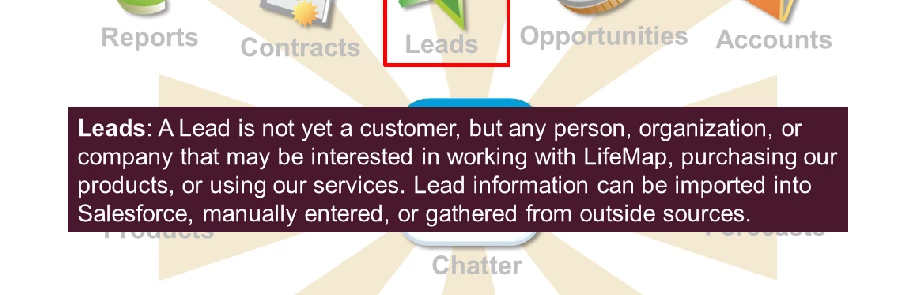
What the heck?  Never seen an effect like this take place between these two applications.  Saved it to a new name and it did the same thing.

Any ideas beyond starting from scratch?

This topic has been closed for replies.

1 reply

Lilybiri
Legend
November 17, 2015

Which font did you use? You could change the 'text' to an image, I think there is an issue with conversion of this font. Personally I never use the PPT conversion in Captivate, but you don't want to start from scratch, so...

Inspiring
November 17, 2015

Hi, Lieve,

I'm just using normal old Arial.  Which I use for all of my projects because that is part of the branding for my company.  It's so strange to have something so normal go wrong all of a sudden!

Lilybiri
Legend
November 17, 2015

I have really no idea, sorry about that. It looked like Arial but I was not sure.  For a quick solution, can you convert that text container in an image?