
UsernameNumber
Participating Frequently
October 28, 2015
Answered

Visibility is remembered between slides, but state is not?

  • October 28, 2015
  • 1 reply
  • 238 views

I am trying to build a course module around a main page with links to topic slides, which can be clicked in any order. An example main page might look like this:
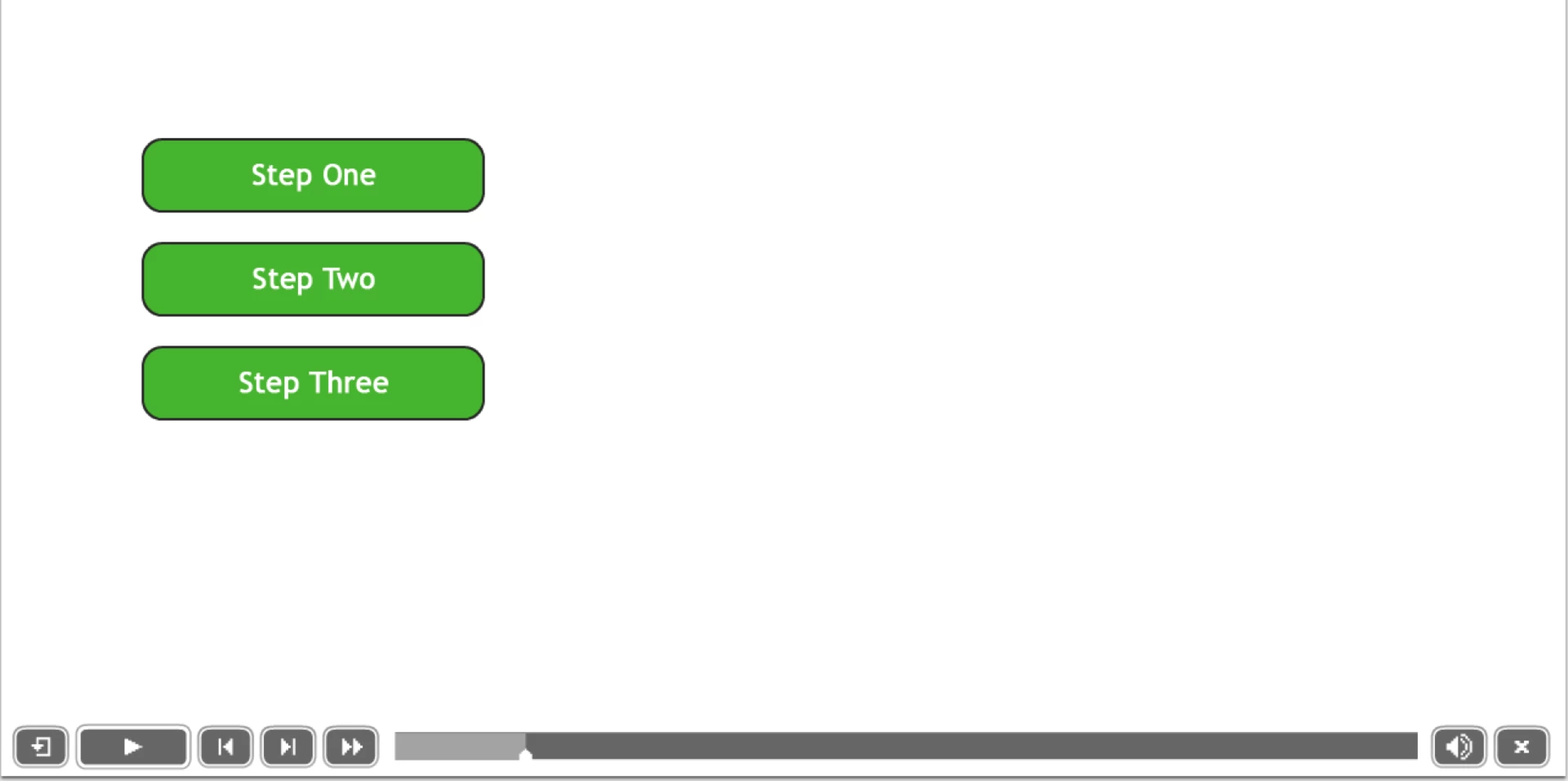
Ideally I would like clicking a button to do the following:

  • Set the state of the button to "clicked", which lightens the background color, so it's visually clear which topics have been viewed
  • Display a short summary of the topic to the right of the button (currently in a hidden caption box)
  • Jump the a slide on the topic, which then returns to the main slide, where the changes described above can be seen

At first I created a shared action for this...

The odd thing is that, when I click the first button to go to its slide, and then return to the menu, the change in visibility of the description has stuck, but the button's state has reset to the default.
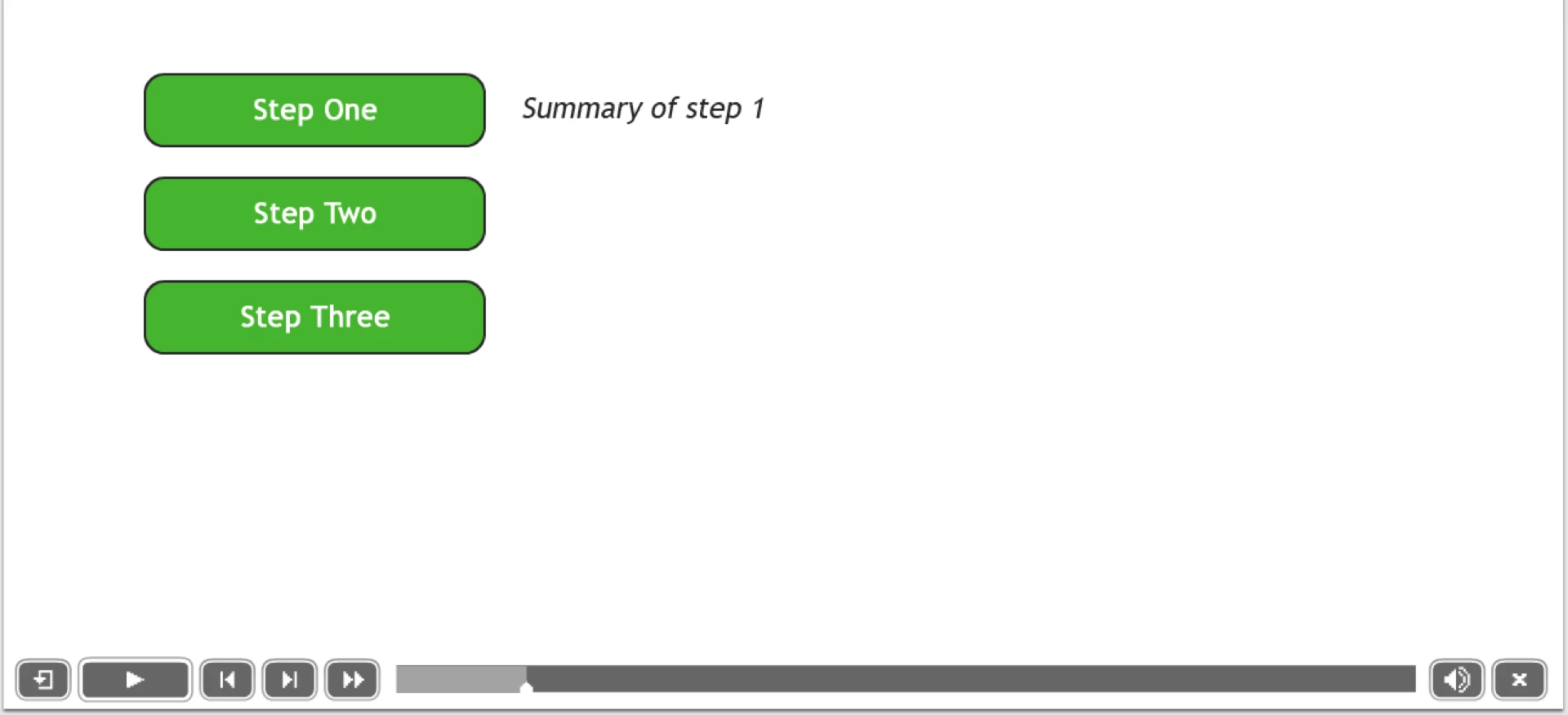
I was only able to get the effect I wanted by having the button's action set a variable, and then running a conditional action when the main slide loads that changes button state if the corresponding variable is set.

Button action

Slide action
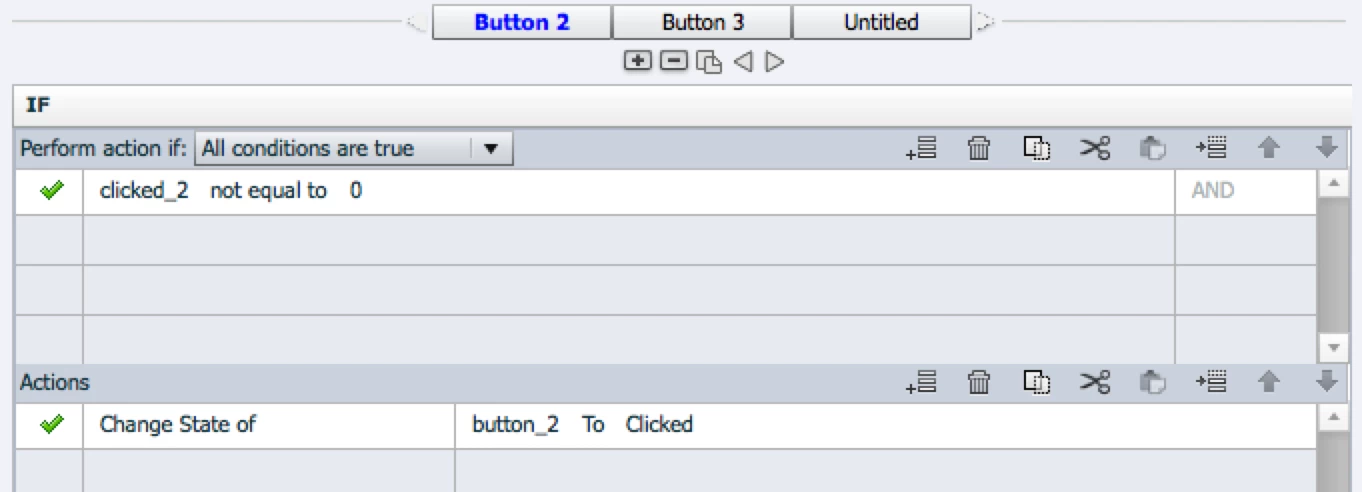
Doing this for the second two buttons, I get the desired effect for them (didn't bother updating the first one for this example):
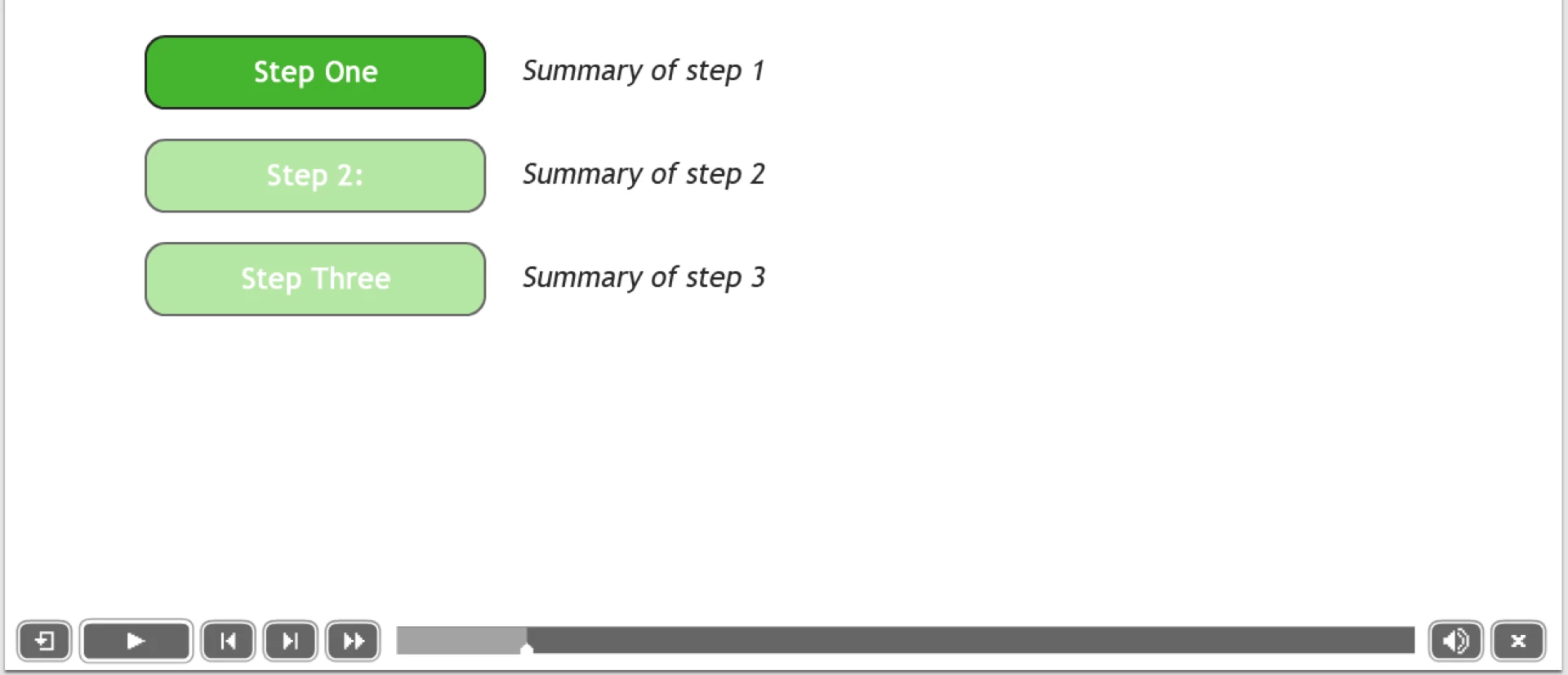
So, now I have something that works, but I am a bit confused: I would understand if neither the state change nor the visibility change stuck, or if both stuck, but this inconsistency makes me think I may be missing something.


Bottom line: is there a better way to do what I want?
This topic has been closed for replies.
Correct answer Lilybiri

You need to do it with the On Enter Slide event, indeed. That means you have to use variables. If you want to use a similar action in other projects, turn the conditional action into a shared action. When dragging that shared action to the Library of another project, the used variables will automatically e created.

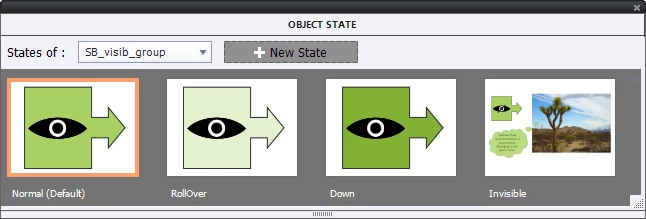
However: I would add the text to the state 'Clicked', which means you don't have to use a separate command to show the Text. You seem to ignore that? Here is one of the screenshots of my last blog post, where I used a custom state (Invisible) in which an image and a text bubble was added.

Based on my experience with conditional actions, I mostly avoid the operator 'not equal to', you could have use 'equal to 1' as well, more to be trusted.

1 reply

Lilybiri
LilybiriCorrect answer
Legend
October 28, 2015

You need to do it with the On Enter Slide event, indeed. That means you have to use variables. If you want to use a similar action in other projects, turn the conditional action into a shared action. When dragging that shared action to the Library of another project, the used variables will automatically e created.

However: I would add the text to the state 'Clicked', which means you don't have to use a separate command to show the Text. You seem to ignore that? Here is one of the screenshots of my last blog post, where I used a custom state (Invisible) in which an image and a text bubble was added.

Based on my experience with conditional actions, I mostly avoid the operator 'not equal to', you could have use 'equal to 1' as well, more to be trusted.

UsernameNumber
Participating Frequently
October 28, 2015

A ha! That's a big thing I'd missed or misunderstood when I first read your blog post. I had thought a state only allowed you to change the formatting of a particular object. But by going into the State View for the "clicked" state, I can add captions, shapes, or whatever else I want, and those objects will only appear when the button is in state "clicked". That simplifies the workflow and opens up some interesting possibilities. Thanks!

Lilybiri
Legend
October 28, 2015

Sorry that you misunderstood! You cannot add interactive objects to a state, the InBuilt states are also limited but you can definitely add static objects to custom states. That is what I showed in the Visibility instance buttons.