Answered
What would be the best way to create something like this in Captivate?
How would I create a box that highlights certain text while the rest of the document is grayed out?
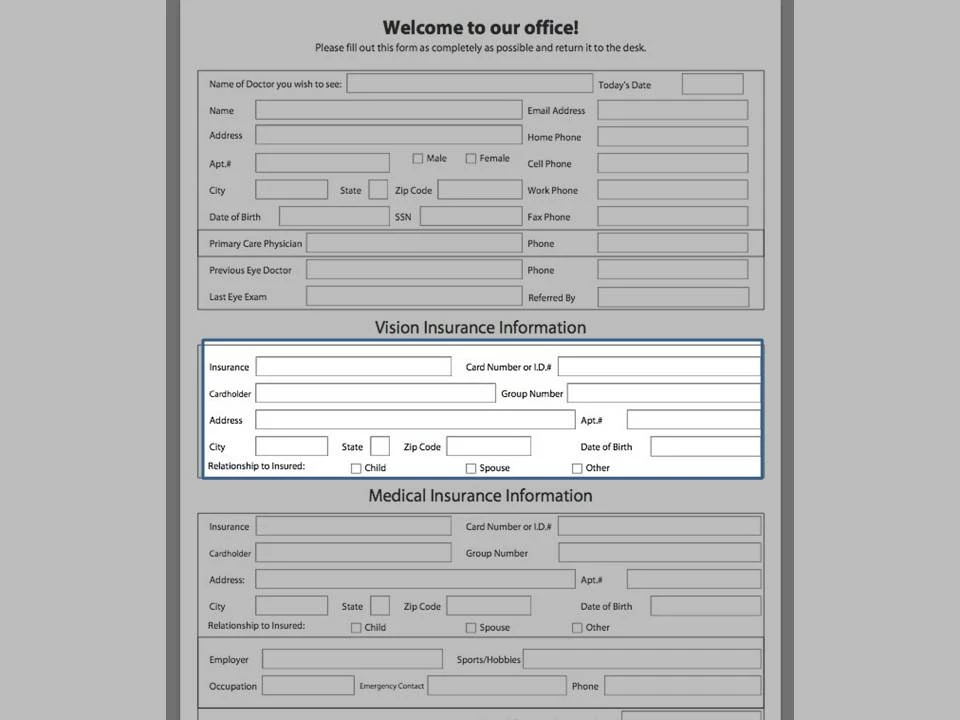

How would I create a box that highlights certain text while the rest of the document is grayed out?
Insert a Highlight box and choose the option to fill outer area. Choose Black 30% transparency and set your outline. Position and size accordingly.
Already have an account? Login
Enter your E-mail address. We'll send you an e-mail with instructions to reset your password.
 AdChoices