Inspiring
January 17, 2016
Question

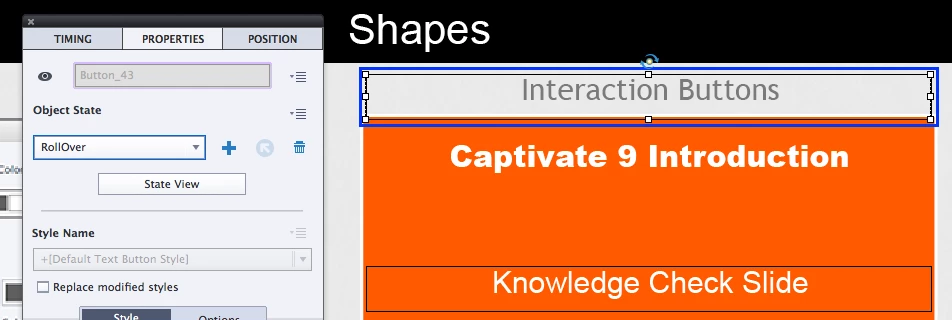
Why do the States on my text buttons keep moving?

  • January 17, 2016
  • 1 reply
  • 1187 views

Hi again. This is driving me a little batty. I keep on fixing it and it keeps on getting messed up.

Why are the States on the text buttons I create moving? When I fix it it happens again. I am clearly doing something wrong.

As you can see the Normal Default is in one area and the Roll Over is in another.

It's happening over and over again. I don't understand.

This topic has been closed for replies.

1 reply

Lilybiri
Legend
January 17, 2016

Install hot fix.

AnotherMeAuthor
Inspiring
January 18, 2016

Thank you Lilydiri. I just looked up hot fix. I will download it and use it. Hopefully it won't mess up my trial version.

Lilybiri
Legend
January 18, 2016

I think I will wait and not install Hot Fix for now. I read some problems here in the Adobe forums and I can't afford to have anything go wrong. This is due Wednesday.


Where did you read about issues? The hotfix solved issues but go ahead if you don't care about states moving. I didn't have any issues with that hotfix, installed it on desktop, both laptops and Surface Pro.

Hot fix | Adobe Captivate 9 issues

Hotspot is not a native Captivate object at all: I use shape buttons as hotspots. There is a hotspot type of question slide, but that is very different, and limited in functionality

Custom Hotspot questions in Captivate 8 - Captivate blog.