Exit
  • Global community
    • Language:
      • Deutsch
      • English
      • Español
      • Français
      • Português
  • 日本語コミュニティ
  • 한국 커뮤니티
0

Advanced Actions script disappears

Explorer ,
May 26, 2021 May 26, 2021

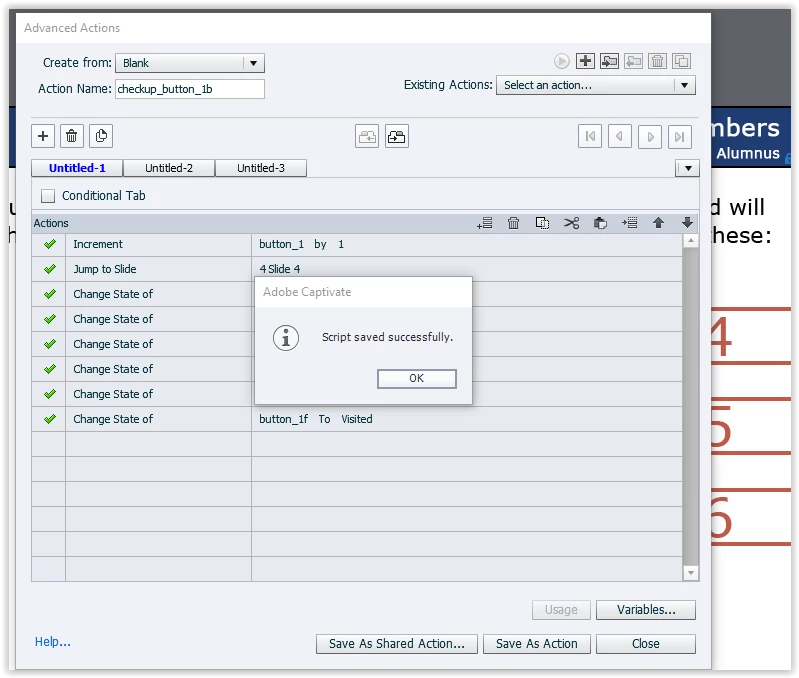
I created an advanced action using several Change State of commands see below:
 

Screen Shot 05-26-21 at 03.01 PM.PNG


It will tell me the script is saved:


Screen Shot 05-26-21 at 03.02 PM.PNG


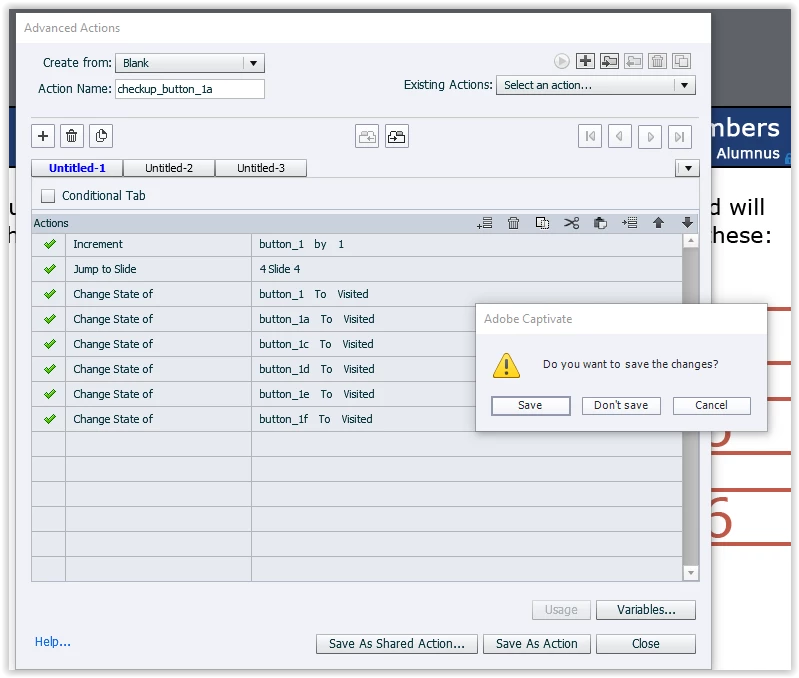
Then when I click close it asks if I would like to save 


If I say yes it tells me the file already exists
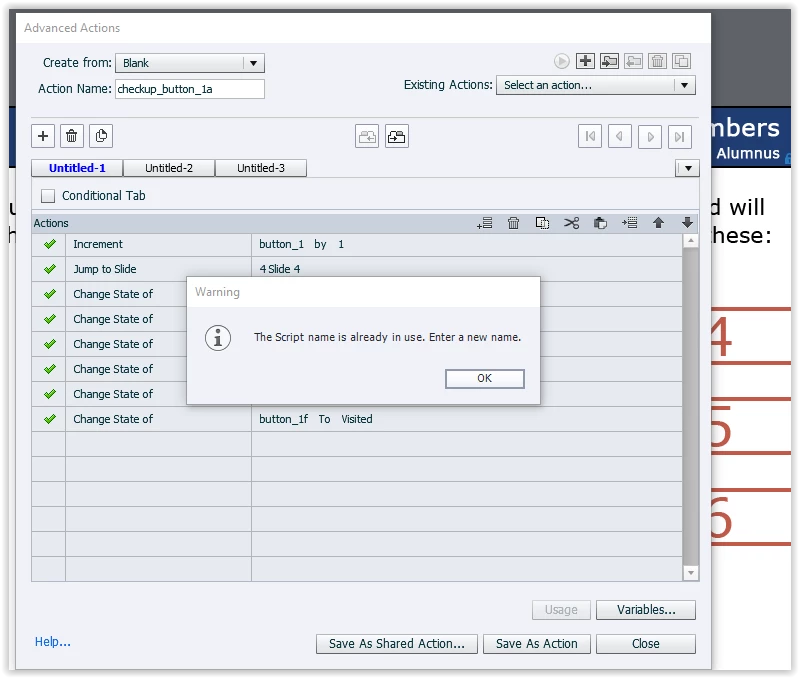
 

Screen Shot 05-26-21 at 03.01 PM 001.PNG


If I say no and open it back up the script is gone.
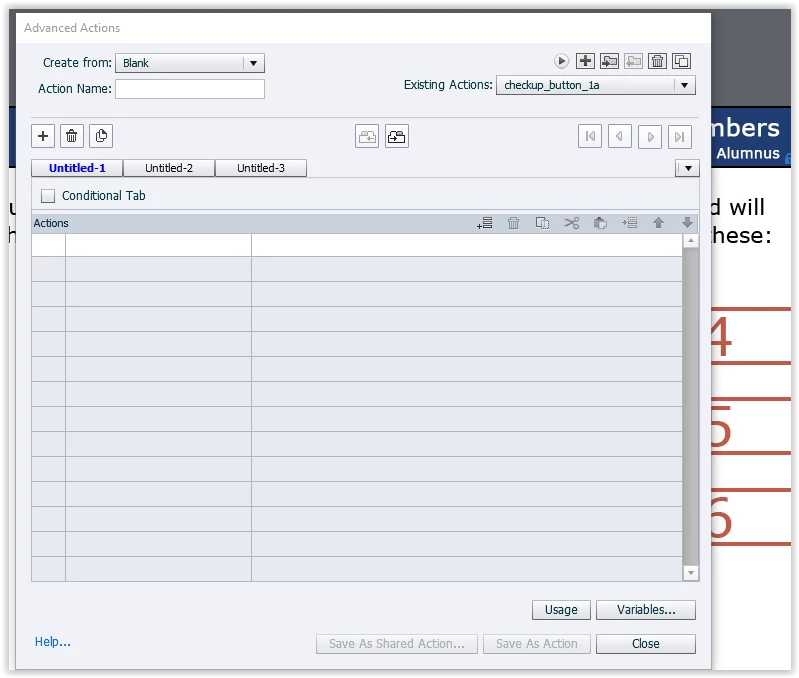
 

Screen Shot 05-26-21 at 03.03 PM.PNG


I know some of my screenshots have Checkup_button_1a and some have Checkup_button_1b. That is that the problem. I have tried multiple times and I just grabbed some screen shots from one attempt and some from another.  

It only seems to be doing this when I add a change of state command. I have used this type of command multiple times with no problem. 

Thanks,

 

721
Translate
Report
Community guidelines
Be kind and respectful, give credit to the original source of content, and search for duplicates before posting. Learn more
community guidelines

correct answers 1 Correct answer

LEGEND , May 26, 2021 May 26, 2021

Why do you need to apply a change to Visited state manually, while that state exists as InBuilt state which is applied automatically when the button has been clicked. 'Visited' is a state name for that InBuilt state.

This type of issue makes me suspect that you are using the same name for more than one item. In the script I see that you use the name 'button_1' ad a variable but that you also have a button with the same name. Although this is possible if you follow a certain rule, it is a very da

...
Translate
Explorer ,
May 26, 2021 May 26, 2021

Also I updated the software recently. Before the update is seemed to be working fine. 

Translate
Report
Community guidelines
Be kind and respectful, give credit to the original source of content, and search for duplicates before posting. Learn more
community guidelines
LEGEND ,
May 26, 2021 May 26, 2021

Why do you need to apply a change to Visited state manually, while that state exists as InBuilt state which is applied automatically when the button has been clicked. 'Visited' is a state name for that InBuilt state.

This type of issue makes me suspect that you are using the same name for more than one item. In the script I see that you use the name 'button_1' ad a variable but that you also have a button with the same name. Although this is possible if you follow a certain rule, it is a very dangerous workflow and you are bumpting on violating the rule. That is probably the cause of the advanced action not being saved. Please change the name either of the button or of the variable. It is sufficient to replace a lower case character by a capital.

Translate
Report
Community guidelines
Be kind and respectful, give credit to the original source of content, and search for duplicates before posting. Learn more
community guidelines
Explorer ,
May 28, 2021 May 28, 2021

Hi, 

I needed to change the state manually because the buttons are on different pages. 

I did change the names of both the variables and the buttons. It is working now. 


Thanks,


Translate
Report
Community guidelines
Be kind and respectful, give credit to the original source of content, and search for duplicates before posting. Learn more
community guidelines
LEGEND ,
May 28, 2021 May 28, 2021
LATEST

You only needed to change one of the names. 

Even if the buttons are on another slide, once they have been clicked at least one time, they get the state 'Visited'. You need to check the option 'Retain state when....' of course.

Translate
Report
Community guidelines
Be kind and respectful, give credit to the original source of content, and search for duplicates before posting. Learn more
community guidelines
Resources
Help resources