Inspiring
February 4, 2021
Answered

Looping a video not working

  • February 4, 2021
  • 1 reply
  • 791 views

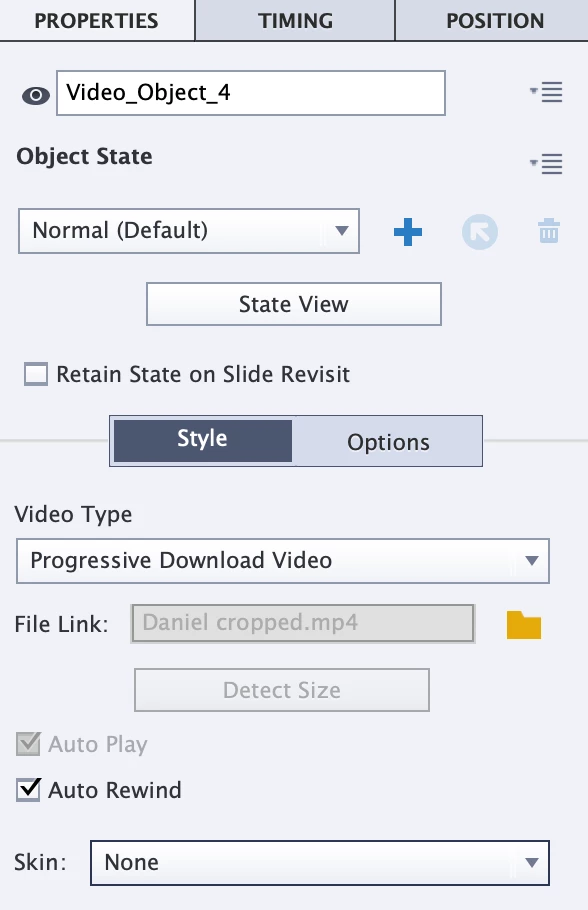
I am trying to loop a video, but when I publish it is not looping.  I am on captivate 11.5.5.676.   I followed the directions I found, the time is the time for the video, 4.2 sec.
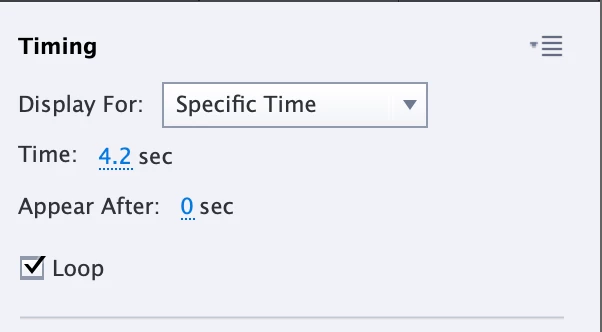
 

I set it up as an event video.  It is my personal video.  I shot it on my iphone, converted it to a MP4 and added it to a slide.  The video plays great, it just will not loop for the length of the slide.  I looked through the discussions, but they are either for older versions or showed me these instructions.  What am I doing wrong?



    This topic has been closed for replies.
    Correct answer TLCMediaDesign

    It will loop if you display the video for the length of the slide. But it will stop when it reaches the end of the slide.


    The only way I know to get one to loop indepent of the timeline is to create an html page with the video, zip it up and insert as an html5 animation.


    Here is the html code I use for a video that loops.


    <!doctype html>
    <html>
    <head>
    <meta charset="utf-8">
    <title></title>
    <style>
    html, body {
    padding: 0px;
    margin: 0px;
    }
    </style>
    <script>

    function getVideo()
    {
    var vid = document.getElementById( 'myVideo' );
    vid.play();
    }

    </script>
    </head>

    <body onload="getVideo();">
    <video id="myVideo" src="loop.mp4" loop preload="none" width="1024" height="768"></video>
    </body>

    </html>

    1 reply

    TLCMediaDesign
    TLCMediaDesignCorrect answer
    Inspiring
    February 4, 2021

    It will loop if you display the video for the length of the slide. But it will stop when it reaches the end of the slide.


    The only way I know to get one to loop indepent of the timeline is to create an html page with the video, zip it up and insert as an html5 animation.


    Here is the html code I use for a video that loops.


    <!doctype html>
    <html>
    <head>
    <meta charset="utf-8">
    <title></title>
    <style>
    html, body {
    padding: 0px;
    margin: 0px;
    }
    </style>
    <script>

    function getVideo()
    {
    var vid = document.getElementById( 'myVideo' );
    vid.play();
    }

    </script>
    </head>

    <body onload="getVideo();">
    <video id="myVideo" src="loop.mp4" loop preload="none" width="1024" height="768"></video>
    </body>

    </html>

    lamelyAuthor
    Inspiring
    February 4, 2021

    Thanks that worked.   The instructions I found on the internet said to make sure to keep it to the length of the video not the slide, so I did not try it.  Makes sense.  Thanks!