timb35932784
Participating Frequently
September 5, 2017
Question

Powerpoint animations and publishing to HTML5

  • September 5, 2017
  • 6 replies
  • 2720 views

Hi,

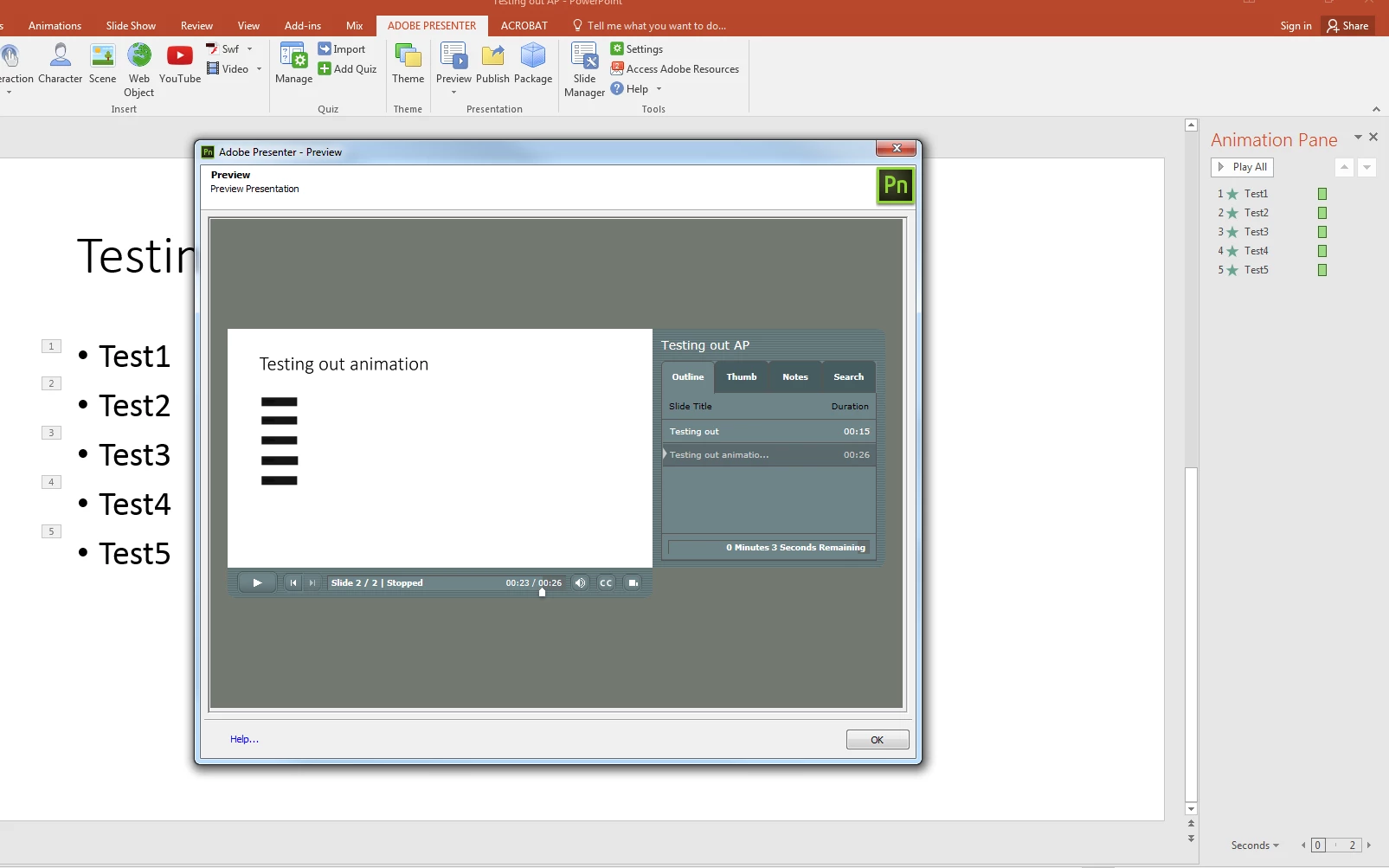
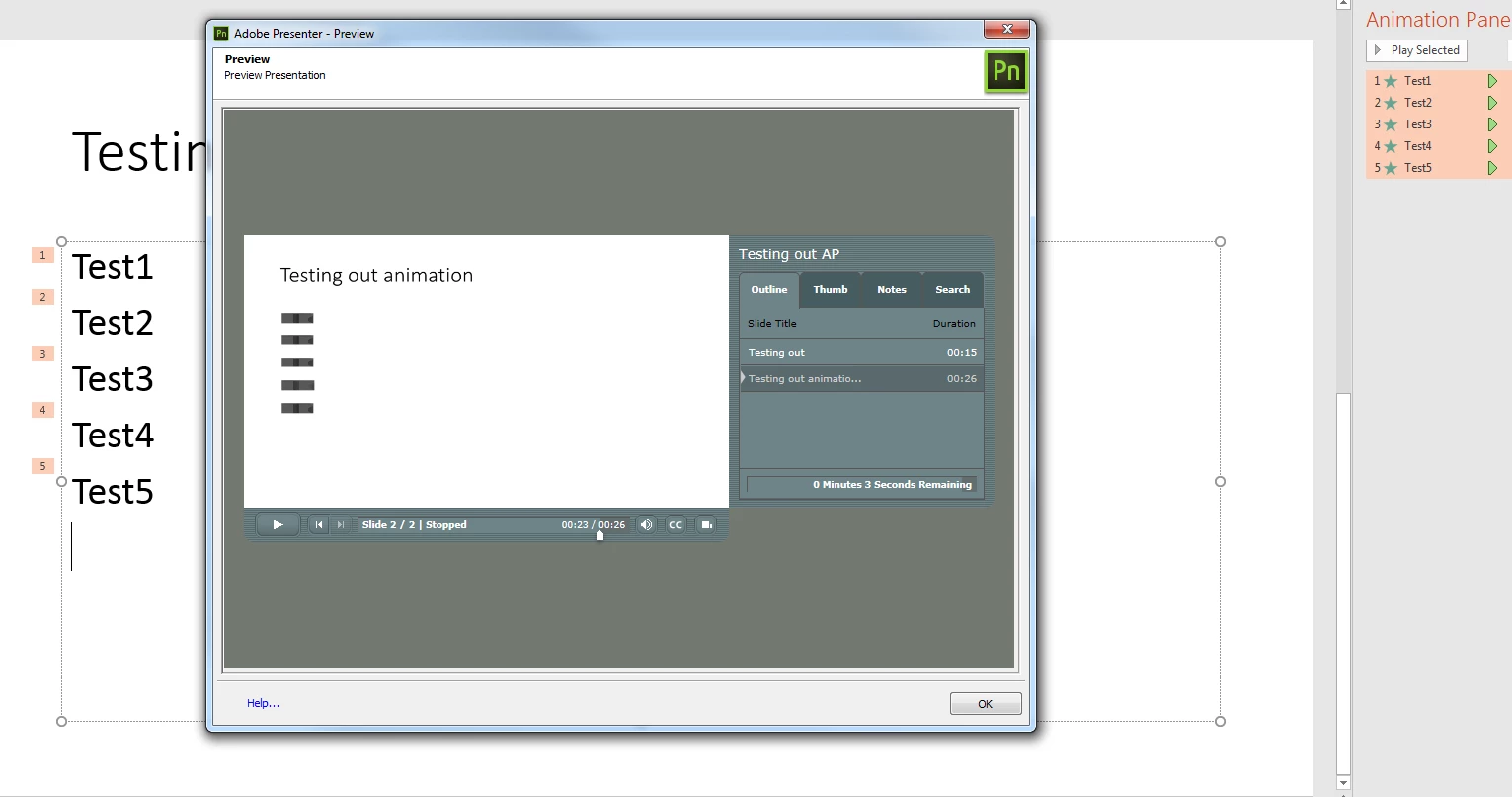
When I'm recording audio on slides with animations (simple appear animation on-click) it shows up great in the recording area. However, when I preview the presentation (either by the 'preview in HTML5' or publish to HTML5) the text does not show up. I've tried:

  • not using bullet points
  • various animation types

Each time I preview it, it either shows a stretched bullet point with no text or just a border around the text. (see attached)

Please help.
This topic has been closed for replies.

6 replies

Inspiring
February 13, 2018

timb35932784, please contact Adobe support

timb35932784
Participating Frequently
February 13, 2018

Hi kornieme,

I've since upgraded to Windows 10 and presenter 11.1 and seem to be having some luck with publishing as PDF (accessing via Acrobat reader DC) and this works. however the HTML publish it still not working with text animations. This is getting extremely frustrating as the software is not working as intended and i'm looking at option of requesting refund if this cannot be resolved as i'm not able to utilize this as a reliable elearning software for my instituation.

Is this able to be escalated?

Cheers

timb35932784
Participating Frequently
November 8, 2017

So i'm doing a simple text animation which works in the recording of the audio section of Presenter (see from 0:00). However when outputted to HTML, it does the transition but shows a distorted image (see from 0:20). This HTML publish is on a web server, not just in preview.

Adobe states

HTML5 support for Microsoft PowerPoint

Publish eLearning modules created with PowerPoint directly to HTML5, keeping text, shapes, audio, and animations intact. Adobe Presenter 11.1 - Features

I'm losing faith in this product. It is such a simple thing that other tools do with ease.

Inspiring
September 13, 2017

Is it a regular slide or a test question? Also the timing of the animations, is it longer than the length of the slide timing?

timb35932784
Participating Frequently
September 7, 2017

Hi, no the audio point are showing in the correct places (where i clicked for them to happen). it is more around the text transition not showing the text correctly. i've found information on Adobe about Slide transitions not working, but normal text fading in should work fine (i thought).

Cheers

Inspiring
September 6, 2017

If you edit that slide, are the clicks showing at the very end or are they showing within the slide? I usually have to adjust the click points within the presentation. Also if you use transitions, they cause issues in HTML5 and do not work in it.

timb35932784
Participating Frequently
November 8, 2017

Transition comes in where its supposed to be. This is just a text animation (nothing fancy), does this mean that if users want to use Adobe Presenter to make online elearning content, they need to remove all transiitons out of their presentation? This seems like a backwards step and not helping users create 'engaging interactive presentations'.

Jorma_at_Knox
Legend
November 9, 2017

I don't believe this has anything to do with the transition. I too see distorted text when animated and published to HTML. Granted I'm on 11.0, but the upgrade doesn't seem to have any effect. I tried different animations and changing the text to different fonts and nothing changed the result.

Here is my published sample: Animation test - HTML

I'd recommend you reach out to Adobe Support, and have them look at what is happening and work to provide a solution.

Contact Customer Care