
Participant
August 17, 2017
Question

Putting Captivate Project on Google Website - Problem

  • August 17, 2017
  • 5 replies
  • 3810 views

Hello-

I am working on a project for a class in multimedia productions and I am putting together an Adobe Captivate responsive design program. I am running into issues of getting the project to be used outside of my computer (and ideally embedded in a Google Website.
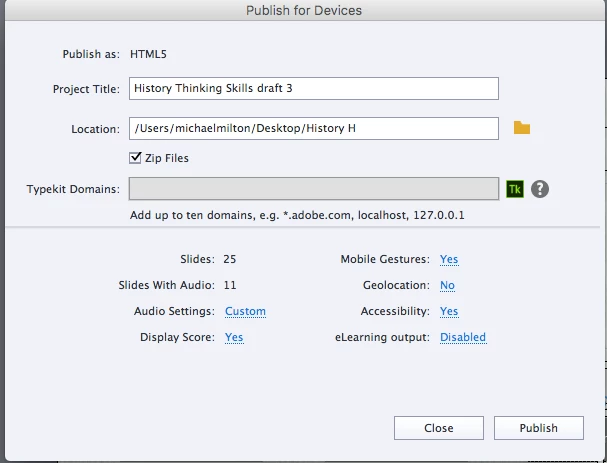
Here is how I am publishing it. Note: I am publishing it for devices and then putting it in my Google Drive to - ideally - open up and be usable!

I've extracted in my Google Drive
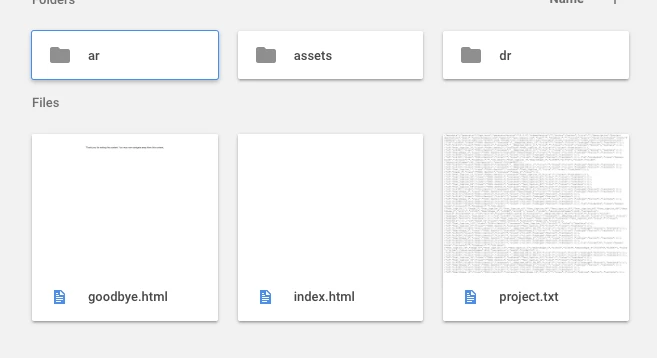
and when I click on the index.html - this is what comes up
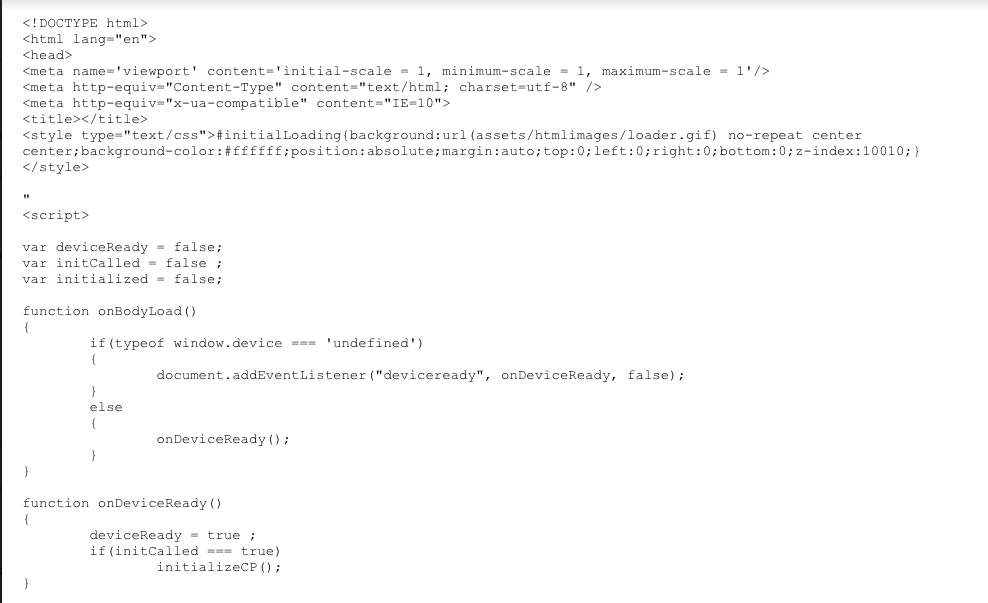
It does not open up as an html as it does on my desktop. Instead - I just get this.


Any suggestions on this would be very helpful. I just want to get it set up so I can get feedback on it so I can finish this project and this class.

This topic has been closed for replies.

5 replies

Participant
August 21, 2017

OK- thank you all for your help! I figured it out.

I published my Captivate project on Amazon s3 like Paul suggested. I was then able embed the Captivate project on an old Google site using an iFrame.

Thank you!

Paul Wilson CTDP
Community Expert
Community Expert
August 22, 2017

Glad you got it working. 

Paul Wilson, CTDP
Participating Frequently
August 21, 2017

Google and DropBox used to have the feature but they were disabled in 2016. Other than Amazon S3, Github Page is an option but it takes as much setup. You can also look into the free web hosting options, it's not hard to open a free account and upload some course files.

One more option I can think of is a free LMS, for example, SCORM Cloud (https://scorm.com/scorm-solved/scorm-cloud-pricing/). You can open a free 100M storage account, publish your course as a zipped SCORM course, upload and share it by inviting users or sending a link.

Paul Wilson CTDP
Community Expert
Community Expert
August 19, 2017

Unless you have to upload it to Google, I have an alternative solution. Watch the following video about uploading to an Amazon s3 web server account. It's a bit involved during the initial setup but I upload sample courses multiple times each day and easily share links with my clients. There are fees associated with S3 but only if you exceed usage that is far beyond what a handful of people viewing your eLearning project would produce. I've never been billed for my usage.

Adobe Captivate – Publishing Your Project on Amazon S3

Paul Wilson, CTDP
Participant
August 18, 2017

Ok, I used a Chrome Extension Web Server to get an address

and it gave me http://127.0.0.1:8887/ which works on my desktop, but not anywhere else.

I am at a loss as to what to do. This is proving to be much more difficult than I had thought.

papaintegrator
Inspiring
August 21, 2017

Hi Mike,

While the other solutions as suggested by Paul, Lilybiri and yg236 are great! I would like to address your original concern; can you please let me know if:

1. Your audience\ reviewers will be using same network as yours to access your files

2. Have you tried a local server already?

Also, "http://127.0.0.1/8887" as stated in an earlier comment is your localhost i.e. your machine itself, hence no one else can access that unless you have built a local server out of it.

Hence,

1. If your users are using same networks as yours, install WAMP Server (a free simple to use local server) and share the link to your computer e.g. http://<your-ip-address>/location of your project on the c:/wamp/www/<any-folder>.

2. Alternatively, users\reviewers can download the entire folder locally and then run index.html out of it.

PS: For quick use, yg236​ 's solution is handy. Just make sure to 'enable' eLearning Output i.e. Course should be SCORM Compliant and should be published as zip.

/best

Lilybiri
Legend
August 17, 2017

Google drive is not a webserver. You need to upload it to a webserver. You cannot embed a responsive project in an iframe (at least I did not succeed in doing that) which can be done with a scalable HTML5 project, but you can use a hyperlink to point to the URL on the webserver. In the last post I published yesterday, you can find such a hyperlink to a responsive project:

Master those Fluid Boxes! | eLearning

In this blog post you'll see an embedded scalable HTML5 tutorial, it is only one slide (there is a SWF version as well):

Captivate's Timeline(s) Demystified - Intro - Captivate blog

BTW: do not zip the folder.