
Uploading to Cornerstone - won't record quiz % correctly
Truly I do not know if this is an issue with Cornerstone or Captivate 6.
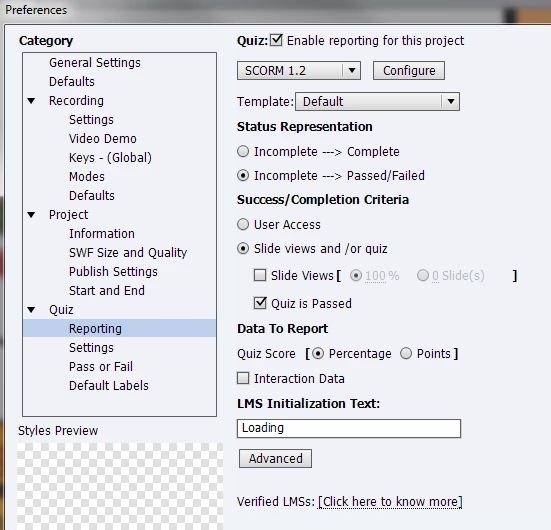
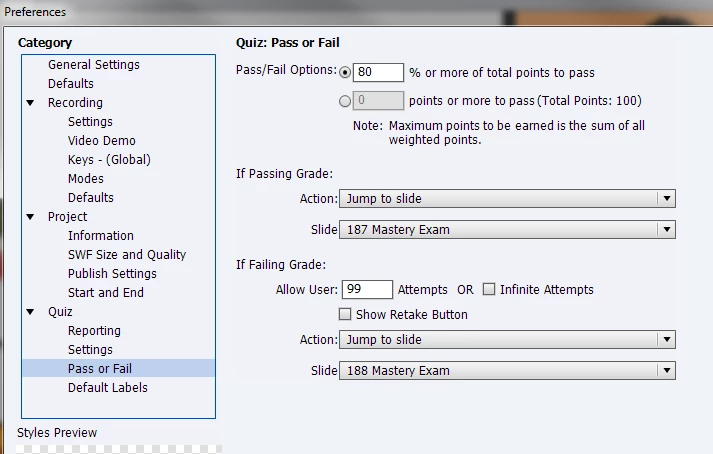
I am using Captivate 6 to publish a course (Scorm 1.2) into Cornerstone and it is not recording the % correctly. It is a 10 question quiz set with an 80% pass mark. If the learner scores less than 80% the score is transferred properly. If the learner scores above an 80% the score transfers only as 80%. So if the learner scores 100%, the transcript will only show 80%.
If you click on the "moduledetails" in cornerstone, the score appears correctly, just not on the front page of their transcript.
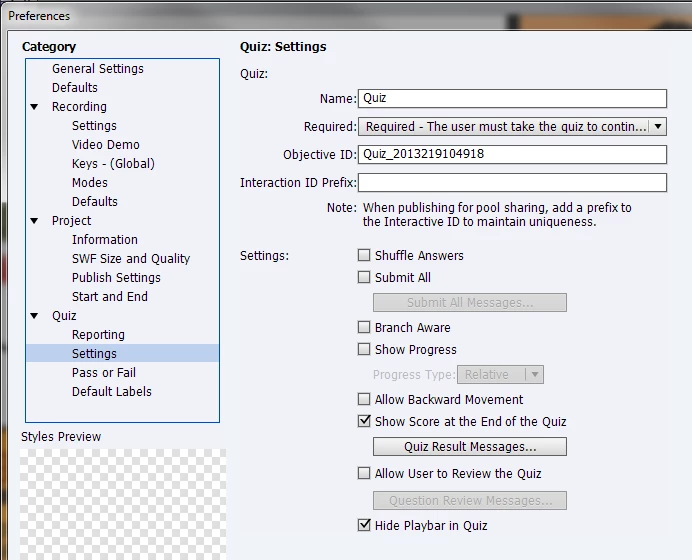
I've attached some shots of my Quiz preferences below if anyone can see anything that isn't correct.
Additional info:
Browser: Internet Explorer
Quiz slides: there are 12, 10 graded and 2 (knowledge checks) These are graded but have an advanced action attached to not be included in quiz
Quiz attempts: 99, this is a workaround because Cornerstone does not offer a "reset" option of the user exceeds the number of chances they can take the test. and Infinite removes my ability to direct them to a pass/fail slide. (I'd like to meet the person who could exceed 99 failed tries)
Thanks for any help available!
-Tiffany
.
 AdChoices