
manobyte
Participant
November 4, 2012
Question

Video Not Playing in LMS

  • November 4, 2012
  • 1 reply
  • 715 views

OK....I have seen lots of posts about videos not working. My problem is similar, however the difference is that it works fine when published except when uploaded to a LMS. Below are my publish settings:
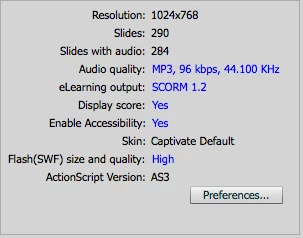
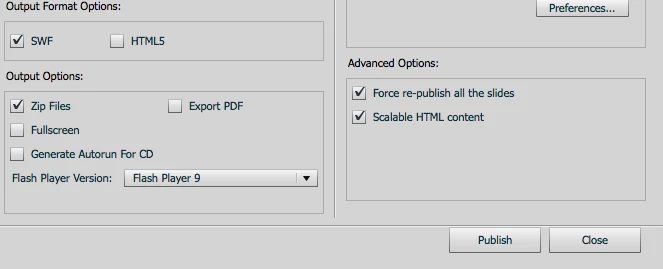
And here are my video management settings:
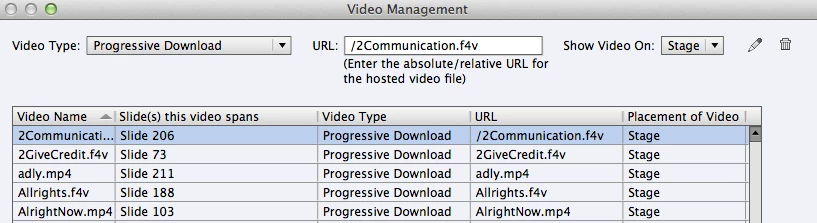
The LMS is Total LMS and when the SCORM package is upload the course plays fine with the exception of the videos. They do not play at all. I do not have any control over the LMS and I am wondering what I can do to get the videos to play?

This topic has been closed for replies.

1 reply

RodWard
Community Expert
Community Expert
November 6, 2012

Videos are always externalised files in Captivate 5 and later.

Have you made sure that all inserted videos have been copied to the publish folder, and have you checked that the path to the videos is correct?  For example, your third screenshot shows the relative path to the video as NOT being in the same folder as the SWF.  If your videos are copied into the same folder as the SWF then you need to lose the forward slash before the filename of the video.