First of all: please learn to use the Advanced Actions dialog box. Showing an advanced action is so much easier when you show the Preview (first button in top right control panel, looks like an arrow). Full description of the AA dialog box:
http://blog.lilybiri.com/advanced-actions-dialog-box-in-captivate-2017
Second tip: do not start with such a workflow before you had some training or at least mastered basic skills.
What you want to do can be easily done with a multistate object, and two commands 'Go to Next State' and 'Go to Previous State'. If you insist on Show/Hide (outdated workflows since it will lead to serious problems in responsive projects) at least group objects to decrease number of commands). The condition 'IF 1 is equal to 1' has only sense at this moment for eternal While loops, which is not the case here. You have been looking at outdated tutorials.
Not so uncommon: lot of newbies to scription are confusing variables and actions. In any basic training the understanding of Variables is essentail as well as the Use of Shared actions.
Last comment: if you want the slides to really move on a motion path, you would need Effects, but that is another chapter in your learning curve.
Have some fun with this game which I published recently. It has sort of a slider within a multistate object to show the decrease of the score after a failed attempt. This game can be created without having to script if you have the Shared actions I use and are able to create multistatte objects.
http://www.lilybiri.com/published/Missing/index.html
Just an illustration of what is possible. Only one shared action has two decision (one of them being conditional). Compared with your multidecision action for a less complicated situation, hoping you understand that taking bit more time (eventually training) to learn to cope with advanced and shared actions would save you at the end a lot of time and frustrations. Be careful when watching videos which are free (or even paid): especially for Advanced/Shared actions there is much more crap aound than useful tutorials. Free platform have no curators, and they can have real gems, but you have to find them.
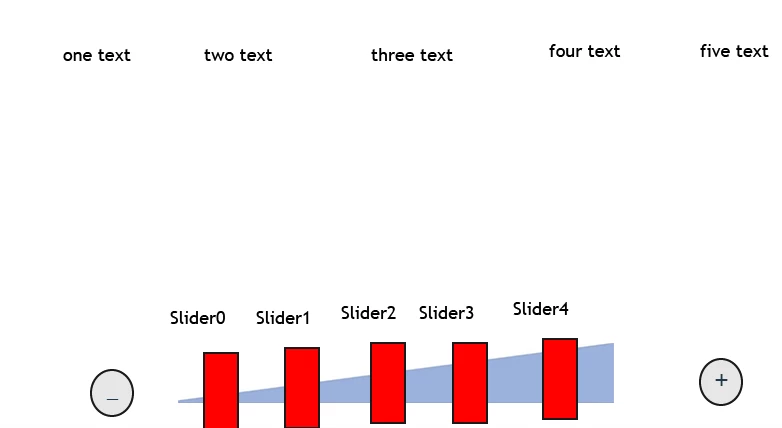
Needed a little bit of fun time with Captivate, created a sample project for you. I used two variables (could be flexible with number of slider positions), two conditional actions with only one decision and two multistate objects. Have a look, click this link:
http://www.lilybiri.com/published/ProgressUser/index.html




 AdChoices