
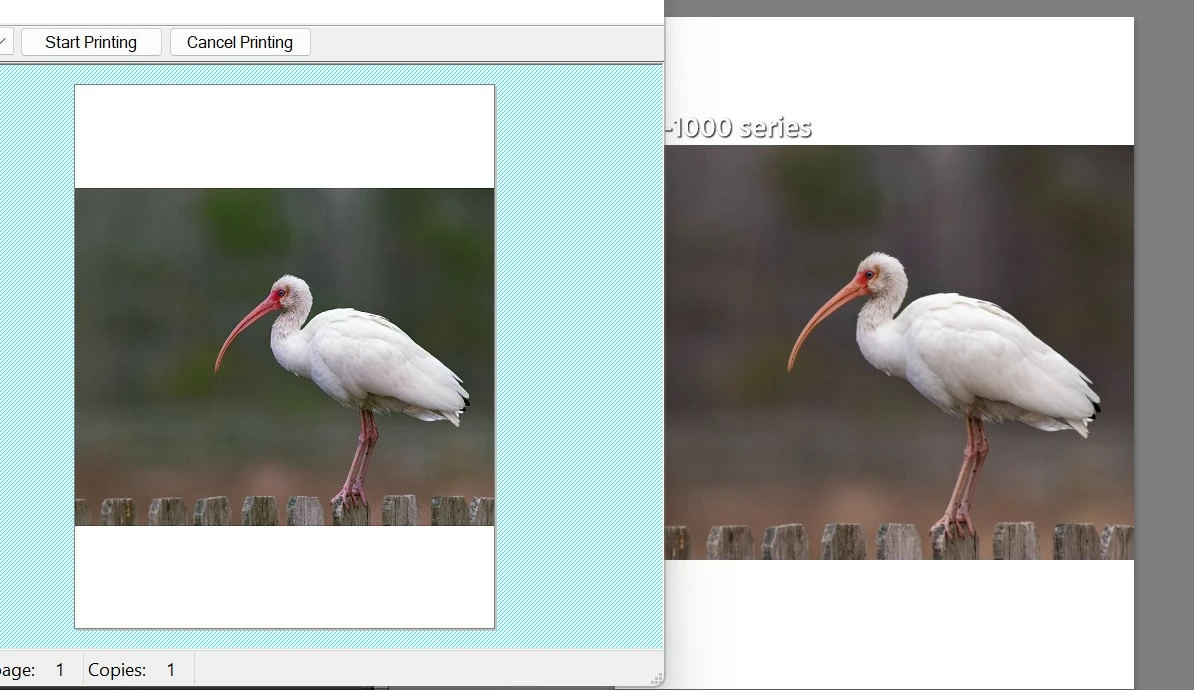
Difference in color between soft proof and print preview.
I am new to Lightroom and I am having trouble with the color I am getting with my prints. I know that to get the most accurate colors you should calibrate your monitor and mine is certainly not calibrated, but what I am having a problem with is that before I print a photo from Lightroom I see a preview of what it will look like and the colors are different from the ones I see when I soft proof in Lightroom. In this particular case I am using Moab Juniper Baryta paper in a Canon Pro-1000. I am using the color profile for the paper and the printer settings recommended by the maufacturer. In Lightroom the image looks fine, with the paper profile added, but when I go to print it the preview shows a strong green cast to the photo and when it prints out it has that strong green cast. As it is I am having to look at the preview then go back and change the colors then try to print again to check the preview and so on back and forth. Is there something I'm doing wrong? When I used the Canon paper the printer came with this didn't happen.
Any help would be great. Thank you.
 AdChoices