

Articulate Storyline courses in Adobe Connect Pro 7.5 don't resume when learner closes and revisits
Hello,
I'm brand new to this forum, so please forgive any breaches of etiquette, but I really hope someone from the Community can help wth a strange, somewhat random issue with some Articulate Storyline courses hosted in Adobe Connect Pro 7.5.
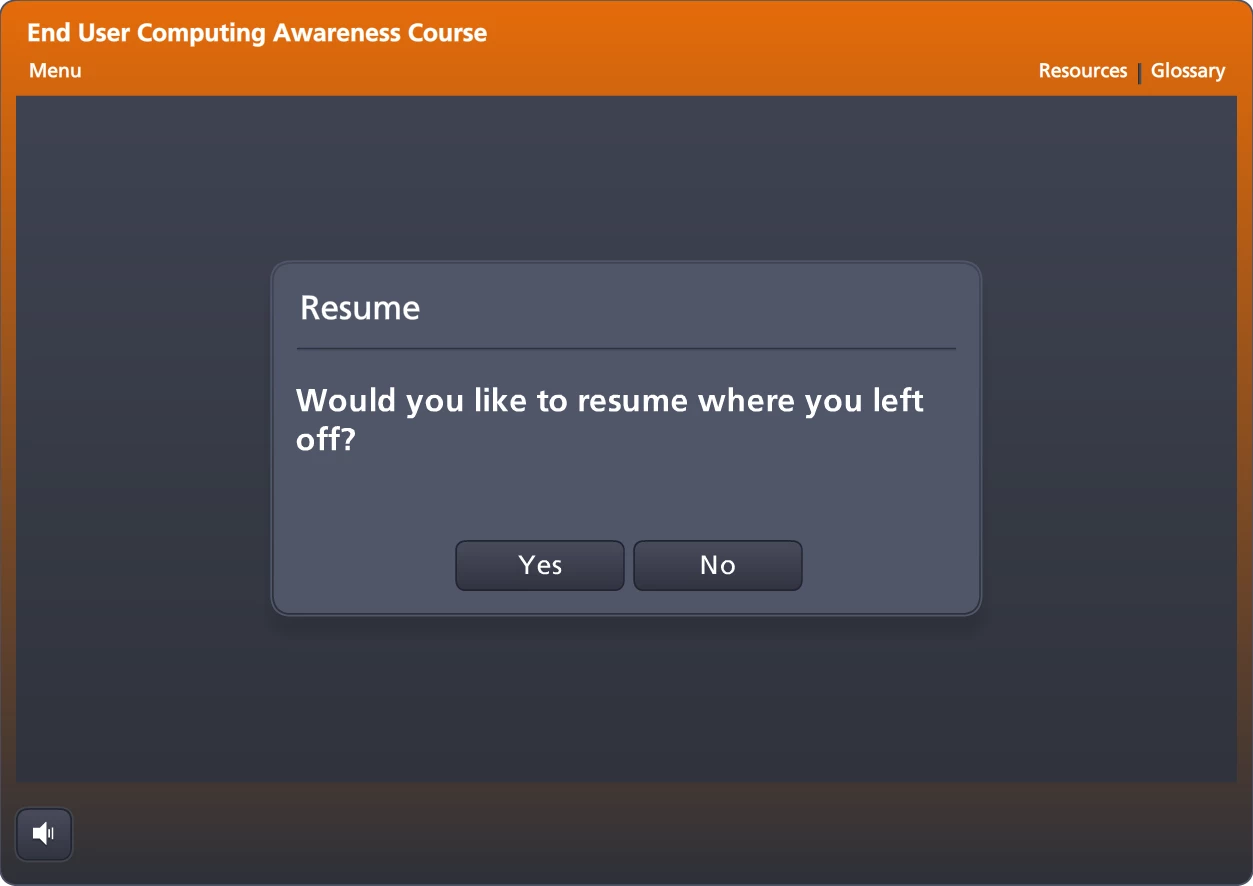
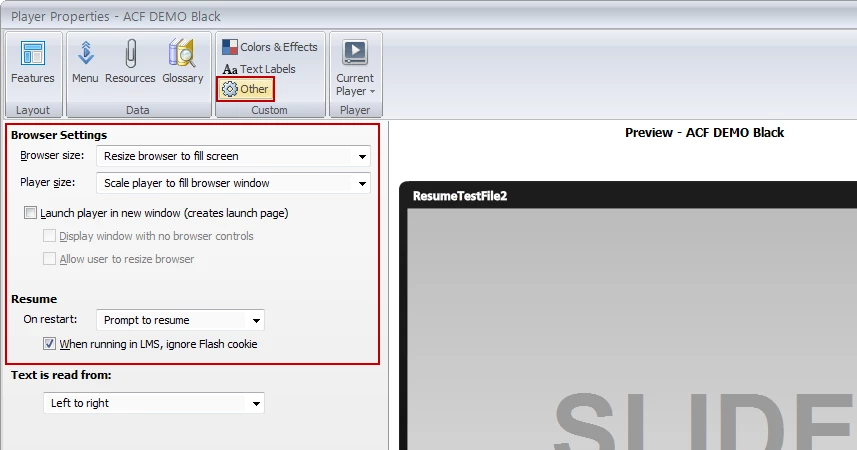
We have more than 20 Storyline courses that have been published and uploaded over the last year. If a learner closes the course before completing the end-of-course quiz, their progress should be saved and when they reopen the course they should see a prompt asking if they want to resume where they left off (see below). This functionality is set up within the player settings of Storyline before the course is published, and all courses were prompting to resume until a couple of weeks ago.
Resume Prompt:
Storyline Player Settings:
Around May 31, we noticed that some of the courses were starting over from the beginning slide, even if the learner had previously completed part or all of the course. I opened about 10 courses that day, and 3 or 4 prompted me correctly; the other 6 or 7 started over at the beginning. The strange thing is that all of the courses are published the same way using the following settings in Storyline (3 screens below).
Publish Settings Screen 1

Publish Settings Screen 2
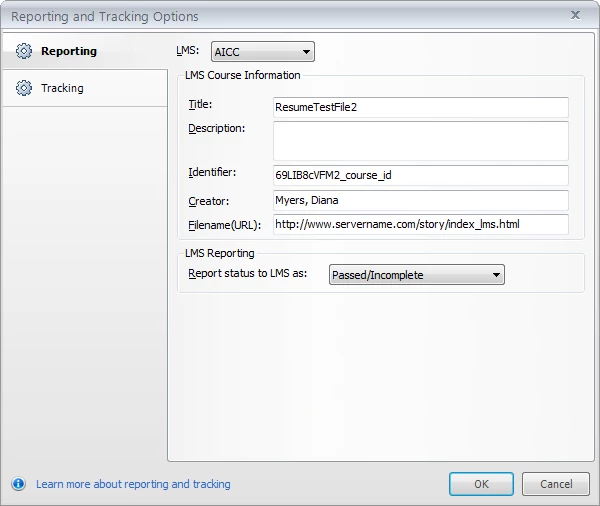
Publish Settings Screen 3
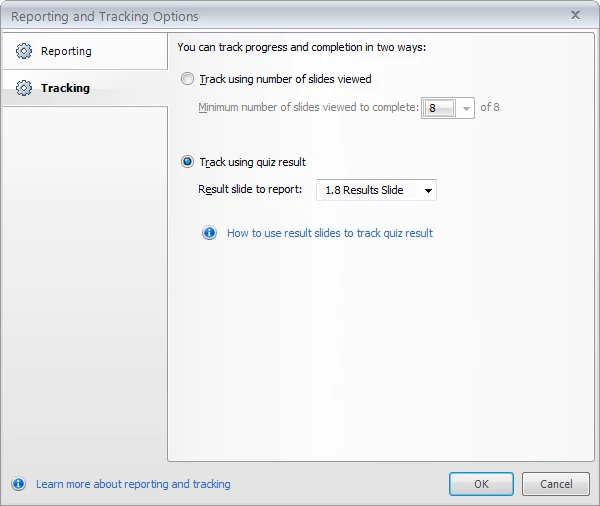
The even stranger thing is that a course that didn't resume properly last week, now resumes correctly for my coworker but doesn't prompt me upon revisitng/resuming the course. On Monday I opened 12 courses and only 2 of them resumed correctly. Today I checked those same 12 courses: 5 prompted to resume correctly (including the 2 that worked on Monday), 7 did not prompt me. When my coworker opened the same 12 courses - 2 of the 7 that weren't working for me DID prompt her when she reopened the course link.
Unfortunately I haven't been able to establish any patterns as to why some courses always prompt to resume, why some courses never prompt /always restart from the beginning and why some courses prompt when my coworker opens them but not when I do.
At this point, I'm not even sure where to start, what to check or what questions to ask, so any and all help or suggestions are GREATLY appreciated.
Diana
 AdChoices