Copy link to clipboard
Copied
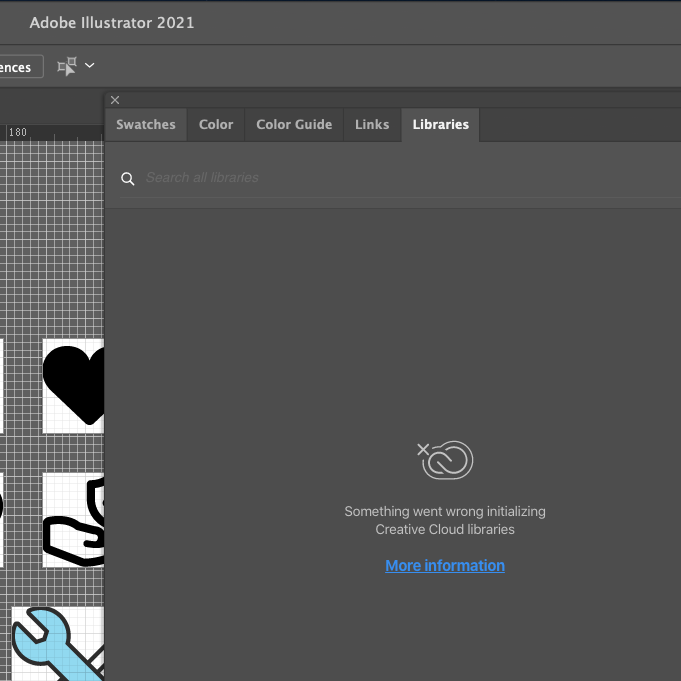
Frustrations mounting in regards to Library-sharing with my co-worker, as she is updating a library with logo files, color swatches. I am not able to see any updates she has made to this library. Any way you can help me resolve this? I am running on the Big Sur OS. I did not always have this issue.
Thanks,
Marv


 1 Correct answer


Hi,
We have delivered a new Libraries version to Production, it should be available for you now.
The problem should be fixed now, could you please confirm?
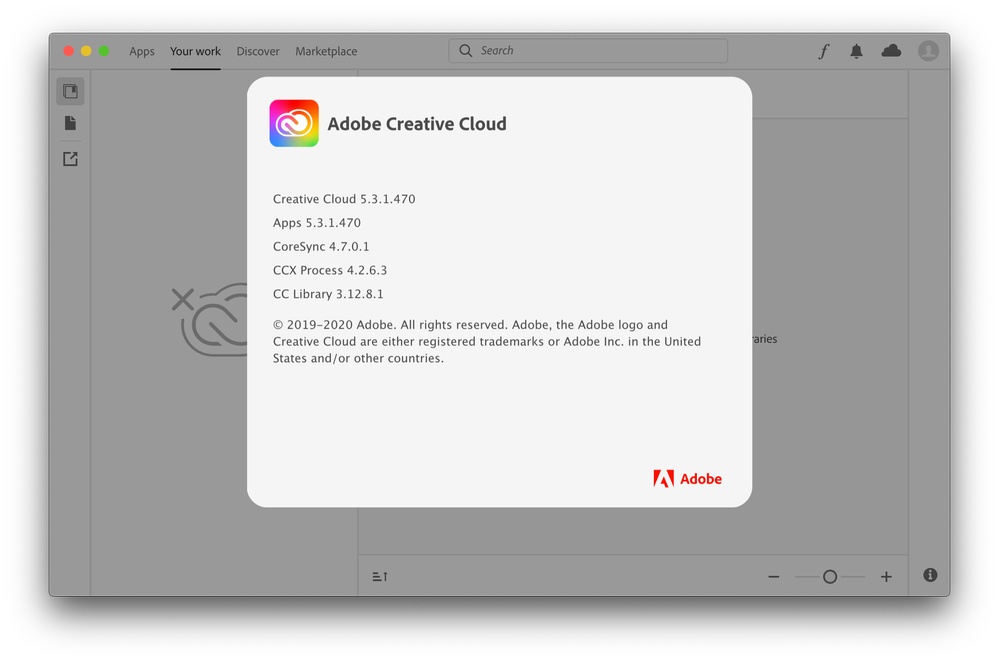
You can check the Libraries version on your machine via CCD, the fix is in 3.12.8-1.


 19
Replies
19
19
Replies
19

Copy link to clipboard
Copied
Hi,
Sorry, you are facing it.
Do you see the Sync error in Libraries or in CCD? The Cloud icon is in the bottom of the CCLibraries Panel or the top right corner in CCD.
Could you please get the Logs via Log Collector?
https://helpx.adobe.com/creative-cloud/kb/cc-log-collector.html
Please, let us know the Logs ID.
Mariia

Copy link to clipboard
Copied
The designers at my company are having the same issue today. We used to be able to connect & utilize Creative Cloud Libraries. Today, we are getting errors in all our adobe software & creative cloud application in relation to Creative Cloud Libraries. What's weird is that I can still see them online @ assets.adobe.com but I cannot access them in my Adobe Software Programs.
Copy link to clipboard
Copied
Hi,
Sorry you are facing this issue,
Could you please get the Logs so we can take a look what is happening?
Is your company using Proxy environment?
Thank you,
Mariia
Copy link to clipboard
Copied
Yes we use a Proxy. Here are the logs: https://shared-assets.adobe.com/link/d58ba095-14db-4e05-62a4-47639b0a5156
Copy link to clipboard
Copied
ID: AdobeLogs_20210225_164453_394-mac.zip
Copy link to clipboard
Copied
Thanks a lot! We are looking into it right now, will update you once get the details.
Copy link to clipboard
Copied
We have identified a problem and trying to deliver the fix as soon as possible. Will let you know once the fix made it to Production.
Thank you for the patience!
Mariia
Copy link to clipboard
Copied
Hi,
We have delivered a new Libraries version to Production, it should be available for you now.
The problem should be fixed now, could you please confirm?
You can check the Libraries version on your machine via CCD, the fix is in 3.12.8-1.

Copy link to clipboard
Copied
Hi Mariia,
I've been running into the same issue as Kat. I followed your recommendation to update my CC Library 3.12.8.1, but unfortunately I still seem to be having issues syncing my CC libraries.
Copy link to clipboard
Copied
Wanted to post a quick follow-up. I decided to reboot my machine and now everything seems to be working with the update you mentioned. My CC libraries are now syncing again. Thanks!
Copy link to clipboard
Copied
That is great to hear!
One more time - sorry for the inconvenience!
CCLibraries Team
Copy link to clipboard
Copied
Thank you! This update worked as soon as I logged out of CC, closed the program, and opened it back up!

Copy link to clipboard
Copied
Hello, first time here. I am having issues with sync, I've tried restarting everything. My CC Library is saying it's 3.12.11.1 so I'm at a loss as to how to fix the sync. Help please

Copy link to clipboard
Copied
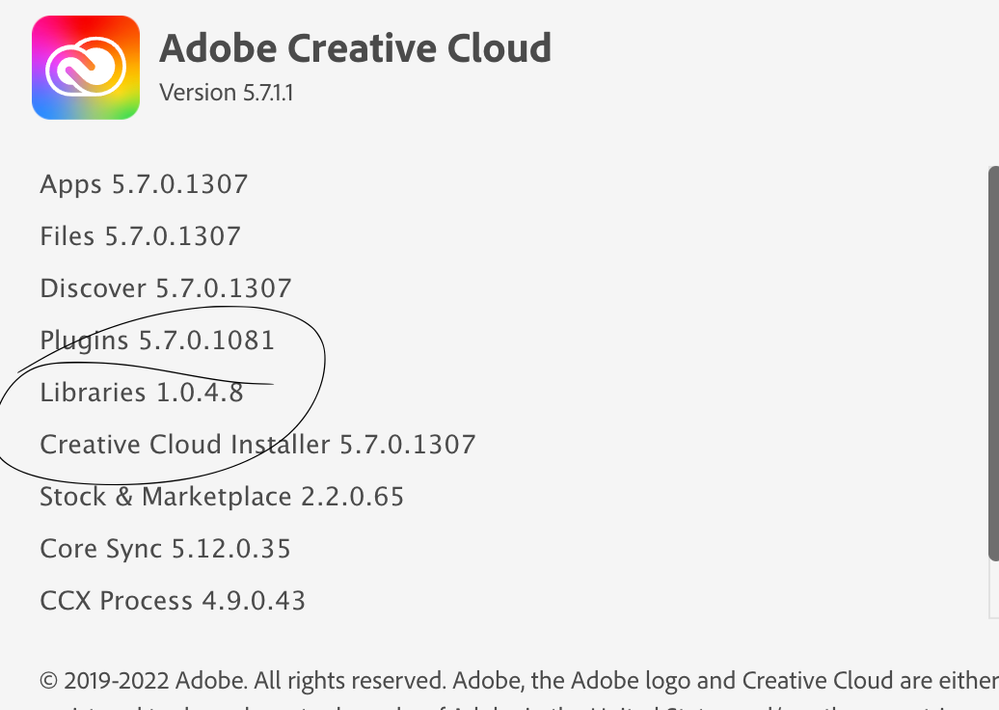
Okay, but how do we update to the latest Library software? I've been having an issue where my coworkers are not seeing my updated files in the Library, even though the cloud software is telling me all my files are synced. I've been researching the issue for days and finally came across this article. When I check my software, it says my Library is only 1.0.4.8!!!!!!! But all my software is updated so, I am totally at a loss here.

Copy link to clipboard
Copied
I am having the same problem. Any fixes?
Copy link to clipboard
Copied
Unfortunatly no. You're the first person in this community to respond to me. Through my company's tech services, I was able to locate the lateast CC library software driver, download and install it. However when I check "About CC" it still says I'm on 1.0.4.8. At this point, I do not honestly believe that CC Library 3.12.8.1 exists, since this is literally the only place I've ever seen it mentioned.
Copy link to clipboard
Copied
I solved it! I found the download for Libraries, installed that, then had
to re-install photoshop and it's working now. Here is where the best
instructions are along with the download for the Libraries update:
Creative Cloud Libraries Stopped Working
<>
I sincerely hope this helps!
Trish
Copy link to clipboard
Copied
Hmm...it's dropped the link. Let me try this again...
https://helpx.adobe.com/ca/creative-cloud/kb/libraries-panel-not-working.html
Copy link to clipboard
Copied


Get ready! An upgraded Adobe Community experience is coming in January.
Learn more
 AdChoices