Known Participant
December 13, 2022
質問

Imported Background Image is Pixelated

  • December 13, 2022
  • 返信数 5.
  • 1159 ビュー

Hi,


I have tried using support chat and tried emailing Adobe, but nobody has been able to give me a real solution for this issue yet:

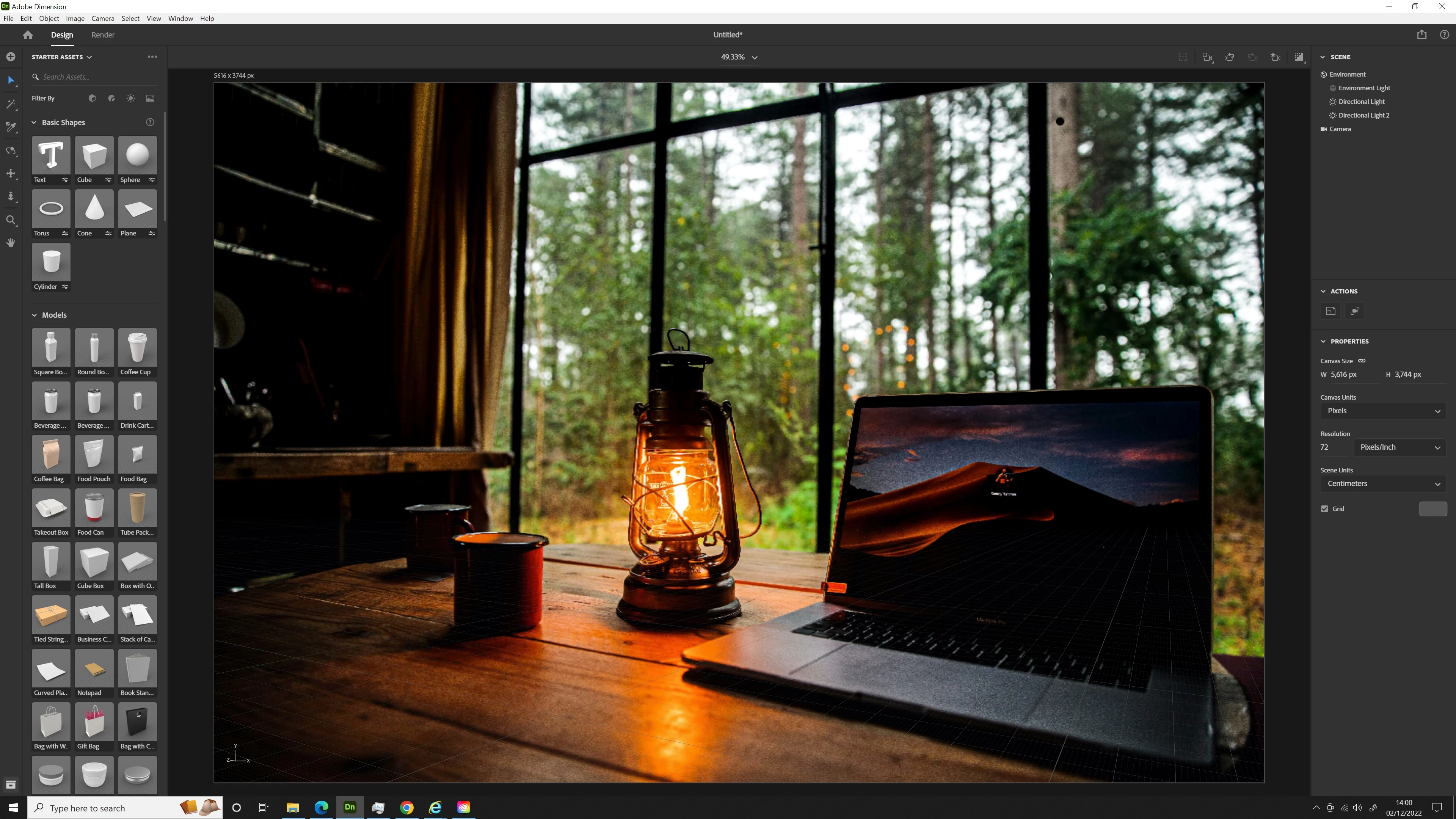
For some reason, every time I import a photo as background, it loses quality and becomes pixelated.

I have tried importing both via the menu and by just dragging it into the window. I have double checked that the canvas size and resolution etc. matches the image. I have also tried changing the canvas size to see if this could change anything and it hasn't. I have tried rendering the images to see if it was just a display issue of some kind. I have made sure my graphics driver is up to date. I have tried uninstalling and reinstalling Dimension. I have also tried downloading new versions of the image files to ensure they weren't somehow corrupted. I also tried with different images and it's happening with every single one.


I'm not having this issue anywhere else on my PC nor in any other Adobe apps. It seems exclusive to Dimension. The issue started a couple of weeks ago (it was working fine before that) and I do not know what may have triggered it, as there were no windows updates on my PC during that timeframe that could have interfered with it. I'm not sure if there was a Dimenion update that could have triggered this.


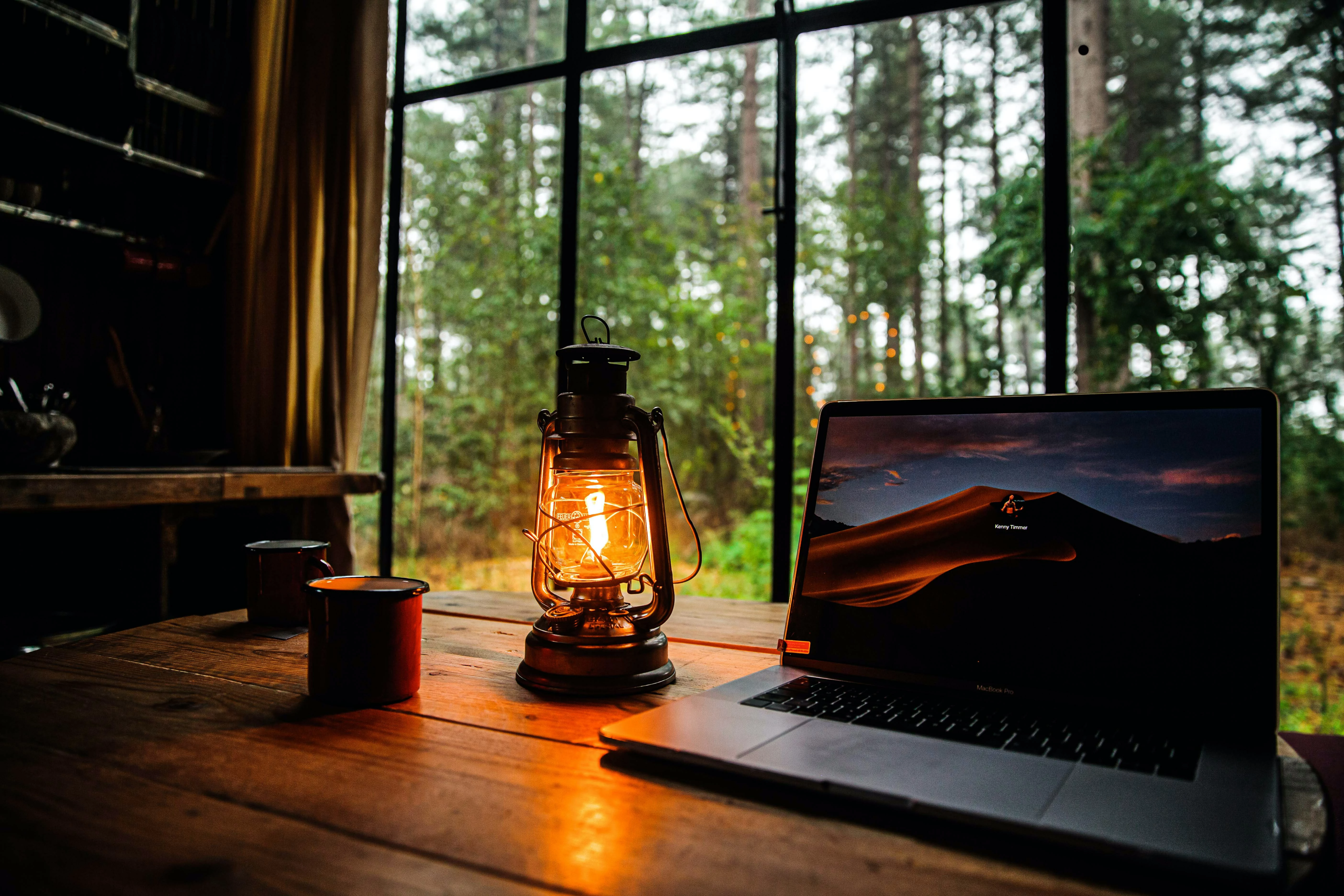
I've attached a screenshot of the pixelated import of a random image, as well as a copy of the original image. Hopefully the difference is visible enough.


If anyone has any ideas of how I can try to fix this, please let me know!

Thanks!
 

このトピックへの返信は締め切られました。

返信数 5

Jasmine5E78作成者
Known Participant
January 10, 2023

Still have no working solution for this so bumping the thread!

Participant
February 7, 2023

I am suddenly having this issue too. I've matched my canvas size, matched the image ratio, changed the resolution, switched back and forth from GPU and CPU, made sure blur was off, gone to render and changed the quality setting, restarted the program and reloaded the image, changed the file size on the background image, nothing seems to affect it for better or worse.

Participating Frequently
December 15, 2022

I'm pretty sure it's because you have camera focus/blur turned on. It's simulating what the background would look like out of focus.

Jasmine5E78作成者
Known Participant
December 16, 2022

Hi! Thanks for your response. That is not the problem. If focus blur was on, the image would be blurred not pixelated. But I can confirm focus blur isn't on. 

Participating Frequently
December 16, 2022

Are you sure? In the shot you added, the elements on the left side of the scene are definitely out of focus. Regardless, I misunderstood your original complaint, I thought you meant that the background itself was becoming pixelated. I now see you meant the 3D assets.


Whatever is going on is causing the canvas resolution to be significantly reduced. Have you tried changing the canvas resolution by a pixel or two, then putting it back to the desired value to see if that may reset whatever bug is being introduced after adding the background image?

Ussnorway7605025
Legend
December 13, 2022

what type of file are you importing i.e, Jpeg, Png?

Jasmine5E78作成者
Known Participant
December 14, 2022

JPEG

Imaginerie
Community Expert
Community Expert
December 13, 2022

Hi!

I can see you got a very big canvas size there. When you import your background image, do you match the canvas size to your image? (image ratio VS image size in the screenshot)


 in all cases, is the background image actually THAT big?

Jasmine5E78作成者
Known Participant
December 14, 2022

Hi!


Yeah, as mentioned in my post, I've made sure it was matching. This is just an example. I've tried making it smaller too. And previously the image size was not an issue, I didn't have any problems with the quality.

Jasmine5E78作成者
Known Participant
December 15, 2022

Sorry about that, it just stricked me as odd. Nothing comes to mind now, particularly as Dimension updates are getting sparse, although I had one just now 🙂 (Version 3.4.7), maybe you can check and see if the update resolves things, as it looks like a bug now. Unless someone more knowledgeable can help?


No worries, I appreciate the response and actual willingness to try and help, unlike Adobe support! I tried smaller images too. I am on a 4k monitor so some smaller images can sometimes look less quality in general, but the problem in Dimension definitely isn't due to that. I also got the 3.4.7 update - it didn't do anything about this issue. I even tried reverting to earlier versions of Dimension but had the same problem, so now I wonder if it is actually something to do with my PC, though I'm not sure what.

Jasmine5E78作成者
Known Participant
December 13, 2022

Just adding some cropped versions of each image as I realise it's hard to tell in the originals.