
New Participant
November 7, 2022
Question

Unabe to open saved documents

  • November 7, 2022
  • 3 replies
  • 376 views

I have a problem with my Adobe Dimension. The programm is unable to open saved files.
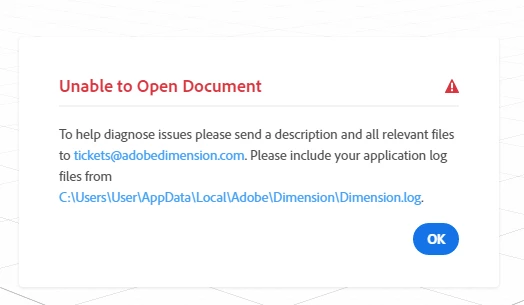
I've tried to reinstall the programm and I've tried the older versions as well. I am working on Windows 10. All saved files are perfectly working on Mac OS

This topic has been closed for replies.

3 replies

Ussnorway7605025
Brainiac
November 15, 2022

test 1; create a new Dn file on your Windows system [simple object and background] save\ rendor this then shut Windows down and see if you can open the Dn again? ... if you can then see if your Mac and also open this file i.e, is it only Mac made files that won't open

Ussnorway7605025
Brainiac
November 8, 2022

so just to be clear, we are talking about .Dn files that your Mac can open? my first question is how does your Windows system get access to this file? i.e, is it copied to a Usb and placed on the desktop or are you trying to open it from some kind of network

New Participant
November 15, 2022

I save my files on the hard disk. This problem appears only on my Windows computer, on Mac everything is perfect.

I can't open .DN files, but with .OBJ files everything is Ok.

Ares Hovhannesyan
Community Expert
November 7, 2022

Did you try to open it in Adobe Substance 3D Stager (if you have installed on your PC)? If not can you share it trough cloud to test?

New Participant
November 15, 2022

Hi!

No, I do not have 3D stager. Shure, you can download simple file which I have just created in Dimension. It alson won't open. https://we.tl/t-ORQnpdv6cg