
sonofmrsnak
Inspiring
November 20, 2020
Answered

What is the trick to wrapping an object here?

  • November 20, 2020
  • 3 replies
  • 697 views

Trying to wrap a trifold brochure to a model, but it's not allowing me to fully extend to the front and back.

Looks like I'm required to break the trifold panel into at least only 2, not three panels. Not letting me move the front over any more than it is.
Any thoughts? 

This topic has been closed for replies.
Correct answer sonofmrsnak

I'm using a 3D brochure object, the three panels are on one plane.  
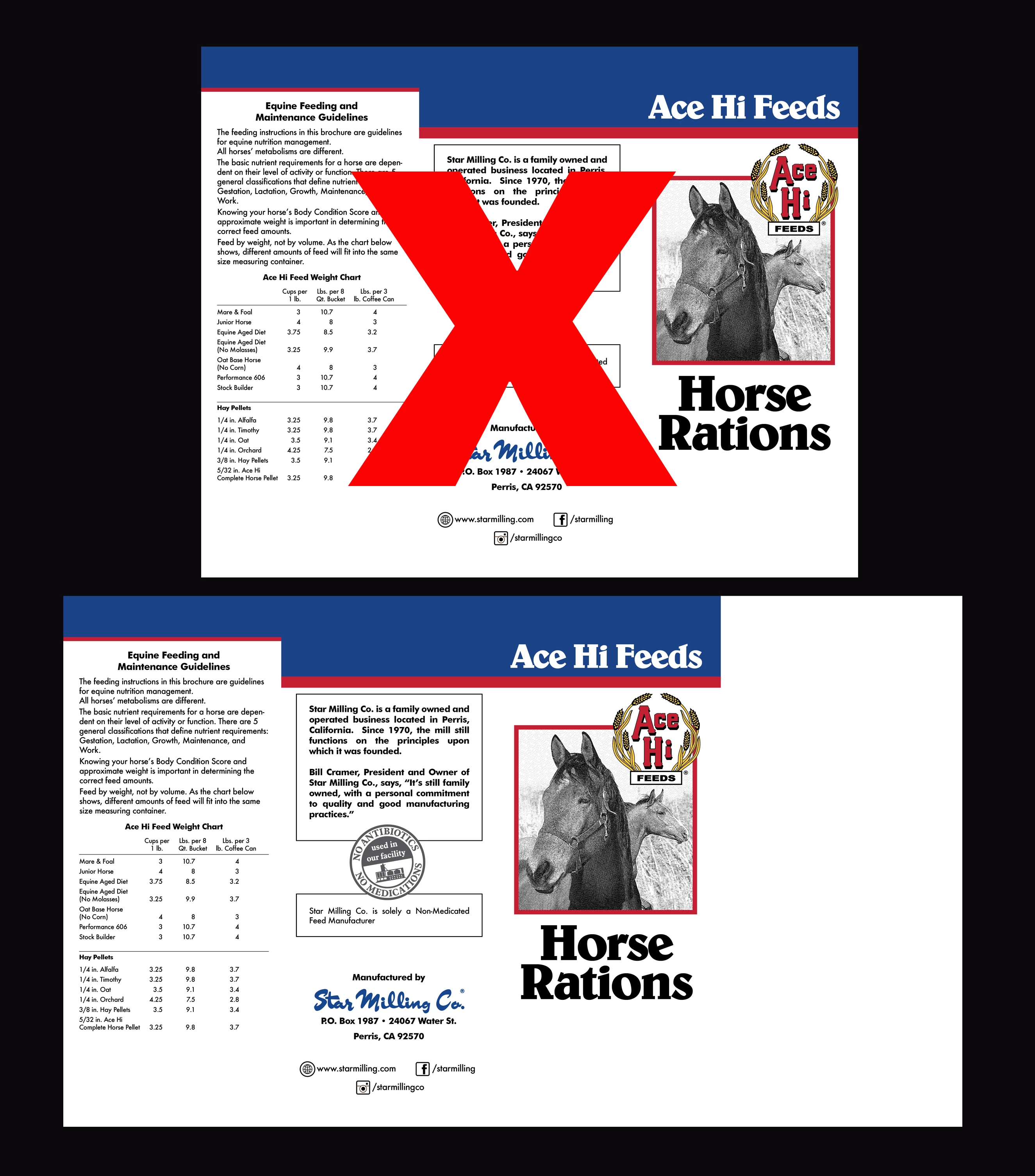
I did come up with a good workaround: Just needed to increase the canvas side on the left, and that allowed the program to wrap properly. The top shoulds have worked, but didn't. The bottom worked fine.

3 replies

Ussnorway7605025
Legend
November 24, 2020

thanks for letting us know you are sorted mate

Ares Hovhannesyan
Community Expert
Community Expert
November 20, 2020

You can download 3d broshure from web or stock or you can use 3 plane object that allowsto locate them in correct position

sonofmrsnak
sonofmrsnakAuthorCorrect answer
Inspiring
November 24, 2020

I'm using a 3D brochure object, the three panels are on one plane.  
I did come up with a good workaround: Just needed to increase the canvas side on the left, and that allowed the program to wrap properly. The top shoulds have worked, but didn't. The bottom worked fine.

sonofmrsnak
Inspiring
November 24, 2020

I meant canvas to the right side.

Ussnorway7605025
Legend
November 20, 2020

If you want to share the Dn with the image I'll have a go for you
