
Old Macbook Pro NOT COMPATIBLE with Photoshop, But CAN'T download OLDER VERSION
hello everyone,
i'm an art major and require photoshop for my classes. my college provides a discount that allows us to get the creative cloud for $50. i have purchased this, and have the creative cloud desktop app.
my computer is very old, it's a 2011 macbook pro. the current version of photoshop is not compatible with my OS. my macbook runs OS X El Capitan, but the current version of photoshop requires Sierra or higher i believe. my macbook is literally unable to update any higher than el capitan, so my only other option is to install a previous version of photoshop.
i've looked at several tutorials to download an earlier version of photoshop, but these options do not show up for me. I have gone into my preferences in the Adobe Creative Cloud desktop app and selected "show older apps", and some older apps did come up, but it still won't let me see the older versions of photoshop.
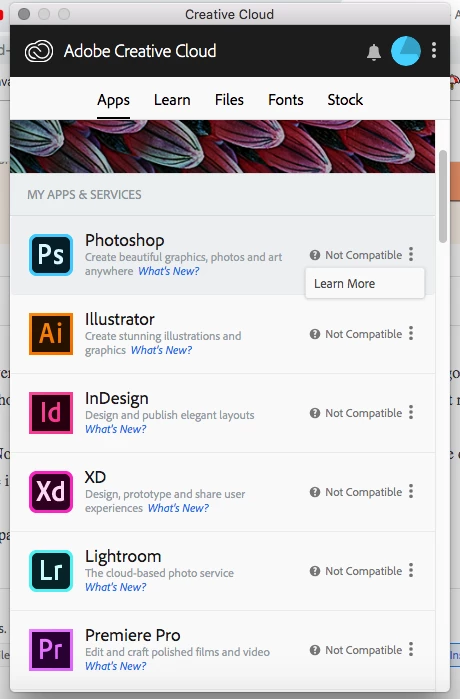
Since PS isn't compatible with my computer, it says "Not Compatible" rather than "Open" or "Install". Beside that is the three dots for opening the menu, but when clicked the only option is "learn more", there is no option for other versions.
i do not have the money for another computer and am paying for this product, please help
thank you
 AdChoices