Exit
  • Global community
    • Language:
      • Deutsch
      • English
      • Español
      • Français
      • Português
  • 日本語コミュニティ
  • 한국 커뮤니티
0

Premiere Elements 11 application fail

New Here ,
Mar 12, 2013 Mar 12, 2013

Recently purchased Premiere Elements 11 as an upgrade to Elements 9 installed on my windows 7, core i5 PC. The application seemed to install OK but the desktop short cut failed as did trying to activate from c:/programs/adobe. I uninstalled and downloaded again - fail. I followed one of the question strings on Adobe Community and found out about dependency walker. I downloaded the program, did a dependency check and recieved the following warnings:

Error: At least one module has an unresolved import due to a mising export function in an implicitly depended module.

Error: Modules with differnt CPU types were found.

Warning: At least one module has an unresolved inport due to a missing export function in a delay-load dependent module.

I am not a technocrat. I am a basic consumer. I have no idea what this means or how to fix it.  Do I need a computer expert to sort this problem out?
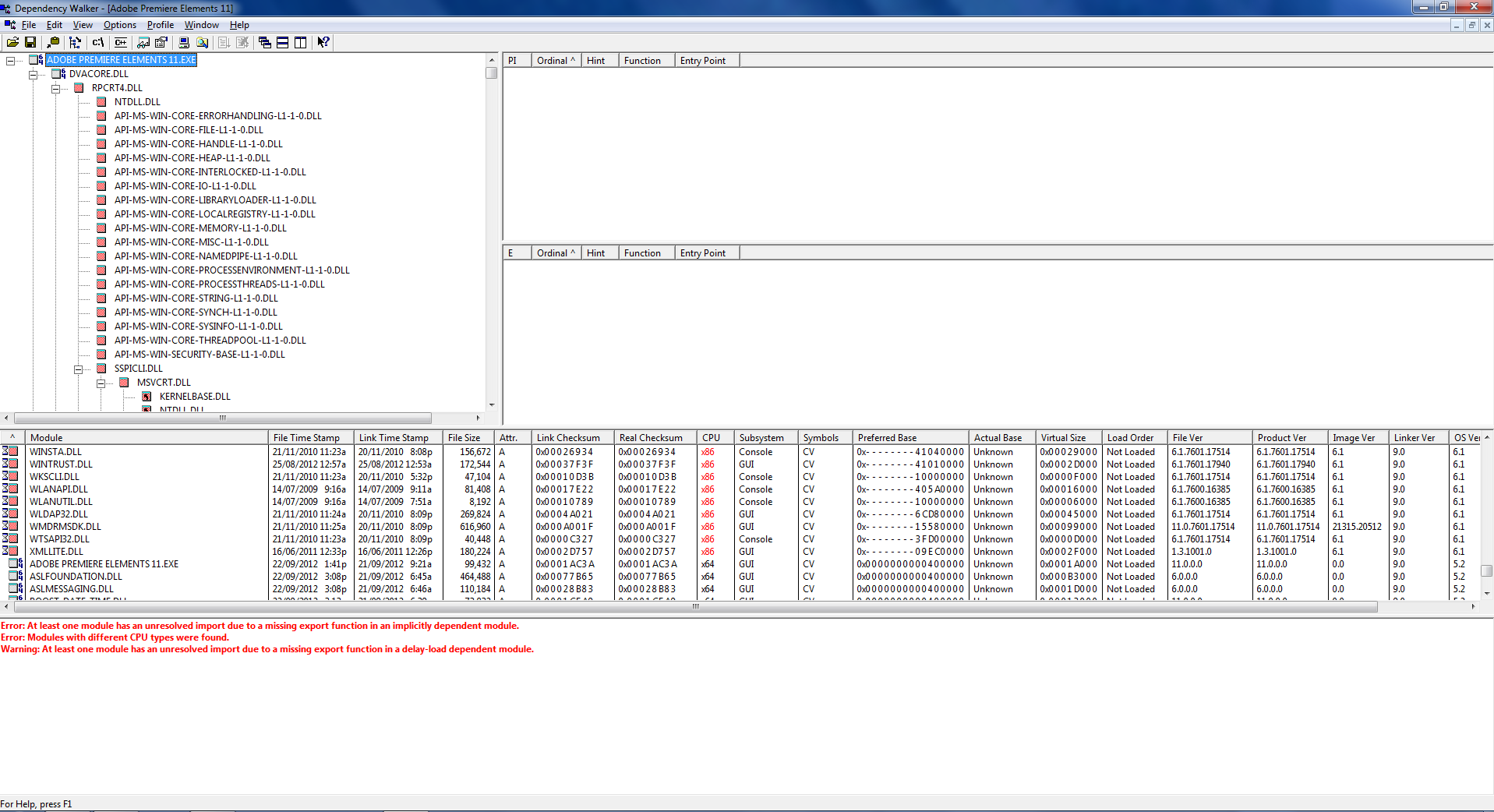
Dependency Capture.PNG

447
Translate
Report
Community guidelines
Be kind and respectful, give credit to the original source of content, and search for duplicates before posting. Learn more
community guidelines
Adobe Employee ,
Mar 12, 2013 Mar 12, 2013

Pete York I am not familiar with dependency walker.  Are you receiving a specific error message when you try to install Photoshop Elements 11?  You can review your installation log files to determine what errors you may have received.  You can find details on how to locate and interpret your installation logs at Troubleshoot with install logs | CS5, CS5.5, CS6 - http://helpx.adobe.com/creative-suite/kb/troubleshoot-install-logs-cs5-cs5.html.

Translate
Report
Community guidelines
Be kind and respectful, give credit to the original source of content, and search for duplicates before posting. Learn more
community guidelines
New Here ,
Mar 12, 2013 Mar 12, 2013

Thank you for the response Jeff. I do not receive any error messages from Premiere Elements. The install process appeared to work ok. I got the standard sort of prompt commands, the install program selected the directory in C drive, the install program set up the shortcut icon on the desktop and I clicked finish at the end.  There was nothing obvious to indicate an install problem - but the application fails to activate when the shortcut is clicked or if I select the program through windows, start button, all programs, premiere elements.

Dependency Walker is a free program for Microsoft Windows used to list the imported and exported functions of a portable executable file. It also displays a recursive tree of all the dependencies of the executable file (all the files it requires to run). The program was suggested for use in one of the Adobe community forums discussion threads. I used it, it told me there were errors, they mean nothing to me as a non-technocrat and I dont know where ot go next. However, I will try the troubleshoot-install-logs link you included and see if that gets me closer to a solution. Thanks again.

Translate
Report
Community guidelines
Be kind and respectful, give credit to the original source of content, and search for duplicates before posting. Learn more
community guidelines
Adobe Employee ,
Mar 13, 2013 Mar 13, 2013
LATEST

Yes Pete please feel free to post any ERROR or FATAL messages that you are able to locate in your installation log.  If the log is clean of errors then also please update the thread and I will move this discussion to the Premiere Elements forum.

Translate
Report
Community guidelines
Be kind and respectful, give credit to the original source of content, and search for duplicates before posting. Learn more
community guidelines

