


- Home
- Download & Install
- Discussions
- Re: 1 an après, vous me sauvez la vie tous les deu...
- Re: 1 an après, vous me sauvez la vie tous les deu...

Copy link to clipboard
Copied
Bonjour,
Je vous contacte suite à un problème lié à adobe créative cloud.
Dans le créative cloud , il n'est pas afficher l'onglet APPLICATION.
J'ai suivi vos posts à la lettre :
- désinstaller/reinstaller
- supprimer le fichier "OBBE" pour redémarage
mais rien y fait je n'ai toujours pas accès à l'onglet.
Je constate aussi qu'il n'y a pas de dossier "config" dans le dossier "OBBE"
Pouvez vous m'éclairer ?
Je suis sous mac High Sierra
Merci
Igor


 1 Correct answer

Il faut changer false par true:
<config><panel><name>AppsPanel</name><visible>true</visible></panel><feature><name>SelfSe rveInstalls</name><enabled>false</enabled></feature></config>

 26
Replies
26
26
Replies
26


Copy link to clipboard
Copied
uninstall everything cc including preferences, https://helpx.adobe.com/creative-cloud/help/uninstall-remove-app.html
then uninstall the cc desktop app, https://helpx.adobe.com/creative-cloud/help/uninstall-creative-cloud-desktop-app.html
clean your computer of cc files per http://www.adobe.com/support/contact/cscleanertool.html
restart your computer (don't skip this)
reinstall the cc desktop app, https://creative.adobe.com/products/creative-cloud.
if you're unable to install the cc desktop app at this stage, use an administrator account (solution 4 here, https://helpx.adobe.com/creative-cloud/kb/creative-cloud-missing-damaged.html)
use the desktop app to install your cc programs/trials
Copy link to clipboard
Copied
'uninstall everything cc including preferences, https://helpx.adobe.com/creative-cloud/help/uninstall-remove-app.html'
I can't do this because I don't have the "APP" menu
then how can I do ?

Copy link to clipboard
Copied
did you edit your serviceconfig.xml file?
Copy link to clipboard
Copied
No i dont edit it
Where is it ??
In "OBBE" folder ?
I dont have files here
Copy link to clipboard
Copied
I think , I need to format my computer and reinstall
this Creative Cloud MAKE ME CRAZYYY, I always have problems with it and my partners too. PLEASE MORE CORRECTION PATCH !
Copy link to clipboard
Copied
Sur le MAC il y'a deux bibliothèque ,le dossier OOBE est dans les deux mais celui qui contient config c'est celui du système :
Finder -> Menu Aller > Ordinateur > MAC HD > Bibliotheque > OOBE ....
Copy link to clipboard
Copied
Thank you arij2010 !
I find it
Then I dont edit this file
Copy link to clipboard
Copied
if it's locked you need to duplicate it ,make the change and save on the desktop with the same name (change the txt extension by xml ) ,drag and drop this modified file to the config folder to replace the original xml file .
Copy link to clipboard
Copied
Je suis français, pouvez vous me répéter ? Mon anglais s'arrête ici, on rentre dans des termes technique
Copy link to clipboard
Copied
Si vous essayez de modifier le fichier et qu'il est verrouillé, vous devez le dupliquer quand il vous pose la question , le modifier et le sauvegarder sur le bureau sous le même nom (il sera sauvegardé avc une extension txt ,modifiez l'extension txt par xml) .faites glisser ce fichier modifié dans le dossier config pour remplacer le fichier XML d'origine puis redémarrez la machine
Copy link to clipboard
Copied
quelle modification je dois apporter à ce fichier?
rajouter du texte à l'intérieur?
Copy link to clipboard
Copied
<config><panel><name>AppsPanel</name><visible>false</visible></panel><feature><name>SelfServeInstalls</name><enabled>false</enabled></feature></config>
Voila ce qui se trouve dans ce fichier

Copy link to clipboard
Copied
Peut etre etes vous encore dans la communauté....
Je n'ai pas de fichier serviceconfig.xml dans mon mac 🙂
je ne trouve pas de dossier config dans appsupport/adobe
Renommer le dossier, reinstaller, mise a jour du mac, recommencer, je cherche une solution depuis hier matin, et rien en fonctionne... j'ai des documents à rendre pour vendredi ... 😞 imaginez mon soucis...
ET la réponse fournies par adobe.... est loin de fonctionner...
Si jamais vous avez une idée de génie....
merci
Copy link to clipboard
Copied
Il faut changer false par true:
<config><panel><name>AppsPanel</name><visible>true</visible></panel><feature><name>SelfSe rveInstalls</name><enabled>false</enabled></feature></config>
Copy link to clipboard
Copied
Ok c'est fait, j'ai bien le menu "APP" mais rien ne s'affiche maintenant 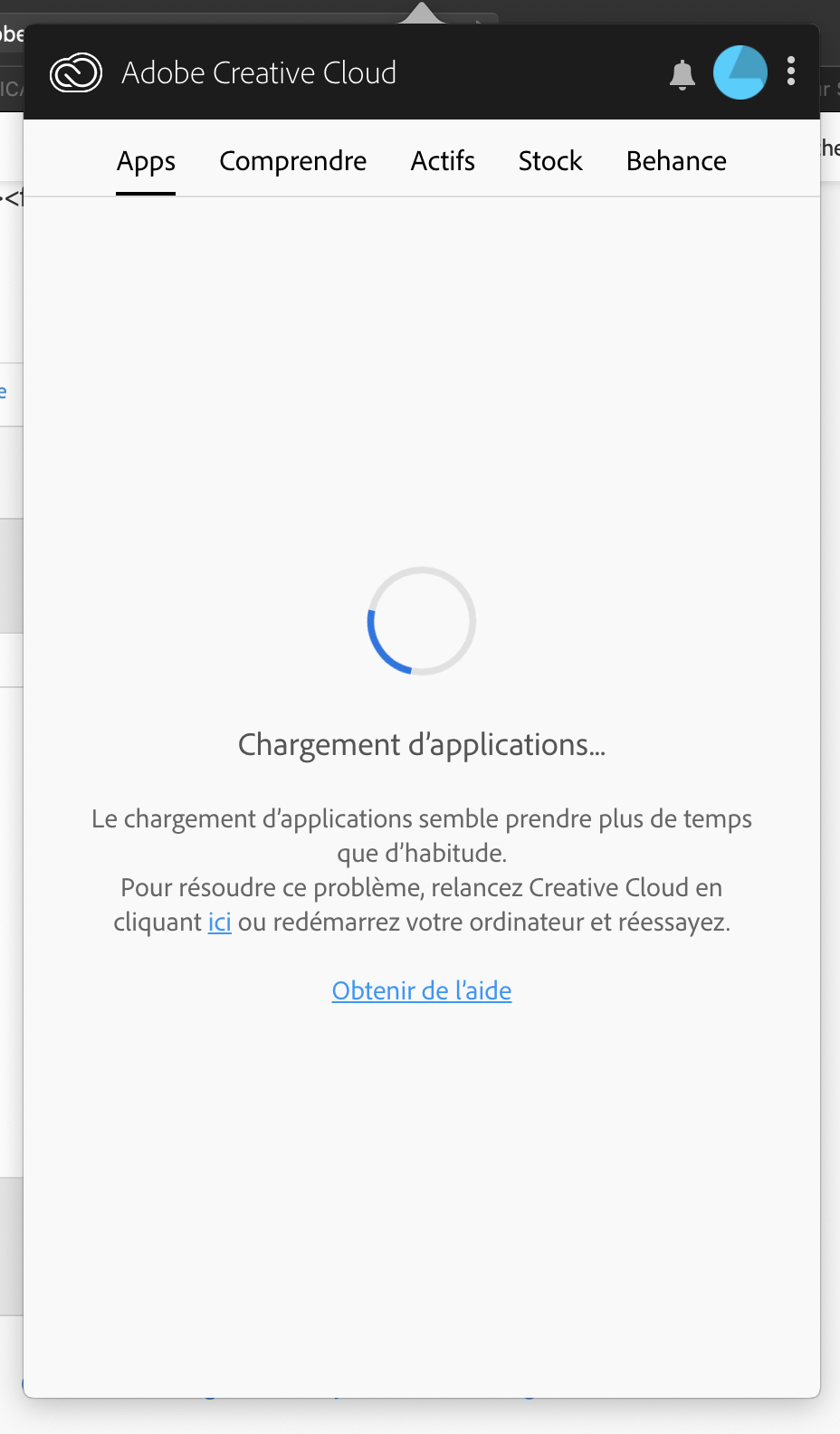
Copy link to clipboard
Copied
J'ai redémarré l'ordinateur , ça à l'ai de fonctionner
Je vous REMERCIE du fond du coeur arij2010 , Le pack adobe est surement l'outil de travail que j'utilise le plus.
Grâce à vous, maintenant je suis serein

Copy link to clipboard
Copied

Copy link to clipboard
Copied
6 mois à galérer sans qu'aucune mise à jours soit possible!
Et là, EUREKA vous me sauvez la vie 😉 et le travail 😉
En tout cas, les app s'affichent ENFIN dans l'app CC!!!!! MERCI MERCI!

Copy link to clipboard
Copied
Bonjour, sur Windows 10, je ne vois pas comment faire...vous pourriez m'indiquer le chemin ?
Merci.
Copy link to clipboard
Copied
Copy link to clipboard
Copied
ADOBE : vous n'avez pas accès aux fonctionnalités de gestion des applications adobe
il y une résulution sur MAC mais sur PC ?
je ne vois pas où est serviceconfig.xml
Merci.
Copy link to clipboard
Copied
use a browser that allows popups and cookies and contact adobe support by clicking here, https://helpx.adobe.com/contact.html?rghtup=autoOpen
in the chat field (lower right), type AGENT
be patient, it can take quite a while to reach a human
p.s you can also use phone (but chat is usually quicker), https://helpx.adobe.com/contact/phone.html
p.p.s. you can also use twitter to tweet @AdobeCare
p.p.p.s. if you're contacted by anyone (via email or private message), it's much more likely to be a scammer than an adobe representative. ie, double check for an employee badge if contacted in the forums and look for an adobe.com domain in the email address if you click reply to an email. then check again and be very suspicious. any other method of contacting (or offering to contact you) is almost certainly a scam, https://community.adobe.com/t5/using-the-community-discussions/staying-safe-in-the-adobe-support-com...
Copy link to clipboard
Copied
ok; merci.
Copy link to clipboard
Copied
you're welcome

-
- 1
- 2

Find more inspiration, events, and resources on the new Adobe Community
Explore Now
 AdChoices