Copy link to clipboard
Copied
Hello, I am trying to download the Flash Professional, and got as far as having the "Creative Cloud" running. However, it won't show the apps, claiming I have no Internet connection:
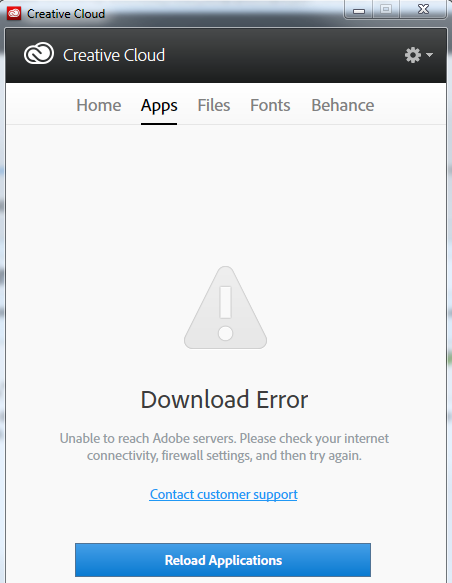
However, I have the proxy set in my browser as well as in my environment variables. I don't see a way to set this specifically in the "Creative Cloud". How may I get past this hurdle so I may get Flash Professional installed? The proxy is a simple non-authenticating proxy on port 80.
Thanks,
Bjorn

Hi bjornsol,
Uninstall CC desktop, run the cleaner tool: http://www.adobe.com/support/contact/cscleanertool.html and install again: https://creative.adobe.com/products/creative-cloud. Sign in and let us know if still the issue persists.
Regards,
Romit Sinha
Copy link to clipboard
Copied
Hi bjornsol,
Uninstall CC desktop, run the cleaner tool: http://www.adobe.com/support/contact/cscleanertool.html and install again: https://creative.adobe.com/products/creative-cloud. Sign in and let us know if still the issue persists.
Regards,
Romit Sinha
Get ready! An upgraded Adobe Community experience is coming in January.
Learn more
