


- Home
- Dreamweaver
- Discussions
- Cannot alter property values in Developer Tools
- Cannot alter property values in Developer Tools

Copy link to clipboard
Copied
I use Firefox and its Developer Tools. I load up a page and by ticking/unticking the property values I can see the effect of any changes I make. Nothing new here you say, and I have been happily working on my website pages in this way.
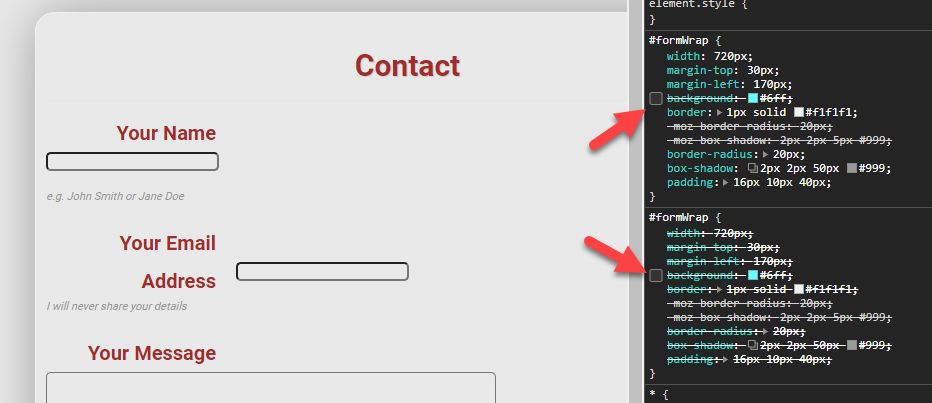
BUT today I find this page http://v50.ancestry.higgsy.co.uk/contact6.php does not change when I untick any of the property values e.g. untick the background property, nothing happens. Unticking any of the values has no effect. What is going on?
You may notice the page is different from my other pages because it is a .php page. I think I got some of that code from Mr Osgood but I don’t think he is to blame for this problem!
any suggestions would be much appreciated


 1 Correct answer
oh dear, what a fool am I! I never noticed the previous rule became active!! Many thanks Ben

 2
Replies
2
2
Replies
2



Copy link to clipboard
Copied
Correct answer by
higgsyd
AUTHOR
Copy link to clipboard
Copied
oh dear, what a fool am I! I never noticed the previous rule became active!! Many thanks Ben

Get ready! An upgraded Adobe Community experience is coming in January.
Learn more
 AdChoices