Participant
May 29, 2018
解決済み

how to use and understand css from extract (is there documentation?)

  • May 29, 2018
  • 返信数 1.
  • 620 ビュー

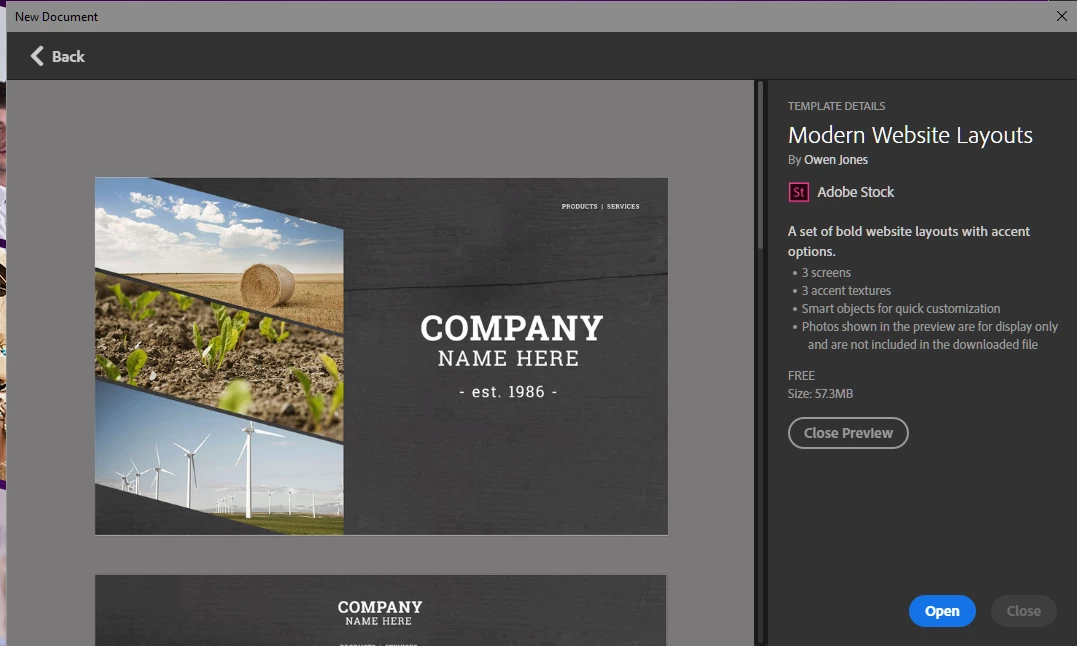
I have been learning Photoshop and Dreamweaver over at the community college to bring my skills up to speed.  But I saw a modern web template in Photoshop that I wanted to use to design a website.

1. Picked out the layout that I wanted to use.
2. I made my quick changes to the graphics in the Photoshop file home page.
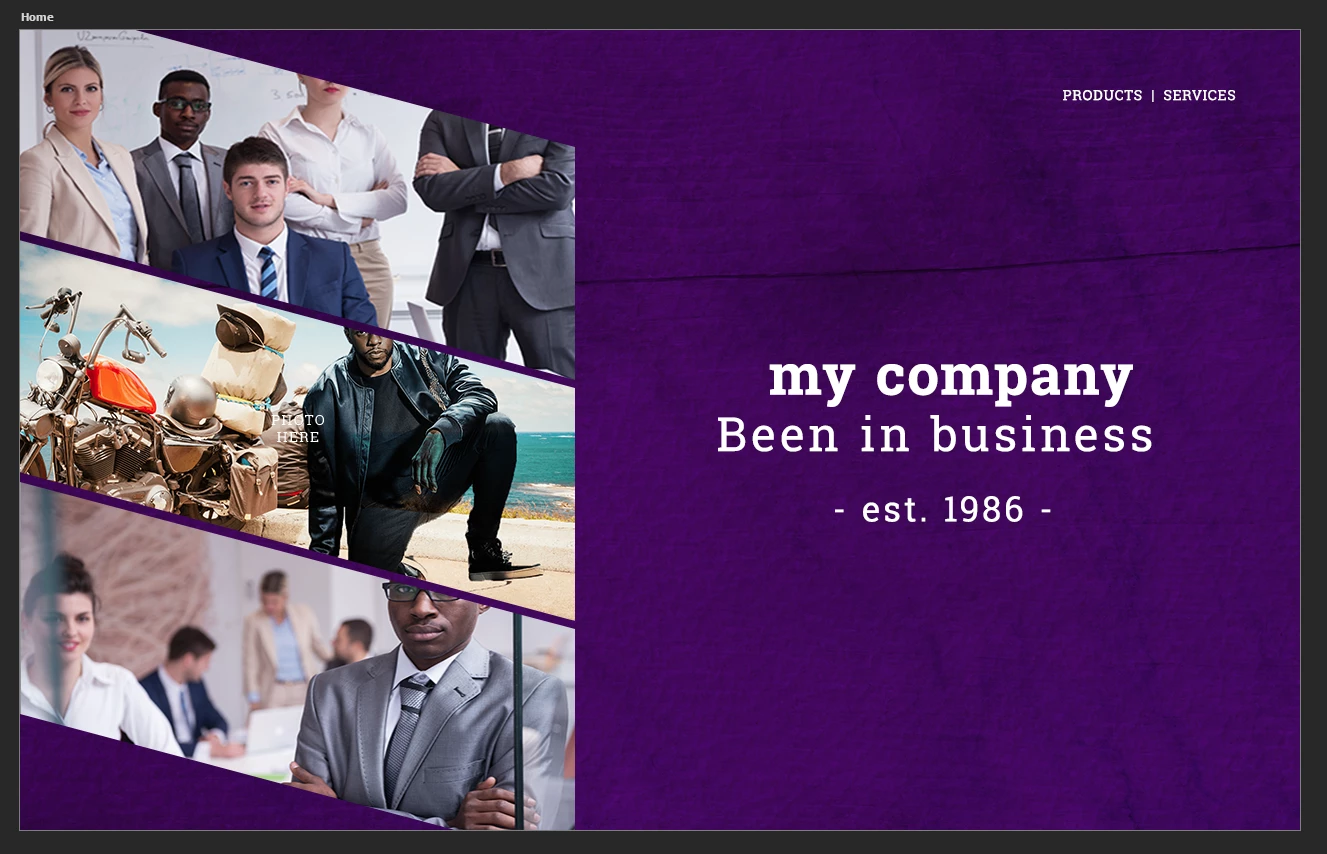
3. Created code to emulate the design.

<!doctype html>

2 <html>

3 <head>

4 <meta charset="utf-8">

5 <title>Untitled Document</title>

6 <link href="css/bootstrap-4.0.0.css" rel="stylesheet" type="text/css">

7 <style>

8 .container-fluid {

9 padding: 0px;

10 margin: 0px;

11 }

12 #body {

13 width: 1280px;

14 height: 800px;

15 background-image: url("images/Background_Options.png") no-repeat;

16 background-color: #630e87;

17 }

18 #section1 {

19 width: 555px;

20 height: 350px;

21 background-image: url("images/team1_555x350.png");

22 padding: 0px;

23 margin: 0px;

24 }

25 #section2 {

26 width: 555px;

27 height: 381px;

28 background-color:;

29 background: url("images/panther555x381.png") no-repeat;

30 padding: 0px;

31 }

32 #section3 {

33 width: 555px;

34 height: 348px;

35 background-color: #939598;

36 background: url("images/team2_555x348.png") no-repeat;

37 padding: 0px;

38 }

39 #article h1 {

40 width: 409px;

41 height: 46px;

42 font-family: RobotoSlab;

43 color: #ffffff;

44 font-size: 74.43px;

45 font-weight: 700;

46 line-height: 168.069px;

47 transform: scale(0.764, 0.766);

48 }

49 #article h2 {

50 width: 667px;

51 height: 37px;

52 font-family: RobotoSlab;

53 color: #ffffff;

54 font-size: 98.29px;

55 font-weight: 400;

56 line-height: 168.069px;

57 transform: scale(0.477, 0.478);

58 }

59 .float-right {

60 padding-top: 400px;

61 padding-right: 0px;

62 padding-bottom: 0px;

63 padding-left: 173px;

64 }

65 </style>

66 </head>

67

68 <body id="body" class="container-fluid">

69 <main class="float-right">

70 <h1>my company</h1>

71 <h2>Been in business</h2>

72 <h3>- est. 1986 - </h3>

73 </main>

74 <aside>

75 <section id="section1"> </section>

76 <div class="container row">

77 <section id="section2"> </section>

78 </div>

79 <section id="section3"> </section>

80 </aside>

81 </body>

82 </html>

83

but before I go to far I would like to know what controls the space between the masked images on the left side and how to  reduce the spaces between them?

このトピックへの返信は締め切られました。
解決に役立った回答 Nancy OShea

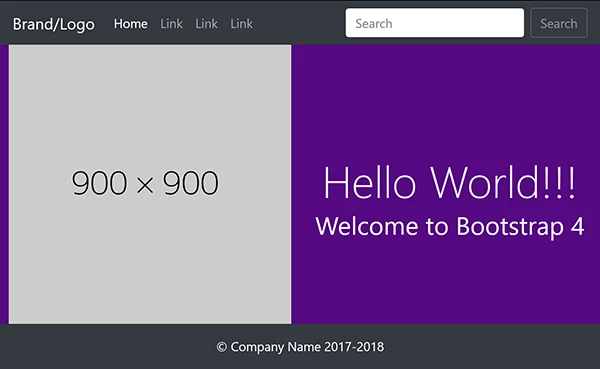
Photoshop is awesome for creating graphics.  But it's extract feature leaves a lot to be desired.  This is a good example of a very simple layout made unnecessarily complicated by a graphics app that pretends to understand code.  When combined with Bootstrap, you have a total mess.  I'm sorry to say this but  I never use Photoshop to generate CSS or HTML code for me.    However, I do use Bootstrap.  Let the flaming begin....

I think you should make one graphic instead of 3 in PS.  Export As > JPG.  Use your single graphic as an HTML foreground image rather than a CSS background.  I detest sites that don't have a search bar.  From am UI/UX standpoint, the search bar is essential.  So I added one although it doesn't actually DO anything until you connect it to a search engine.

And here's the code:

<!doctype html>

<html lang="en">

<head>

<meta charset="utf-8">

<title>Bootstrap 4 Starter</title>

<meta http-equiv="X-UA-Compatible" content="IE=edge">

<meta name="viewport" content="width=device-width, initial-scale=1">

<!--Bootstrap 4 CSS-->

<link href="https://maxcdn.bootstrapcdn.com/bootstrap/4.0.0-beta/css/bootstrap.min.css" rel="stylesheet" integrity="sha384-/Y6pD6FV/Vv2HJnA6t+vslU6fwYXjCFtcEpHbNJ0lyAFsXTsjBbfaDjzALeQsN6M" crossorigin="anonymous">

<style>

body { background-color: #550881; padding-top: 70px; }

main h1 {padding-top: 30vh}

</style>

</head>

<body class="text-center text-white">

<header>

<!-- Fixed navbar -->

<nav class="navbar navbar-expand-md navbar-dark fixed-top bg-dark"> <a class="navbar-brand" href="#">Brand/Logo</a>

<button class="navbar-toggler" type="button" data-toggle="collapse" data-target="#navbarCollapse" aria-controls="navbarCollapse" aria-expanded="false" aria-label="Toggle navigation"> <span class="navbar-toggler-icon"></span> </button>

<div class="collapse navbar-collapse" id="navbarCollapse">

<ul class="navbar-nav mr-auto">

<li class="nav-item active"> <a class="nav-link" href="#">Home <span class="sr-only">(current)</span></a> </li>

<li class="nav-item"> <a class="nav-link" href="#">Link</a> </li>

<li class="nav-item"> <a class="nav-link" href="#">Link</a> </li>

<li class="nav-item"> <a class="nav-link" href="#">Link</a> </li>

</ul>

<form class="form-inline mt-2 mt-md-0">

<input class="form-control mr-sm-2" type="text" placeholder="Search" aria-label="Search">

<button class="btn btn-outline-secondary my-2 my-sm-0" type="submit">Search</button>

</form>

</div>

</nav>

</header>

<main class="container-fluid">

<div class="row">

<div class="col-md-6"> <img class="img-fluid"  src="https://dummyimage.com/900x900" alt="description"> </div>

<div class="col-md-6">

<h1 class="display-4">Hello World!!!</h1>

<h2>Welcome to Bootstrap 4</h2>

</div>

</div>

</main>

<!--footer-->

<footer class="container-fluid bg-dark">

<div class="row">

<div class="col text-center text-light">

<p class="py-3">&copy; Company Name 2017-2018</p>

</div>

</div>

</footer>

<!--latest jQuery Core-->

<script src="https://code.jquery.com/jquery-3.2.1.min.js" integrity="sha256-hwg4gsxgFZhOsEEamdOYGBf13FyQuiTwlAQgxVSNgt4=" crossorigin="anonymous"></script>

<!--Popper JS-->

<script src="https://cdnjs.cloudflare.com/ajax/libs/popper.js/1.11.0/umd/popper.min.js" integrity="sha384-b/U6ypiBEHpOf/4+1nzFpr53nxSS+GLCkfwBdFNTxtclqqenISfwAzpKaMNFNmj4" crossorigin="anonymous"></script>

<!--latest Bootstrap 4 JS-->

<script src="https://maxcdn.bootstrapcdn.com/bootstrap/4.0.0-beta/js/bootstrap.min.js" integrity="sha384-h0AbiXch4ZDo7tp9hKZ4TsHbi047NrKGLO3SEJAg45jXxnGIfYzk4Si90RDIqNm1" crossorigin="anonymous">

</script>

</body>

</html>

返信数 1

Nancy OShea
Community Expert
Nancy OSheaCommunity Expert解決!
Community Expert
May 30, 2018

Photoshop is awesome for creating graphics.  But it's extract feature leaves a lot to be desired.  This is a good example of a very simple layout made unnecessarily complicated by a graphics app that pretends to understand code.  When combined with Bootstrap, you have a total mess.  I'm sorry to say this but  I never use Photoshop to generate CSS or HTML code for me.    However, I do use Bootstrap.  Let the flaming begin....

I think you should make one graphic instead of 3 in PS.  Export As > JPG.  Use your single graphic as an HTML foreground image rather than a CSS background.  I detest sites that don't have a search bar.  From am UI/UX standpoint, the search bar is essential.  So I added one although it doesn't actually DO anything until you connect it to a search engine.

And here's the code:

<!doctype html>

<html lang="en">

<head>

<meta charset="utf-8">

<title>Bootstrap 4 Starter</title>

<meta http-equiv="X-UA-Compatible" content="IE=edge">

<meta name="viewport" content="width=device-width, initial-scale=1">

<!--Bootstrap 4 CSS-->

<link href="https://maxcdn.bootstrapcdn.com/bootstrap/4.0.0-beta/css/bootstrap.min.css" rel="stylesheet" integrity="sha384-/Y6pD6FV/Vv2HJnA6t+vslU6fwYXjCFtcEpHbNJ0lyAFsXTsjBbfaDjzALeQsN6M" crossorigin="anonymous">

<style>

body { background-color: #550881; padding-top: 70px; }

main h1 {padding-top: 30vh}

</style>

</head>

<body class="text-center text-white">

<header>

<!-- Fixed navbar -->

<nav class="navbar navbar-expand-md navbar-dark fixed-top bg-dark"> <a class="navbar-brand" href="#">Brand/Logo</a>

<button class="navbar-toggler" type="button" data-toggle="collapse" data-target="#navbarCollapse" aria-controls="navbarCollapse" aria-expanded="false" aria-label="Toggle navigation"> <span class="navbar-toggler-icon"></span> </button>

<div class="collapse navbar-collapse" id="navbarCollapse">

<ul class="navbar-nav mr-auto">

<li class="nav-item active"> <a class="nav-link" href="#">Home <span class="sr-only">(current)</span></a> </li>

<li class="nav-item"> <a class="nav-link" href="#">Link</a> </li>

<li class="nav-item"> <a class="nav-link" href="#">Link</a> </li>

<li class="nav-item"> <a class="nav-link" href="#">Link</a> </li>

</ul>

<form class="form-inline mt-2 mt-md-0">

<input class="form-control mr-sm-2" type="text" placeholder="Search" aria-label="Search">

<button class="btn btn-outline-secondary my-2 my-sm-0" type="submit">Search</button>

</form>

</div>

</nav>

</header>

<main class="container-fluid">

<div class="row">

<div class="col-md-6"> <img class="img-fluid"  src="https://dummyimage.com/900x900" alt="description"> </div>

<div class="col-md-6">

<h1 class="display-4">Hello World!!!</h1>

<h2>Welcome to Bootstrap 4</h2>

</div>

</div>

</main>

<!--footer-->

<footer class="container-fluid bg-dark">

<div class="row">

<div class="col text-center text-light">

<p class="py-3">&copy; Company Name 2017-2018</p>

</div>

</div>

</footer>

<!--latest jQuery Core-->

<script src="https://code.jquery.com/jquery-3.2.1.min.js" integrity="sha256-hwg4gsxgFZhOsEEamdOYGBf13FyQuiTwlAQgxVSNgt4=" crossorigin="anonymous"></script>

<!--Popper JS-->

<script src="https://cdnjs.cloudflare.com/ajax/libs/popper.js/1.11.0/umd/popper.min.js" integrity="sha384-b/U6ypiBEHpOf/4+1nzFpr53nxSS+GLCkfwBdFNTxtclqqenISfwAzpKaMNFNmj4" crossorigin="anonymous"></script>

<!--latest Bootstrap 4 JS-->

<script src="https://maxcdn.bootstrapcdn.com/bootstrap/4.0.0-beta/js/bootstrap.min.js" integrity="sha384-h0AbiXch4ZDo7tp9hKZ4TsHbi047NrKGLO3SEJAg45jXxnGIfYzk4Si90RDIqNm1" crossorigin="anonymous">

</script>

</body>

</html>

Nancy O'Shea— Product User & Community Expert
wisemanchild作成者
Participant
May 30, 2018

First of all, I want to thank you so much for your prompt response to my question Nancy.  This was my first attempt to put a question out there because sometime it takes a lot of organization to even put up something that doesn't look ignorant. 

The challenge is that the Adobe Suite is suppose to make things easier for design and development.  The development model of displaying the design in Photoshop and coding in Dreamweaver has been the one that I have been taught.  Why create these templates if they are not easy to use?  Isn't that what templates are for?

Your solution is clean and smooth and very useful.  I also appreciate you putting in the link to http://dummyimage.com I've never seen this site before and it is very useful.

I'm still waiting for a specific solution to using this method of coding (from a learning perspective only).