
Participating Frequently
Sep 22, 2023 9:54 AM UTC
Answered

Contact your administrator error on Acrobat.

The below error keeps appearing for my users with a full CC license. I have updated Acrobat but it made no difference.


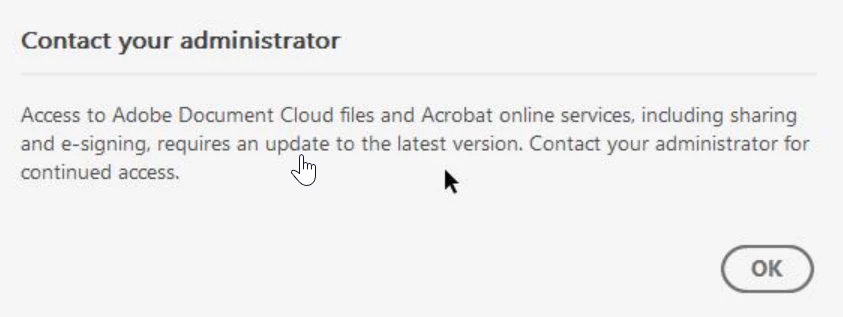
Contact your administrator


Access to Adobe Document Cloud files and Acrobat online services, including sharing and e-signing, requires an update to the latest version. Contact your administrator for continued access.

 

Kevin Stohlmeyer
Kevin StohlmeyerCorrect answer
Community Expert
Sep 22, 2023 8:43 PM UTC

@ormso38823769 This message is correct. Your Adobe Admin must enable these services in the Admin Console profile in order to access.

31 replies

Participant
Jul 10, 2024 8:05 PM UTC

I had the same issue with some users with Adobe Acrobat DC. I execute repair installation of Adobe Acrobat app from Apps and Features and the issue got fixed.

Translate
AnandSri
Legend
Mar 10, 2025 10:57 AM UTC

Hello!


Thank you for sharing your findings, and steps to resolve the issue. For future references, you can refer to this article: https://adobe.ly/43BWhjB


Thanks,

Anand Sri.

Translate
Participant
Mar 22, 2024 5:53 PM UTC

but then how do I solve the problem so it sends letter out ?

Translate
Participant
Mar 22, 2024 5:51 PM UTC

Why when I send a letter for e signature do I keep getting not connected to server' which then prevents letter from being sent ? Is this a problem with Acrobat Pro ? 

Translate
kglad
Community Expert
Community Expert
Mar 22, 2024 5:59 PM UTC

@Lifetime Mort. & Fin. Ltd 


do you have a teams or enterprise subscription?

Translate
Participant
Feb 11, 2024 6:04 AM UTC

I found this and it fixed our issues on Server 2022: 

Community Beginner , 
Jan 17, 2024

Copy link to clipboard


Found the issue!


Apparantly other programs have the same issue because of windows update KB5034129 (No Patch Tuesday Megathread for January? : sysadmin (reddit.com))


for us deleteing the following registry keys fixed the issue:

"HKLM:\Software\Microsoft\Windows NT\CurrentVersion\Image File Execution Options\AcroCEF.exe",
"HKLM:\Software\Microsoft\Windows NT\CurrentVersion\Image File Execution Options\RdrCEF.exe"

Translate
Participating Frequently
Dec 21, 2023 5:15 PM UTC

Why would I be getting this same error when my license is just an individual license? I have no admin, I dont have an enterprise edition nor access to those settings. But I get thi error daily.


Translate
Kevin Stohlmeyer
Community Expert
Community Expert
Dec 21, 2023 5:21 PM UTC

@PA Art Dept is your license managed at all like an educational program? If not, update your Acrobat.

Translate
Abambo
Community Expert
Community Expert
Dec 22, 2023 7:17 AM UTC

We are a small business so it is just a single license purchased from Adobe that renews annually. Creative Cloud shows my Acrobat is up to date also.


Did you buy directly by Adobe or via a reseller?

Translate
ABAMBO | Hard- and Software Engineer | Photographer
Kevin Stohlmeyer
Community Expert
Kevin StohlmeyerCommunity ExpertCorrect answer
Community Expert
Sep 22, 2023 8:43 PM UTC

@ormso38823769 This message is correct. Your Adobe Admin must enable these services in the Admin Console profile in order to access.

Translate
Participating Frequently
Sep 26, 2023 7:32 AM UTC

Hi @Kevin Stohlmeyer how do I do this? I did look around but didn't see anything obvious...

Translate
Kevin Stohlmeyer
Community Expert
Community Expert
Sep 26, 2023 12:25 PM UTC

@ormso38823769 are you the admin with access to the Adobe Admin Console?

Translate
kglad
Community Expert
Community Expert
Sep 22, 2023 8:12 PM UTC

are the cc apps updated?

Translate
Participating Frequently
Sep 26, 2023 7:31 AM UTC

They are.

Translate