Exit
  • Global community
    • Language:
      • Deutsch
      • English
      • Español
      • Français
      • Português
  • 日本語コミュニティ
  • 한국 커뮤니티
0

Consistent indentation in TOC

Community Beginner ,
Jun 28, 2018 Jun 28, 2018

I have been trying to add consistent indentation to my headings in TOC as seen below. H1 headings are a topic and H2 heading are the subtopics. The image below is a Microsoft Word document.Capture22.PNG

The same I need to mimic in Adobe FrameMaker but it just isn't happening. Here's what I end up with:

Capture221.PNG

I have tried adding tabs and editing the reference page, but the H2 heading ends up at the right side or either looks horrendous. Can someone help me with this?

406
Translate
Report
Community guidelines
Be kind and respectful, give credit to the original source of content, and search for duplicates before posting. Learn more
community guidelines
Community Expert ,
Jun 28, 2018 Jun 28, 2018

Can you show us the reference page?

Translate
Report
Community guidelines
Be kind and respectful, give credit to the original source of content, and search for duplicates before posting. Learn more
community guidelines
Community Beginner ,
Jun 28, 2018 Jun 28, 2018

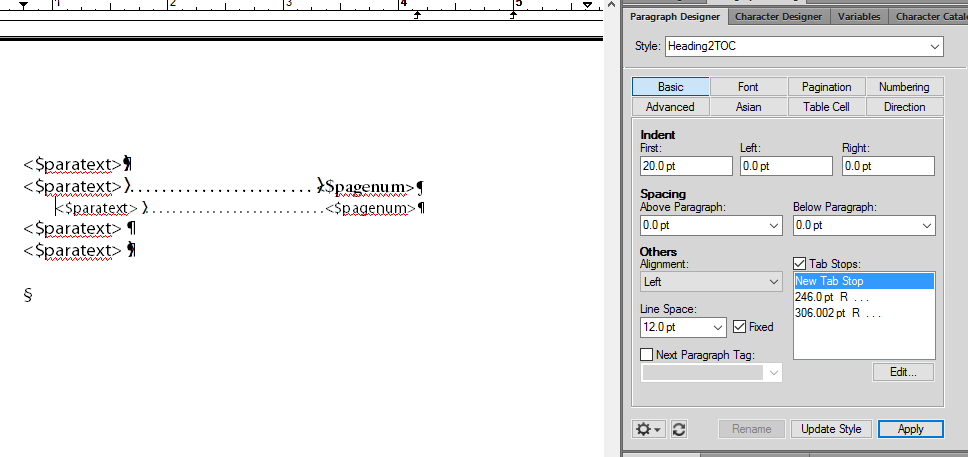
Capture11.PNG

Hi Jeff,

I made some changes. The pod shows the settings for the H2TOC tag.

Translate
Report
Community guidelines
Be kind and respectful, give credit to the original source of content, and search for duplicates before posting. Learn more
community guidelines
Community Beginner ,
Jun 28, 2018 Jun 28, 2018
LATEST

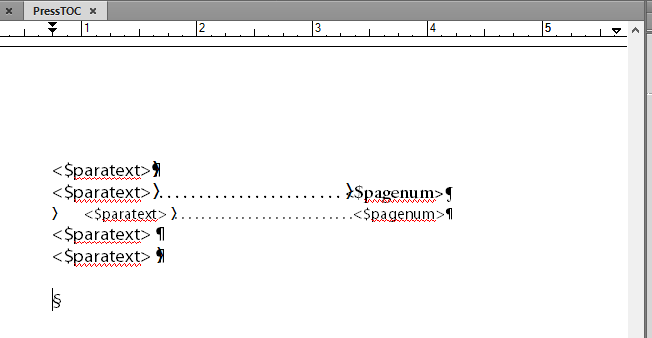
Update: Got this far

Capture333.PNG

Here's the reference page:

Capture3331.PNG

Translate
Report
Community guidelines
Be kind and respectful, give credit to the original source of content, and search for duplicates before posting. Learn more
community guidelines