


Lion_techpub
Known Participant
Jun 24, 2020 2:02 AM UTC
Answered

FM 2019: Welcome screen not displaying properly again

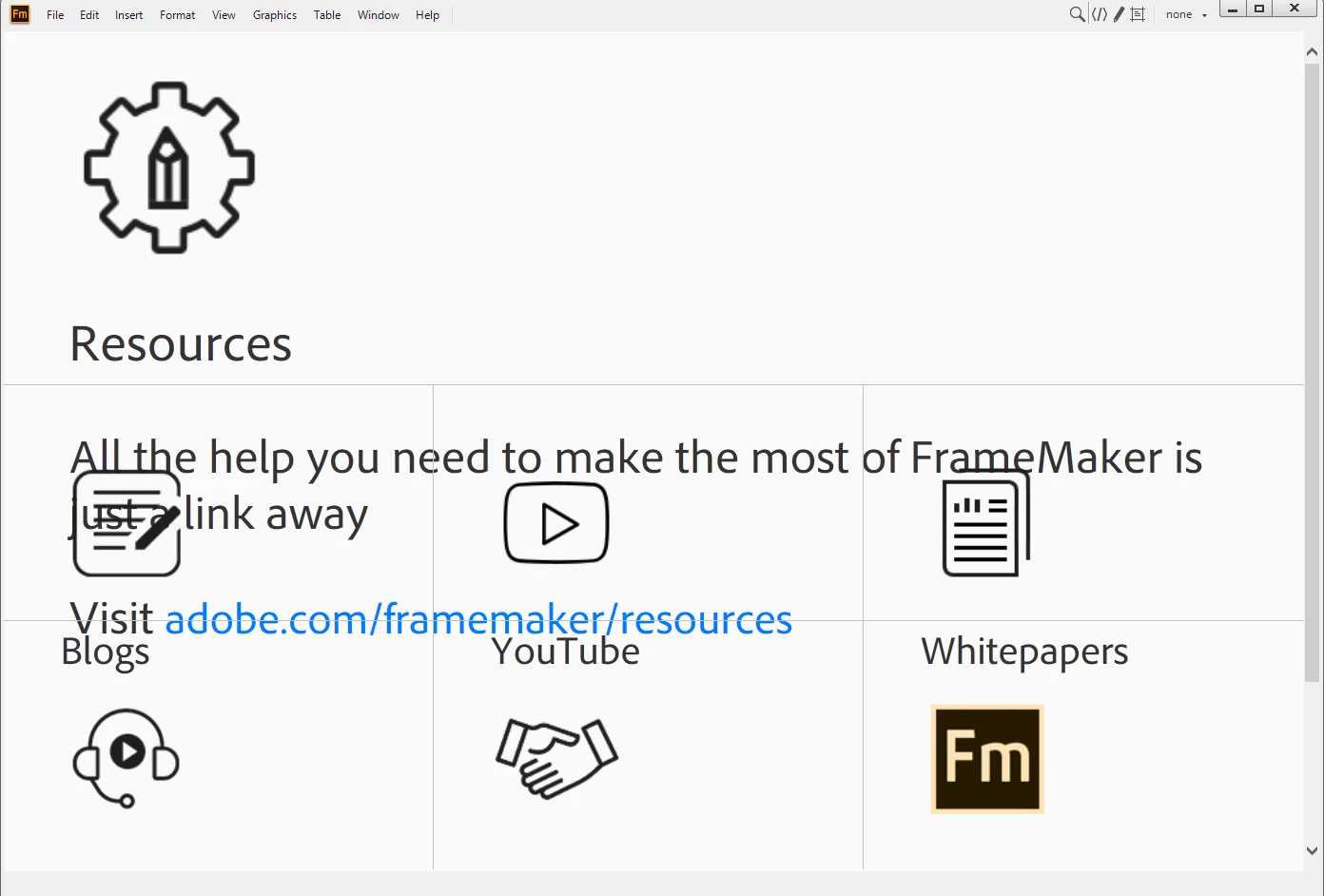
FM 2019; the welcome screen just started showing HUGELY blown up and unresponsive.

    This topic is closed to new replies. Start a new post to keep the conversation going.
    pulkitn
    pulkitnCorrect answer
    Adobe Employee
    Mar 21, 2022 7:18 AM UTC

    Issue with welcome screen in FM2019 and FM2017 has been fixed from backend , No action needed from user .


    -Pulkit Nagpal

    -FM/FMS Engg.

    10 replies

    pulkitn
    Adobe Employee
    pulkitnCorrect answer
    Adobe Employee
    Mar 21, 2022 7:18 AM UTC

    Issue with welcome screen in FM2019 and FM2017 has been fixed from backend , No action needed from user .


    -Pulkit Nagpal

    -FM/FMS Engg.

    Translate
    Jeff_Coatsworth
    Community Expert
    Community Expert
    Feb 24, 2022 12:45 PM UTC

    Somebody seems to have stumbled onto something that fixes the zoomed up screen size -
    "I inadvertently held down the [Shift] key and used the mouse wheel to scroll down one click and the whole page rezoomed to it's original intended state... why? I don't know, but all the functionality returned... weird."
    See this thread - https://community.adobe.com/t5/framemaker-discussions/framemaker-2019-resources-splash-page-incorrec...

    Translate
    K.Daube
    Community Expert
    Community Expert
    Feb 18, 2022 8:11 AM UTC

    It happens again. See this post 

    By experiments I found that the culprit must be here:

     <h5><span id="DITA_Standard">(DITA-1.2)</span> <a id="FM_DITA_OPTIONS" href="http://fm-welcomescreen/?cmd=newxml-dita-options" class="">Change DITA Version</a></h5>
    

    Wrapping this as XMl comment lets the Welcome screen work again.

    Just using the context function menu Back does not provide a screen with the favourites/last used files which is cumbersome.

    Translate
    Inspiring
    Feb 19, 2022 3:45 AM UTC

    What has happened previously with FrameMaker is that a third party have changed their software and it has caused a problem with FrameMaker. E.g. at one point FrameMaker refused to print documents to Adobe Acrobat. We had to go to other PDF programs until FrameMaker sorted out the problem. Fortunately, this time most of the features on the Welcome screen are available in the drop-down menus.

    In the previous discussions on this subject it never seemed to have a solution. We must wait and see.

    Translate
    Participant
    Jun 24, 2020 7:56 AM UTC

    Happening to me 2 😞

    Translate
    Legend
    Jun 24, 2020 5:39 AM UTC

    Happening to me too … possibly just after I caught up with the latest upgrade, but I can't be sure.

    Translate
    Adobe Employee
    Jun 24, 2020 5:03 AM UTC

    Hi All


    We are getting this checked.


    Thanks

    Amitoj Singhh


    Translate
    Lion_techpub
    Known Participant
    Jun 24, 2020 9:36 AM UTC

    Now, it's fixed.

    Thanks!

    Translate
    Adobe Employee
    Jun 24, 2020 9:58 AM UTC

    Thanks for confirming. For now we have done a quick fix but we may be doing a permanent fix in next 24 hours so it is possible that for you may see this issue crop up for a couple of hours before being fixed. We are trying to minize the window for this and keeping at odd hours.


    Sorry for the trouble.


    thanks

    Amitoj Sinngh


    Translate
