August 22, 2011
Answered

FM10 Can't generate the TOC with leading dots

  • August 22, 2011
  • 3 replies
  • 12388 views

Hi everybody,

I have read some useful threads here about this problem but I still can't seem to be able to resolve this leading dots issue for my TOC.

I have already ensured that the reference page for all of my frame files in my Book have the same Reference page TOC entry. When I generate my TOC the leading dots are missing!

I then open the Reference page for the TOC file as well and paste in the same TOC entries from my other frame files, and then update the book to regenerate the TOC.

This also does not solve the problem.

Any help resolving this issue would be really appreciated!

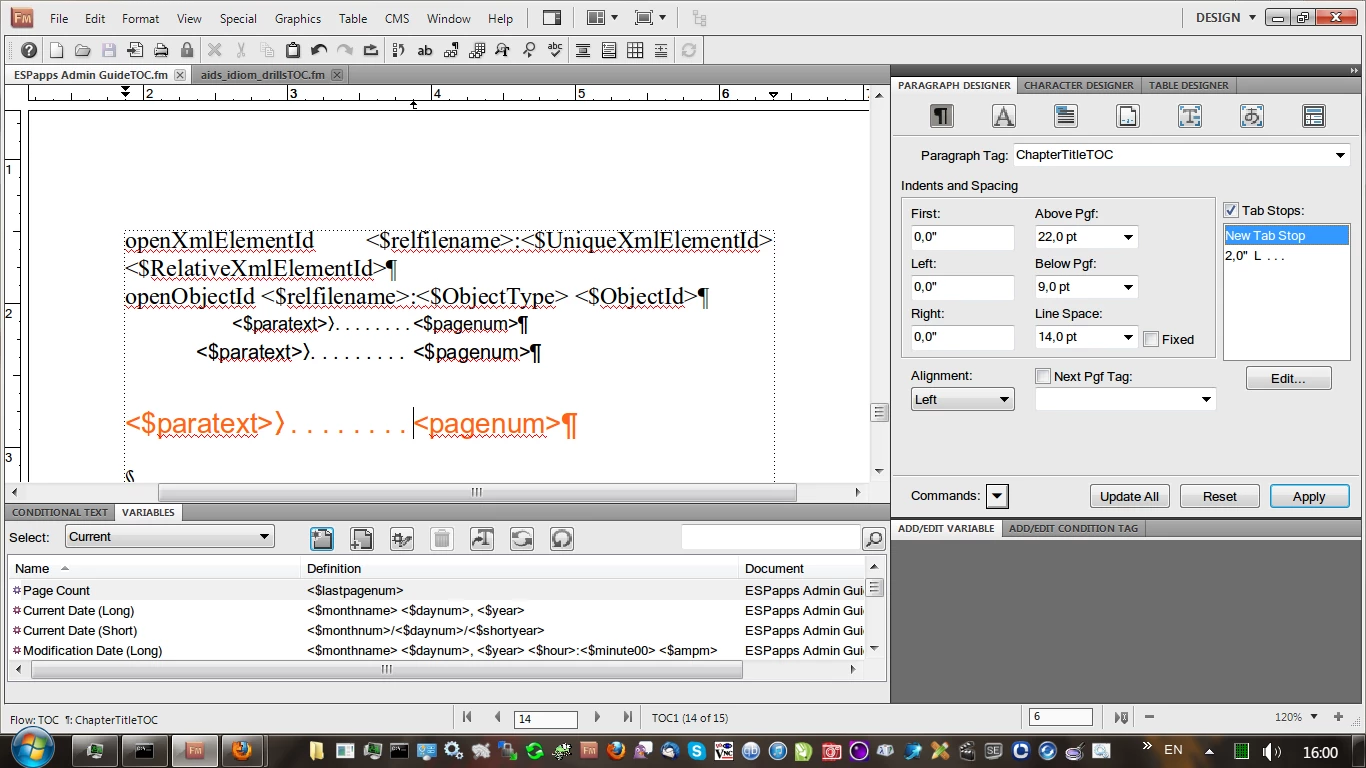
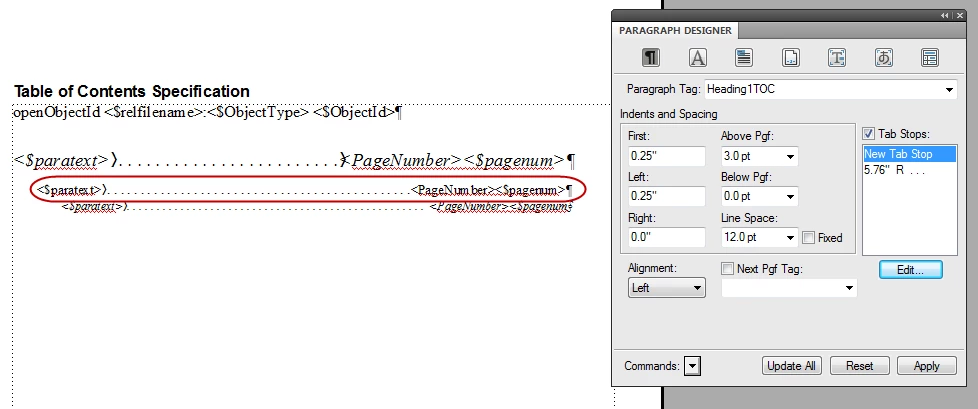
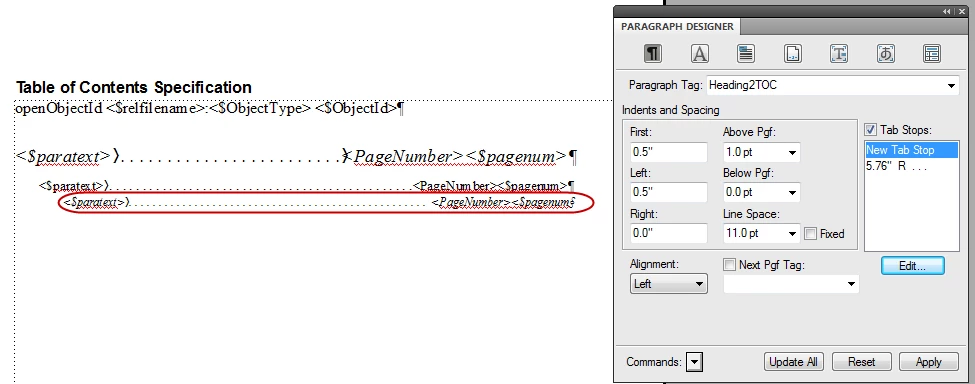
Here are screen shots of my Reference page for my TOC(below). I have ensured that this same section is present for all of my book's frame files too (in their Reference page sections for TOCs).

ChapterTitleTOC

Heading1TOC
Heading2TOC:
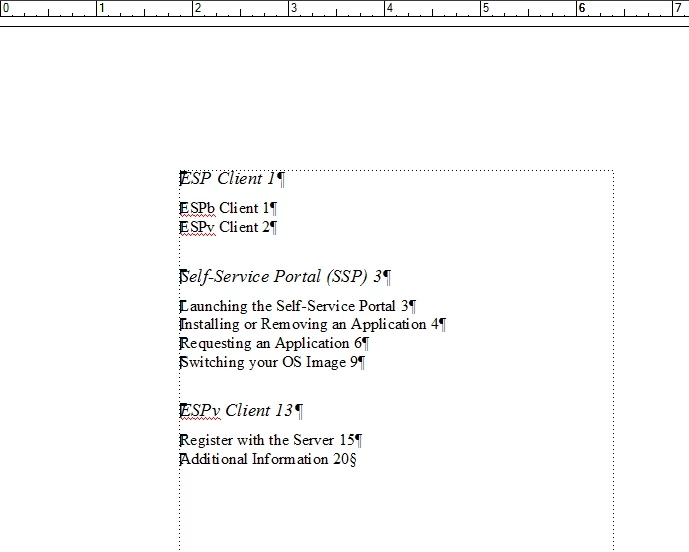
And my generated TOC
This topic has been closed for replies.
Correct answer englishextra

Please do. I'll try to make dots in Reference Pages view and send it back to you with my explanations


Open in View - reference pages and find all occurances of

<$paratext> <$pagenum>

delete space between tags then press tab once then make sure that you selected view - toolbars - paragraph formatting to see the paragraph panel on your right then cahnge authoring mode to design one so I see there you already have tab stops 5,76 then click it and make sure before that the cursor vertical line is there <$paratext>(there should be an angular sign after you pressed tab)|<$pagenum> so now click your 5,76 and play change right to left OR CHANGE WIDTH see screenshot AFTER YOU PRESS CONTINUE you should update all in paragraph panel being in reference pages view

3 replies

Participating Frequently
February 10, 2013

The answer is there http://www.adobe.com/products/adobemag/archive/pdfs/98auqafm.pdf READ THE RIGHT COLUMN of the PDF

August 25, 2011

Mushhood, looking at the screen captures that you posted in your first post, it looks to me like the reason that your tabs aren't working is because they are set to be too far out to the right for them to "take effect" on the paragraph tags.

As a test, I would suggest changing the tab value from 5.76 to something like 3 in your Heading1/2/3TOC tags, apply the change to the paragraph tags and update all. Then save the chapter and regenerate the book.

The value that's used in the tab is calculated from the start of the left of the text frame, so your case the text frame starts at approx 1.75 from the left margin of the page, so your tab would be 5.76 from that, meaning 1.75 + 5.76 = way out in right field, too far for the tab to have any visible effect.

August 25, 2011

Sheila, David pointed that out and I did adjust the text frame settings for my page to address it.

The issue i'm having right now is that the leading dots just don't show up in my TOC. I have to manually press <tab> for each line in my TOC to get the leading dots to show up.

August 22, 2011

I would also like to highlight that in my generated TOC the style tags are not persisting like they should.

Case in point, the left indentation on this generated TOC is wrong:

And same goes for Heading1TOC, where you can see my right indentation and leading dots profile is non existent:

The following Reference Page TOC content has been copied to all other frame file Reference pages:

If i generate stand alone TOCs for each frame file then the TOC generation works as expected:

But when I create a TOC for my book or update my book i don't see the above formatting or the leading dots.

Help!

Mushhood

David_Crowe
Inspiring
August 22, 2011

A couple of things you should check:

  • Do your paragraph formats Heading1TOC (etc.) have a tab setting in them? It is not sufficient to have the tab setting on the reference page; it must be in the format. (Do an “update all”.)
  • It looks to me as if your page set-up for the TOC has margins that would mean your right-hand tab stop is outside the text box. You need to set it at or inside the right margin.
August 26, 2011

>>haven't enabled your email address to be visible

Oh, I thought it was.

Never mind. I have e-mailed you the TOC I made.

Unless you are very lucky, you can’t just rename it to match your book and expect it to work. There is a mysterious relationship between FrameMaker books and related generated files.

Either see if you can tell where the difference is between my version and yours, or import all the formats from mine to yours.


Recieved your email. I have looked through your file's Reference page and only noticed that you have a leading space before the tab.

First I imported the formats from your file to mine. That didn't bring up the leading dots or push the numbers across the right. Then I copied the TOC Reference page entry from your file to mine and that didn't work either.

I think i might be resigned to just typing these leading dots manually (via a single tab insertion for each line of my TOC).