
Inspiring
June 21, 2018
Question

FM12 - Converting to pdf and odd happenings with images

  • June 21, 2018
  • 4 replies
  • 2599 views

Hello all,

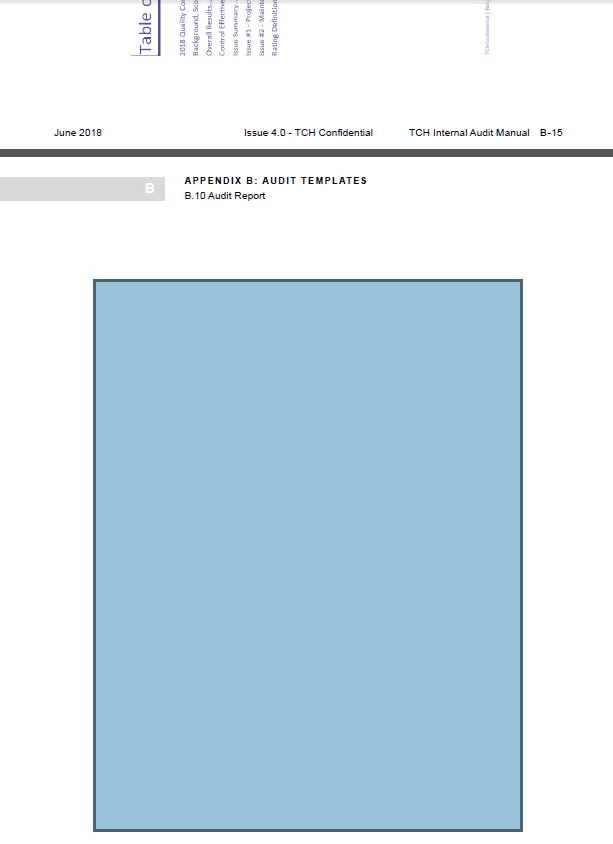
Some images are showing up fine in the .pdf (note the very top part of this image is a previous page having an image).  The bottom part (what appears as a blueish box) is actually an image that is not displying properly in the pdf.  I can select this blue box and copy/paste into a word document and the image is shown. 

Not sure yet why this is happening to some of the images.

Appreciate any advice.

regards,

Ben
    This topic has been closed for replies.

    4 replies

    Inspiring
    August 17, 2018

    Still playing around with this as time permits....

    I noticed that moving the image outside of the anchored frame and then saving as .pdf, the image displays as expected.

    So.....

    Latest experiment:

    Deleted frame and image that was imported (was imported by ref.).

    Added a graphic frame to the page and then imported the image.

    Saved as .pdf and the image displays as expected. 

    Not sure why this works but not a very efficient workaround.  As mentioned prior, seems something is wrong with this document (doing mif  "wash" did not matter....

    Matt-Tech Comm Tools
    Community Expert
    Community Expert
    June 21, 2018

    I have "mixed" success with that route. Check the http://techcomm.tools/pdf page, and see if that setup clears it up.

    I've been able to use these settings even after my Win updates lately.

    -Matt

    -Matt SullivanFrameMaker Course Creator, Author, Trainer, Consultant
    Inspiring
    June 21, 2018

    OK.

    I will follow-up with your suggestion.

    In the meantime, I pulled the .pdf up in Acrobat.  The same results (empty blue box).  I selected "bring to front" and the image displays.  I then tried to "bring to front" in the .fm and then save as pdf again.  However, this unfortunately did not make a difference.

    Inspiring
    June 21, 2018

    Also, adding text is the location indicated in this screenshot, will "fix" the issue so that the image will display in the .pdf.

    Matt-Tech Comm Tools
    Community Expert
    Community Expert
    June 21, 2018

    What print driver are you using, and are you doing Save as PDF, or printing to a .ps file?

    See http://techcomm.tools/pdf ​for the setup I use.

    -Matt SullivanFrameMaker Course Creator, Author, Trainer, Consultant
    Inspiring
    June 21, 2018

    Save as .pdf

    Jeff_Coatsworth
    Community Expert
    Community Expert
    June 21, 2018

    What's the image format? How is it inserted?

    Inspiring
    June 21, 2018

    Here is a screenshot of the Object Properties Tab (does this help?):

    I've also simply did a copy/paste from Snagit straight into the frame but that made no difference

    Jeff_Coatsworth
    Community Expert
    Community Expert
    June 21, 2018

    What's different about this JPG vs any others in the doc?