

jaggedpeak
Inspiring
August 11, 2019
Answered

FM2019(v15.0.3.603) How to embed an mp4?

  • August 11, 2019
  • 1 reply
  • 1029 views

I've never embedded videos in my pdfs before, but would like to do so.

But... I'm at a loss.

I used File > Import > File, and selected an mp4 (the SpaceTravel.mp4 included with Framemaker).

It appears like this:
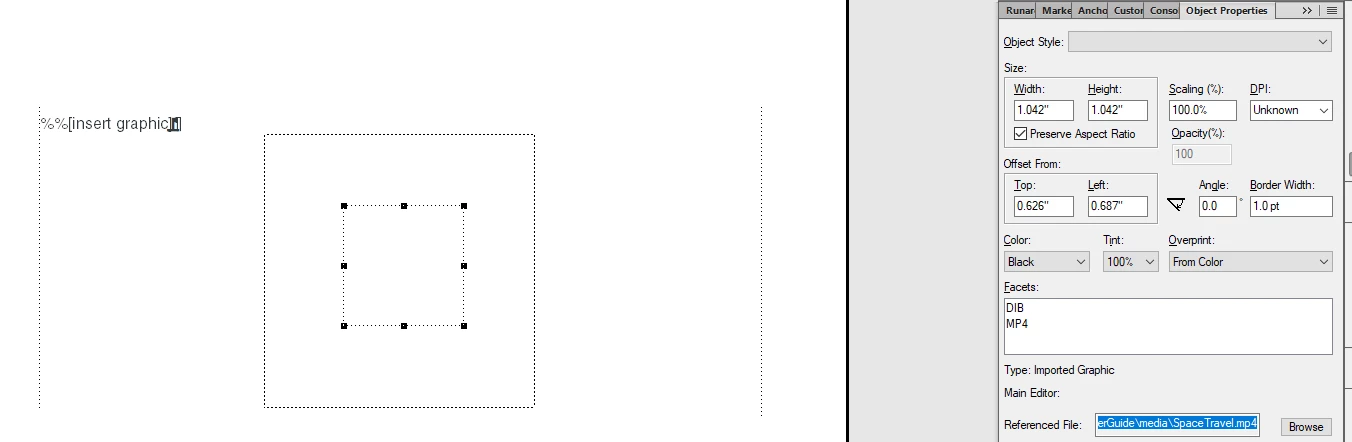
The examples on-line all show that the image frame should have the filmstrip graphic, but it doesn't.

If I doubleclick the object, it opens and plays.

If I generate the pdf (with Preferences>Global>General set to embed Adobe Flash files, 3-D objects, and multimedia objects), the pdf shows:

(the faded bar was me clicking the object on the pdf -- it's just the image of the filmstrip, nothing else)

Is there something else I'm supposed to do?

(And does my graphics card (ooold) have anything to do with the problem?)

Thanks.

(I have weekend-brain, so am sure I'm probably missing something obvious :-))

    This topic has been closed for replies.
    Correct answer Barb Binder

    Hi jaggedpeak:

    Hmmm. I just keystroked it in 2019 (15.0.3.603) and it isn't working. I tried it in 2017 and the poster works as expected. Not sure what is up with 2019, but that appears to be where the problem is. You can report it here: Tracker.

    ~Barb

    1 reply

    Barb Binder
    Community Expert
    Community Expert
    August 11, 2019

    Hi jaggedpeak:

    You just need to add a poster (usually the first frame of the video) with Graphics > Multimedia > Set Poster.

    One way to get the poster is to grab a screen shot when the video begins to play. The poster will be in the frame until you play the video, and will appear on the page when you print. See Adobe FrameMaker (2019 release).

    ~Barb

    ~Barb at Rocky Mountain Training
    jaggedpeak
    Inspiring
    August 11, 2019

    Hi Barb.

    I wasn't sure if the poster was needed or not :-)

    That being said...

    If I try to use Media File (above) and click Play, it doesn't play the video, it just shows a blank rectangle:

    For kicks, I click Capture Frame and it changes the label to Resume Playback, but it didn't capture anything (the 'Apply' button remains gray).

    If I use Image File and select the spacetravel_poster, it appears in the frame:

    and then in the generated pdf I get essentially the same output as when I didn't have a poster ...

    It's just an image. :-(

    Barb Binder
    Community Expert
    Barb BinderCommunity ExpertCorrect answer
    Community Expert
    August 11, 2019

    Hi jaggedpeak:

    Hmmm. I just keystroked it in 2019 (15.0.3.603) and it isn't working. I tried it in 2017 and the poster works as expected. Not sure what is up with 2019, but that appears to be where the problem is. You can report it here: Tracker.

    ~Barb

    ~Barb at Rocky Mountain Training