
Copy link to clipboard
Copied
I am using Frame Maker 10 with S1000D Application Pack, i have new document from S1000D->New->Crew Modle, inputing the data as per the Elements and updating the TOC S1000D->Update TOCs all works fine, but when i insert the Figure and updated the TOCs its not in the format
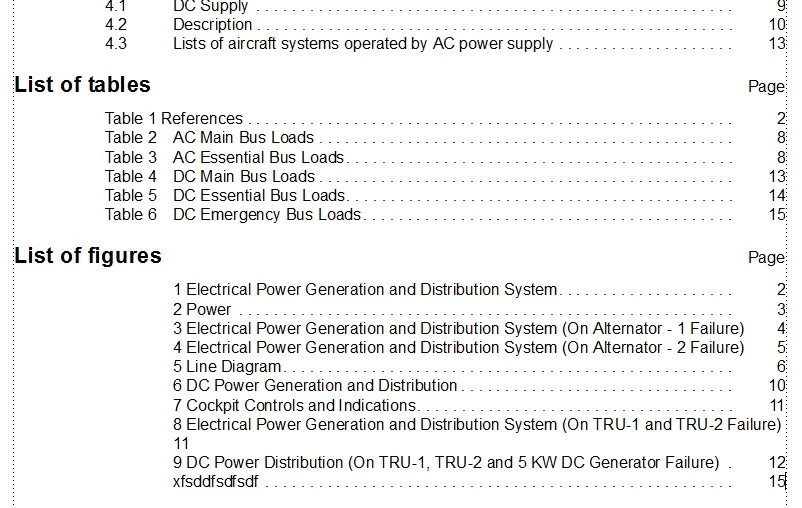
When i checked the sample document which is given in FM 10 S1000D, Once i Insert the Element "Figure Title" it inputs auto number...but not in Crew Modle.
Please help me how to go with this
This formatting error is due to a missing text format rule in the Crew Module application. The quickest way to fix this is as follows:
Copy link to clipboard
Copied
This formatting error is due to a missing text format rule in the Crew Module application. The quickest way to fix this is as follows:
Note: Do not import the EDD directly into an open data module as that will overwrite the attribute values as defined by the BREX mapping.
Regards
Ian
Copy link to clipboard
Copied
Hi lan
Thanks for you help on Figure TOC, now i see the Figure TOC is in correct formatting,
thankyou very much.
I have stuck with another major problem : http://forums.adobe.com/thread/869090
Get ready! An upgraded Adobe Community experience is coming in January.
Learn more