
Participant
September 27, 2018
Question

framemaker 2019 freeze

  • September 27, 2018
  • 1 reply
  • 954 views

Framemaker 2019 freeze

We have a user, who upgraded to Framemaker 2019 on a new laptop (Lenovo ThinkPad T570, i7, 16GB Ram and Windows 10).

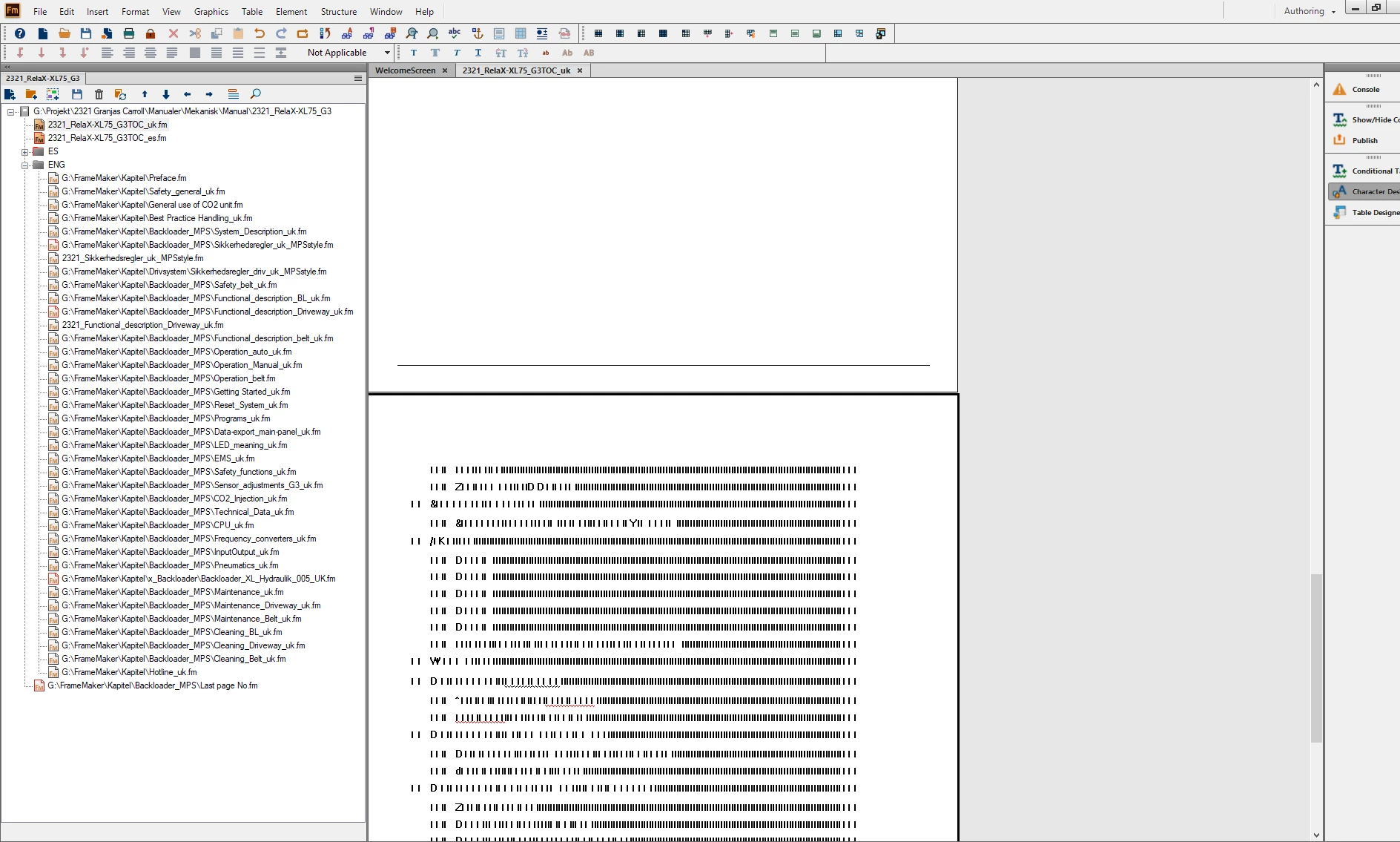
Her problem is that Framemaker keeps freezing. Fx opening a document and when she clicks on the second line (2321_relaX-XL...), Framemaker freezes totally.
No reaction on the screen and in the view, the characters are not complete - blurry.

Only way is to Kill the program.

Happens more times. Checked for updates, on the newest version.
    This topic has been closed for replies.

    1 reply

    Community Manager
    September 27, 2018

    Hi,

    I have sent you a private message. Please reply to it and we will connect with you to look into the issue.

    Regards,

    Mayank

    Participant
    December 11, 2018

    I've been facing the same issue since upgrading to TCS 2019 - see attached screenshot.

    For me, the freeze happens usually when I hit Ctrl+S after I edit the content. After the freeze, I have to close Framemaker in Task manager and when I reopen it, I see that the changes have actually been saved.

    Jeff_Coatsworth
    Community Expert
    Community Expert
    December 11, 2018

    All patched up? 32 or 64 bit version of FM2019? Structured or Unstructured FM?